
Introducing BI Pixie Cloud
BI Pixie is now available as a cloud service. Sign up, connect your Power BI workspaces, and start tracking user engagement in minutes. No setup or infrastructure required.
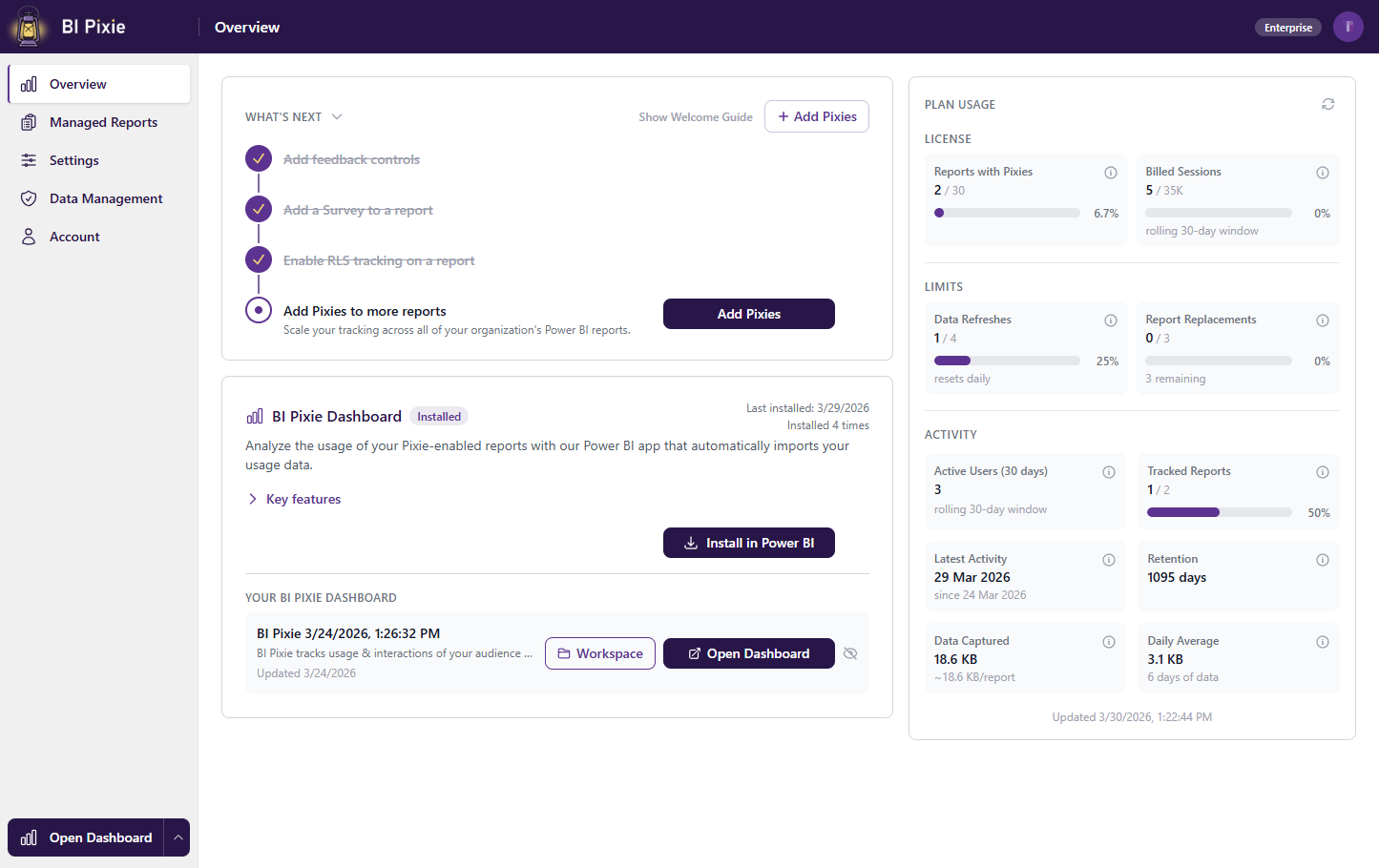
Your Power BI reports get views. But are they driving decisions?
Most organizations invest heavily in building dashboards, yet have no way to measure whether those reports are actually being used, how users interact with them, or whether the investment is paying off. Native Power BI usage metrics tell you that someone opened a report. They don’t tell you which visuals were clicked, which filters were applied, how long users spent on each page, or whether they found the report useful.
BI Pixie Cloud changes that. It is a cloud service that goes beyond page views to capture visual-level clicks, filter interactions, heatmaps, session duration, user satisfaction surveys, and more. Sign up, connect your Power BI workspaces, and start tracking in minutes. No infrastructure to deploy. No setup required.
What You Get
BI Pixie Cloud gives you deep visibility into how your Power BI reports are actually used. Here is a quick tour of what is included.
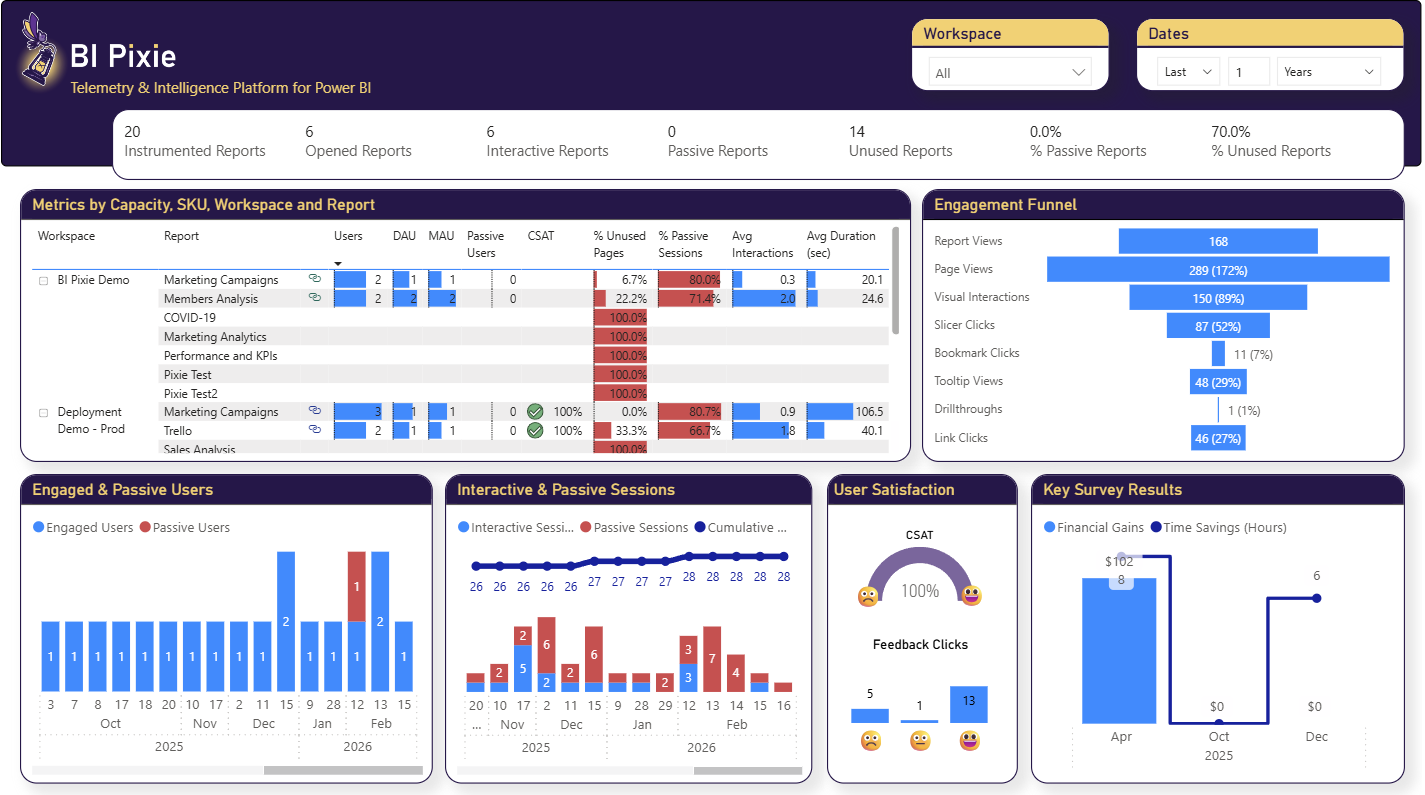
Adoption and Engagement at a Glance
The Summary dashboard gives you an instant overview of report adoption, active users, session trends, and engagement scores across your entire Power BI portfolio.
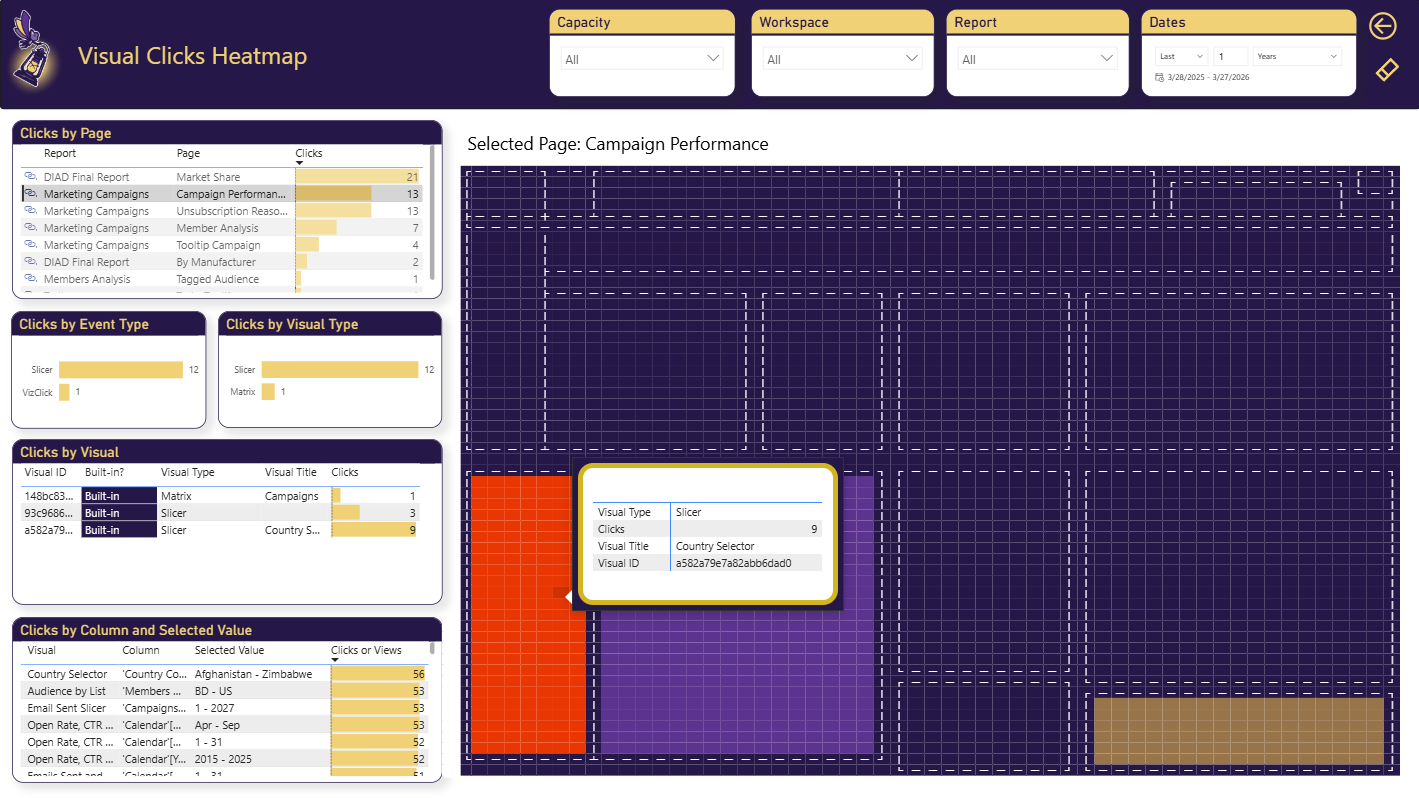
Visual Clicks Heatmap
See exactly which visuals your users click on and which ones they ignore. The heatmap highlights interaction hotspots so you can optimize report layouts based on real user behavior.
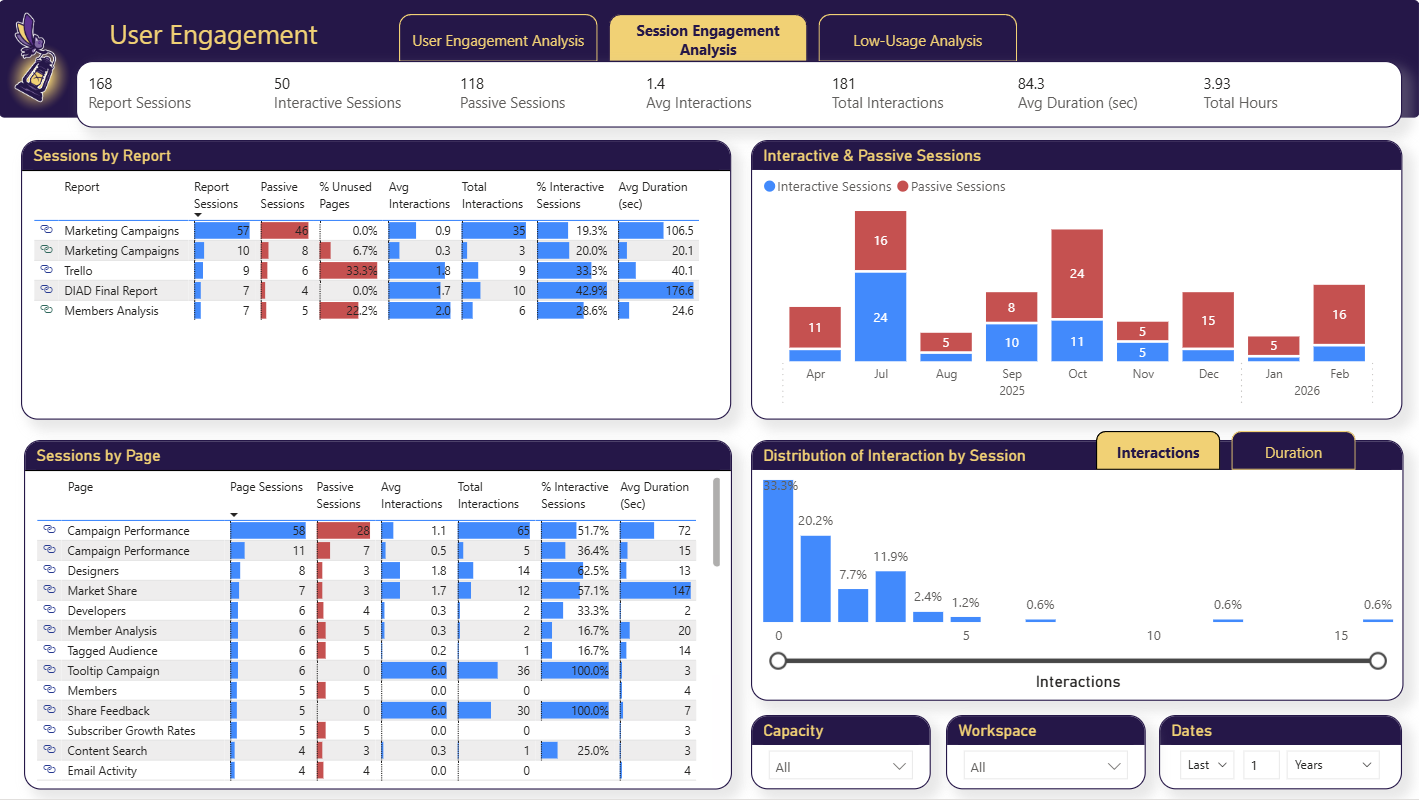
Session and Interaction Trends
Track how engagement evolves over time. Identify trends in session duration, interaction depth, and user activity to understand whether your reports are gaining or losing traction.
In-Report Feedback and Surveys
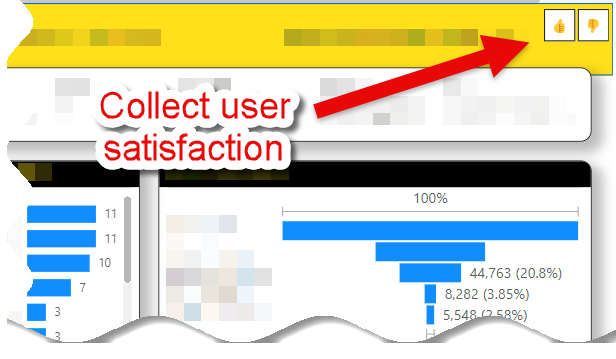
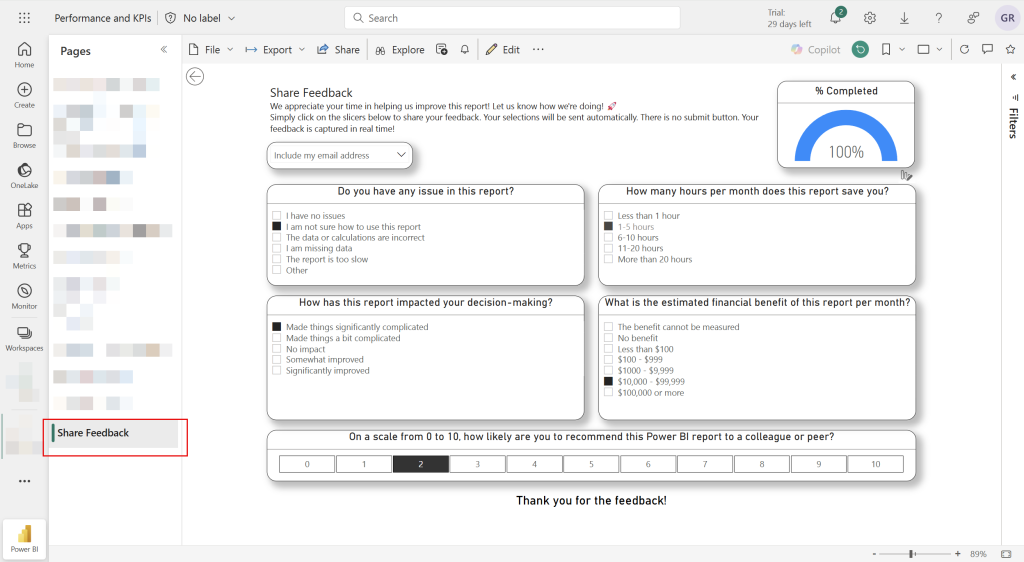
Collect user feedback directly inside your Power BI reports with one-click feedback controls and embedded NPS surveys. No external tools needed.
User Satisfaction Analysis
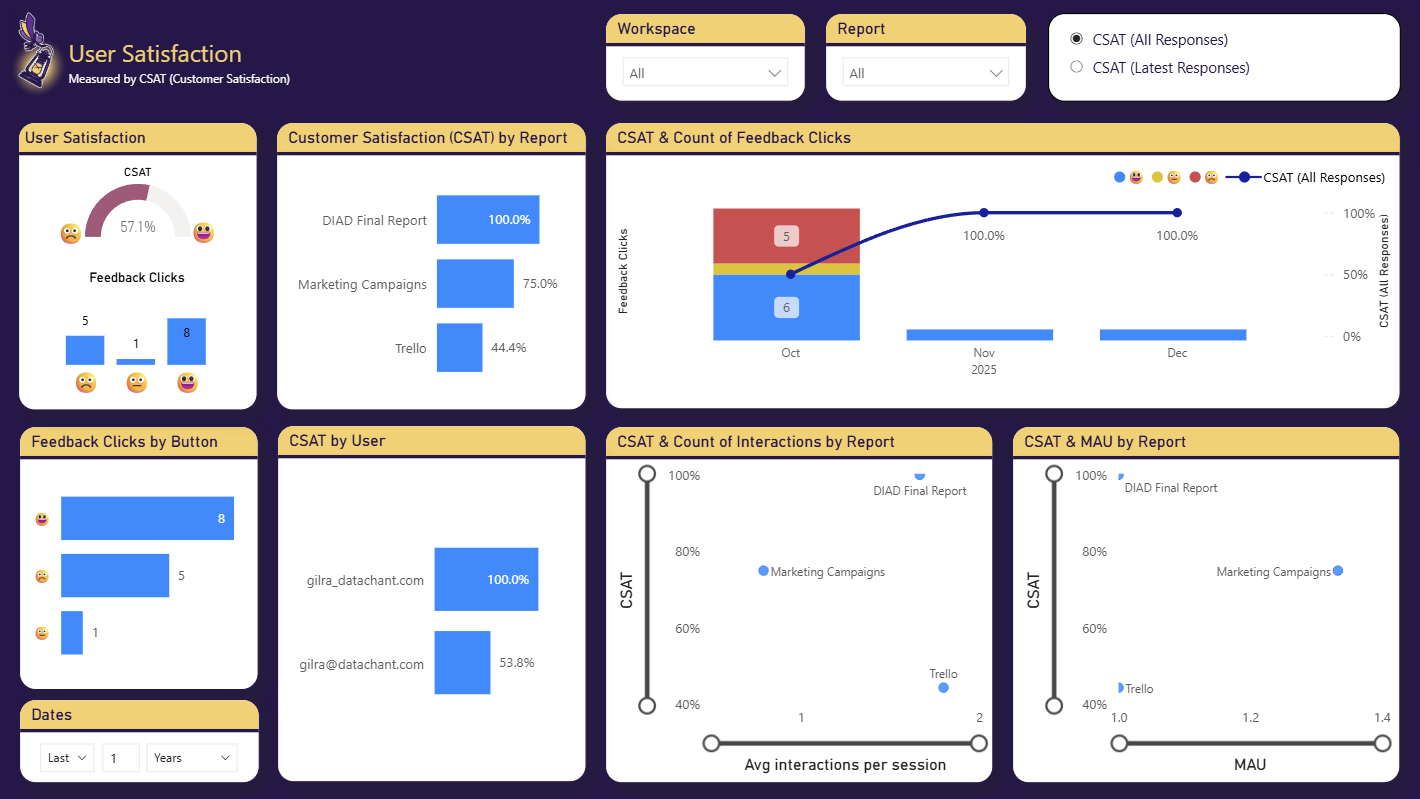
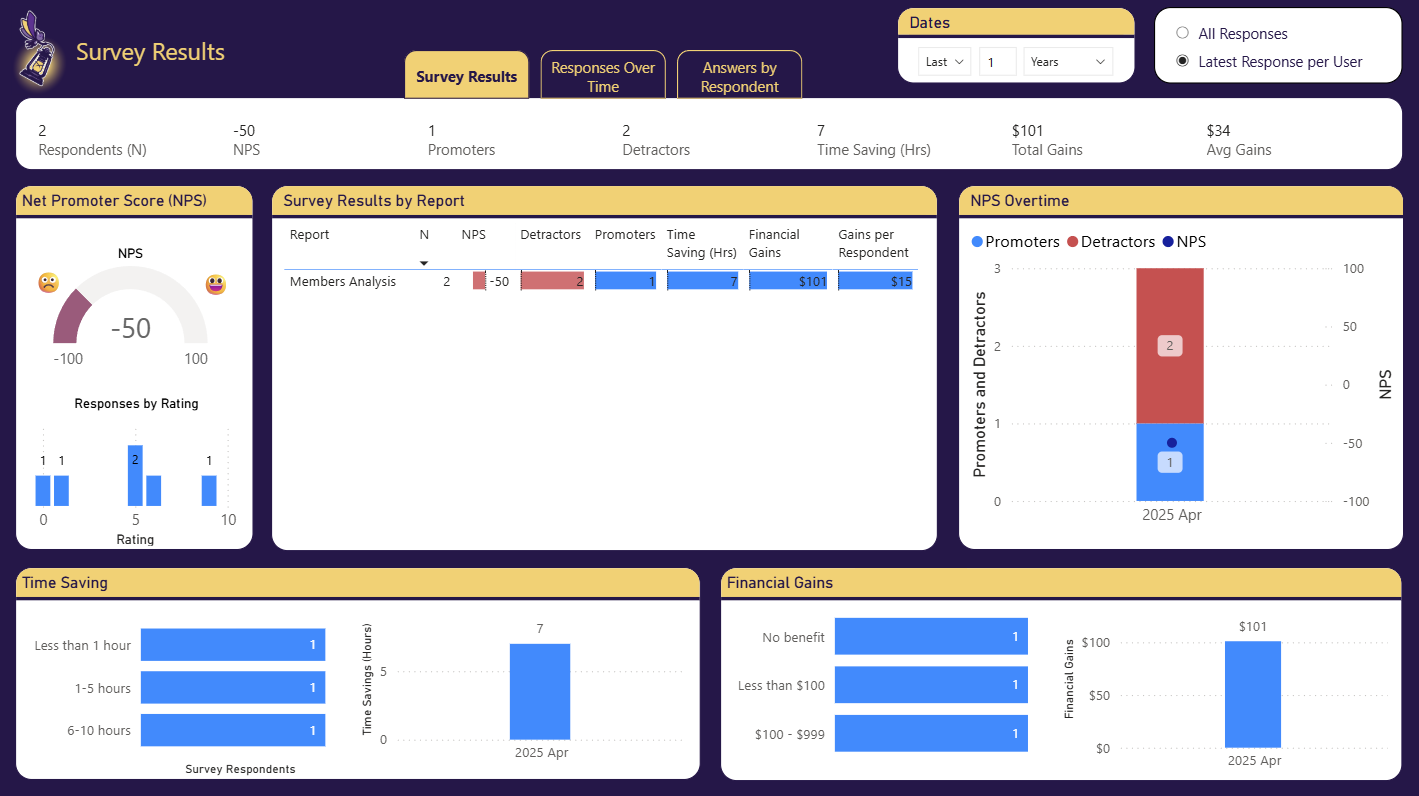
Analyze feedback and NPS scores by report, page, and user segment. Understand which reports deliver value and which need improvement.
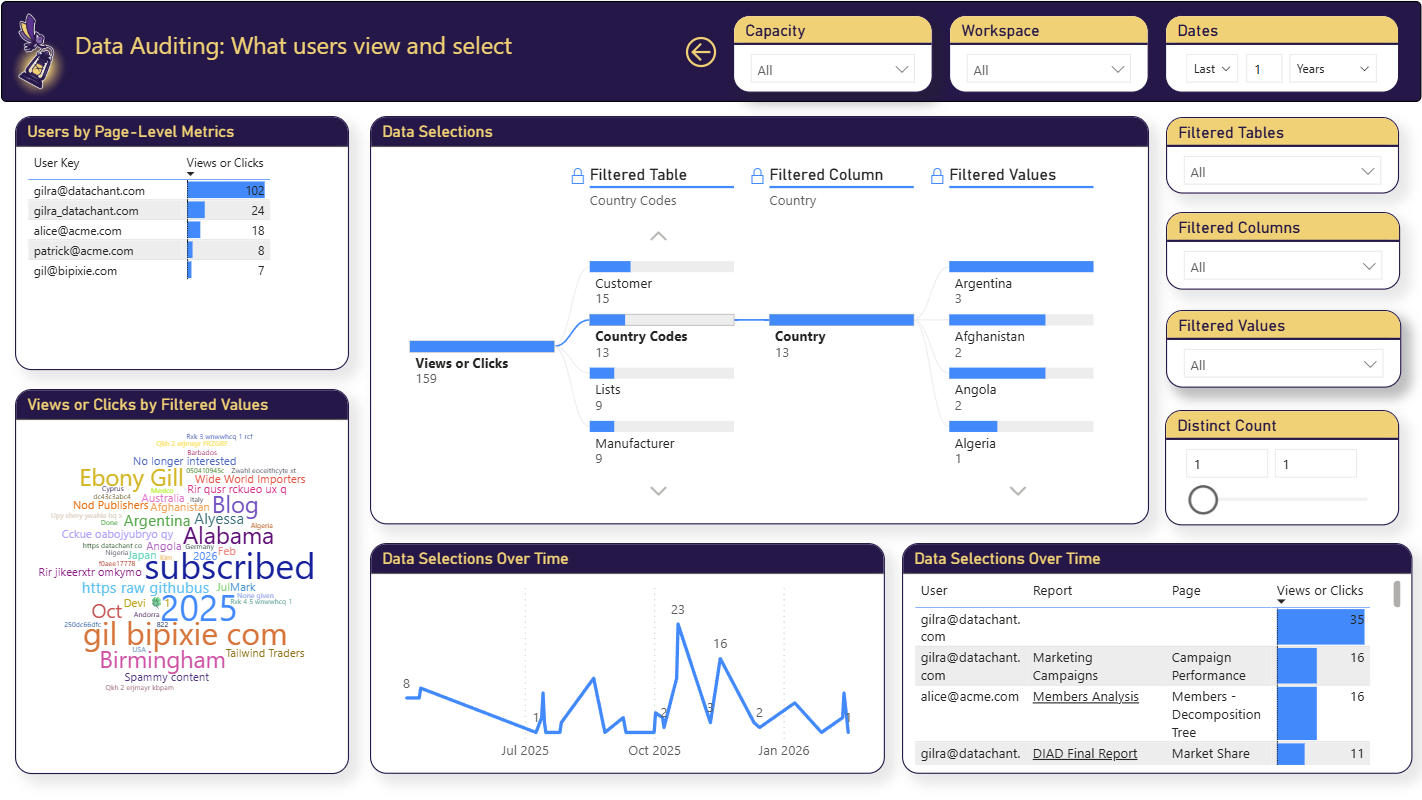
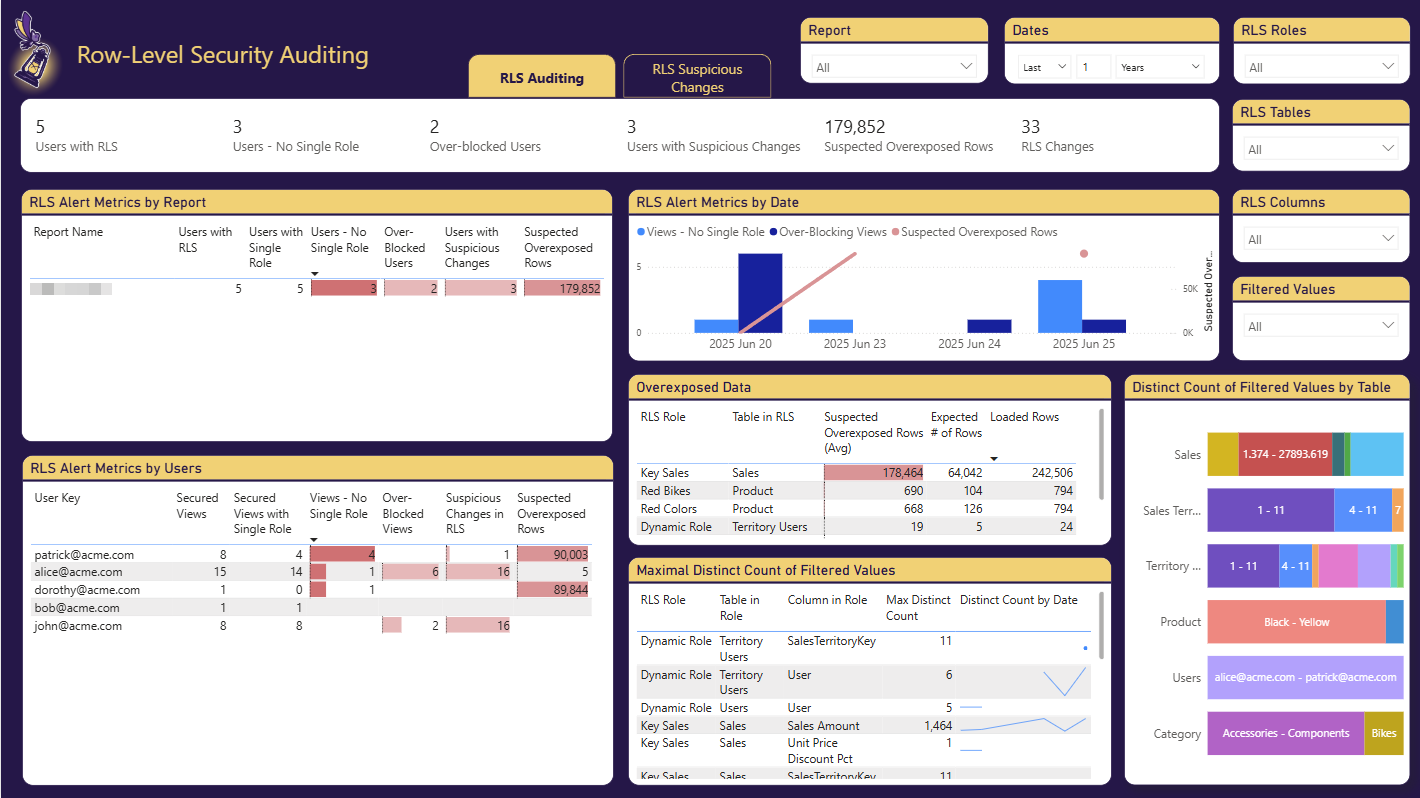
Data Auditing and RLS
Audit click-level data selections and Row-Level Security configurations across your reports. Detect misconfigurations, overexposed data, and potential security risks before they become incidents.
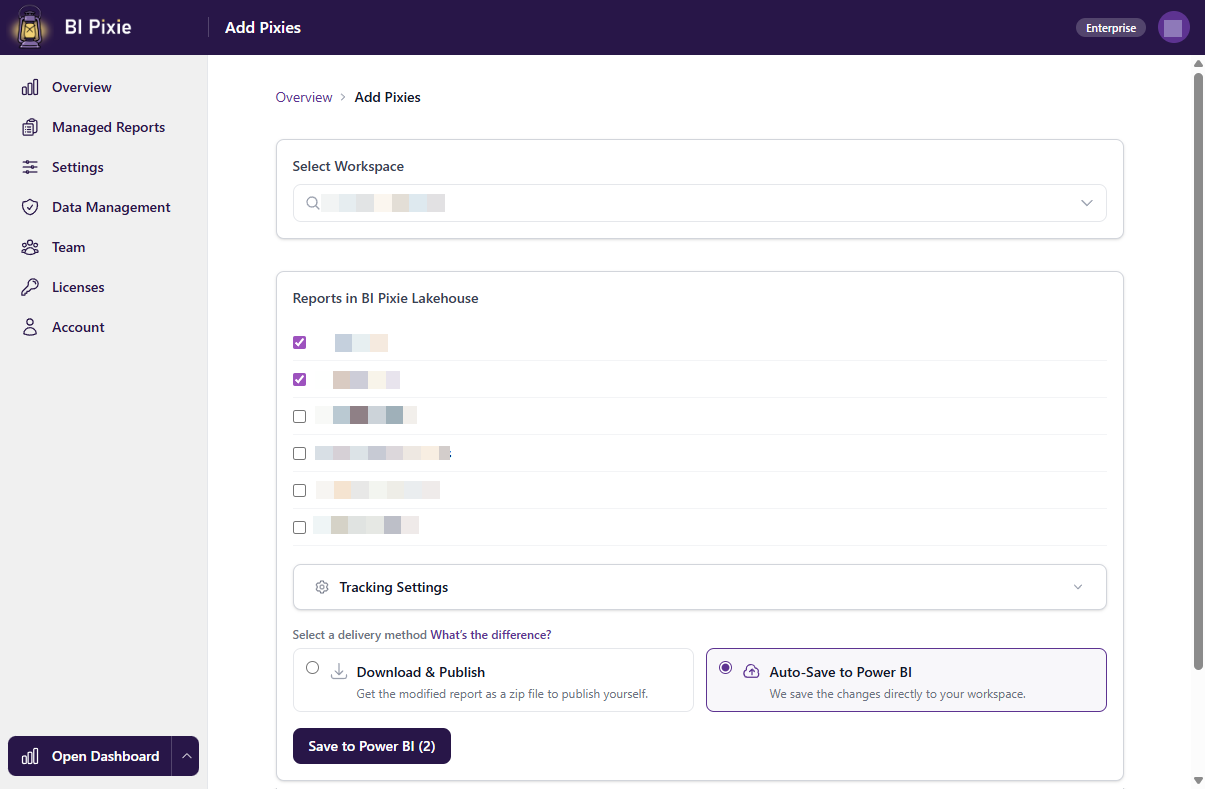
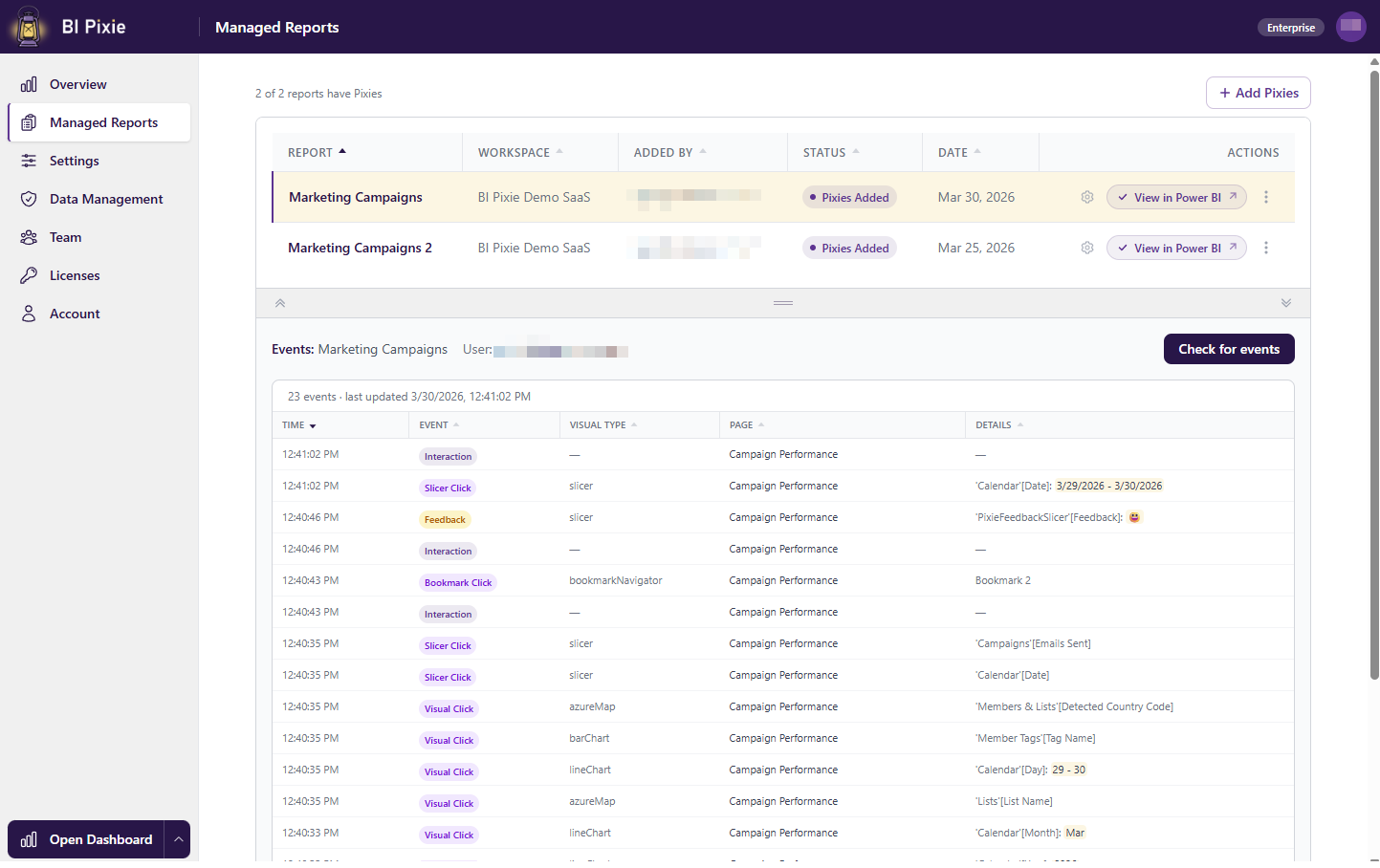
Manage Everything from the Portal
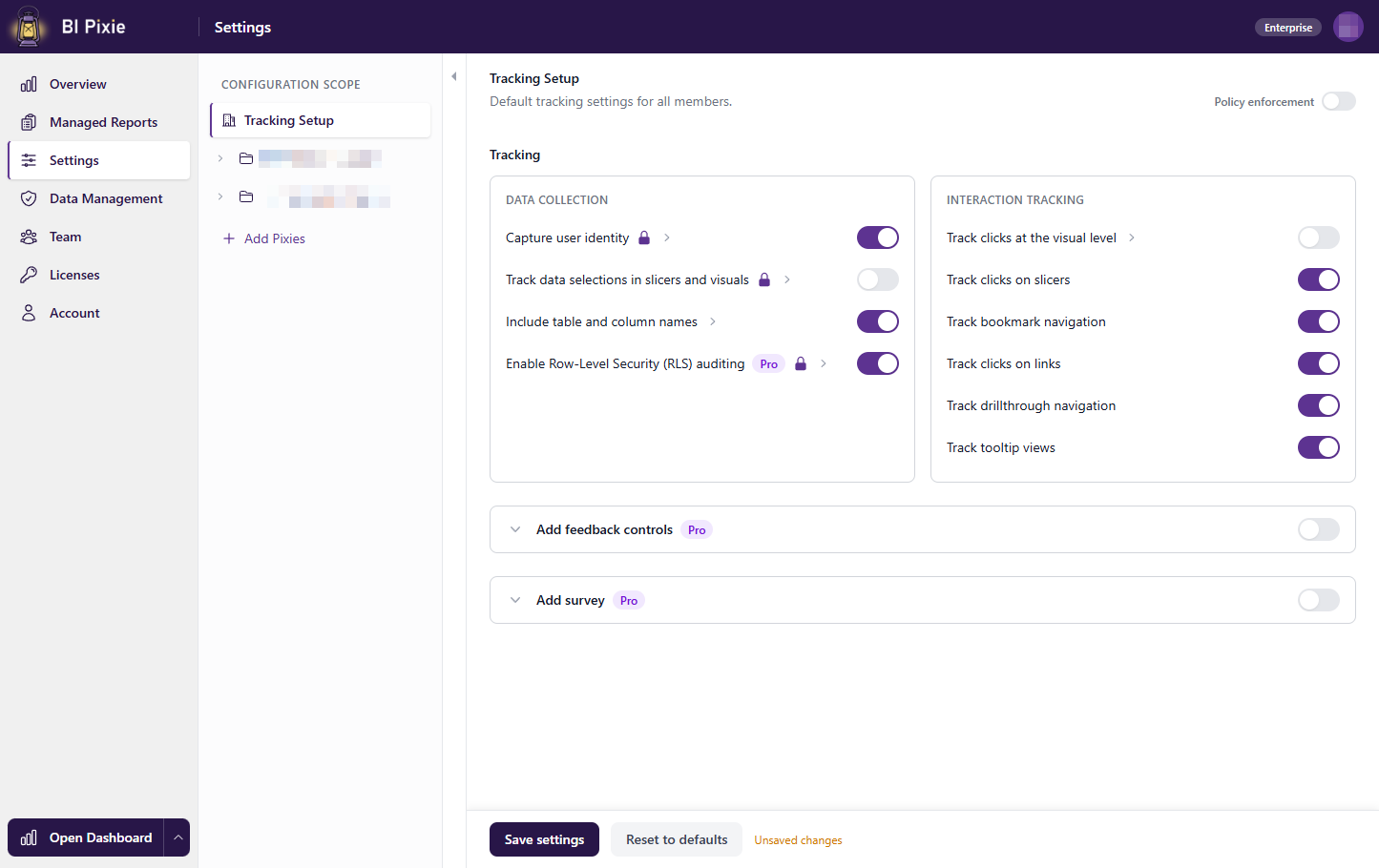
The BI Pixie Portal is where you connect workspaces, instrument reports, manage team members, and configure tracking settings. Everything is self-service.
The BI Pixie Product Family
With the launch of BI Pixie Cloud, we are formalizing the BI Pixie product family:
- BI Pixie Cloud is the cloud service and the default way to use BI Pixie. Sign up, connect your workspaces, and start tracking. No infrastructure to manage.
- BI Pixie on Azure is the self-hosted edition for organizations that need to deploy BI Pixie in their own Azure subscription.
- BI Pixie on Power Platform is the self-hosted edition that runs entirely within your Power Platform environment.
When we say “BI Pixie” without a qualifier, we mean BI Pixie Cloud. The two self-hosted options are grouped under the name BI Pixie Self-Hosted when discussed collectively.
We have also retired older names like “BI Pixie Managed App” and “BI Pixie Starter Deployment” in favor of the clearer “on [Platform]” pattern.
For the full comparison, dashboard variants, and naming details, see the Product Family guide.
Security and Data Management
BI Pixie Cloud is built on Microsoft Azure with security at every layer.
Network Security
All internal resources run behind a Virtual Network with private endpoints. External traffic goes through Azure Front Door with built-in DDoS protection and a Web Application Firewall (WAF) that enforces rate limiting. There is no direct access to backend storage or compute resources from the public internet.
Data Isolation
Every customer gets a dedicated storage container with Azure AD role-based access control (RBAC) enforced at the container level. There is no shared data layer between customers. Access is granted through Azure AD identity, and revocation is instant.
Encryption
All data is encrypted in transit (TLS 1.2 minimum) and at rest. Secrets are stored in Azure Key Vault with soft delete enabled. No connection strings or credentials are stored in application configuration.
Privacy by Default
BI Pixie does not collect email addresses by default. User identity is captured as an MD5 hash for unique identification without exposing personal information. If you choose to opt in to collecting end user identities, BI Pixie will capture the user’s email address alongside the engagement data. In that case, the Data Management page in the portal provides tools to search for specific user data, delete individual user records across all reports, and handle Data Subject Access Requests (DSARs) in compliance with GDPR. Data selection tracking is opt-in. IP address masking is available for organizations with stricter privacy requirements.
Self-Service Data Management
From the BI Pixie Portal, you can:
- Configure data retention based on your plan tier (up to 3 years for Enterprise).
- Search and inspect specific event data by report, user, and date range.
- Delete individual user data across all reports to support GDPR and Data Subject Access Requests.
- Delete your account and all data instantly with a single action. No waiting period, no support ticket required.
All data management actions are audit-logged with timestamps and actor identity.
Designed for Teams of All Sizes
BI Pixie Cloud is not a “starter” product that you outgrow. Every plan runs on the same infrastructure, and enterprise capabilities are built into the platform from day one.
For larger organizations, BI Pixie Cloud includes capabilities that are typically found only in self-hosted enterprise software.
Multi-License Data Isolation
Enterprise accounts can create multiple licenses, each with its own isolated data container, report allocation, and session budget. Assign team members to specific licenses so that each business unit sees only its own data. Admins retain visibility across all licenses.
Policy Enforcement
Admins on the Enterprise plan can enforce tracking settings at the account level. When a setting is enforced, team members cannot override it at the workspace or report level. This ensures consistent tracking policies across the entire organization.
Three enforcement levels are available:
- None: No enforcement. Team members configure their own values.
- Recommended: A suggested value is provided, but team members can override it.
- Enforced: The value is locked and cannot be changed at any lower level.
Per-Report Tracking Keys
Enterprise and Trial accounts can enable per-report tracking keys. Each report gets its own dedicated key, so if a key is compromised, you can rotate it without affecting any other report.
Dedicated Infrastructure
For organizations with regulatory, performance, or data sovereignty requirements, BI Pixie offers dedicated data plane infrastructure. Your telemetry flows through isolated Azure resources (Event Hub, storage, and compute) that are not shared with any other customer.
Data Sovereignty
Choose your Azure region at setup time. Your telemetry data stays in that region. No cross-region replication occurs unless you explicitly request it.
Team Management with Role-Based Access
Invite team members from your Azure AD tenant and assign them roles:
- Admin: Full access to all settings, team management, billing, and all licenses.
- Member: Can instrument reports, view managed reports, and configure settings within the boundaries set by admins.
Enterprise accounts support 100+ team members, with the ability to request higher limits.
Get Started
BI Pixie Cloud is available today with a free trial. No credit card required. Sign up, connect your Fabric workspace, and instrument your first report in minutes.
Start your free trial at app.bipixie.com
Have questions? Contact us and we will be happy to help.