
AI Readiness and Adoption.
From Power BI to AI Agents at Scale.
Take your Semantic Models
and Data Agents to Production
with Copilot and AI
BI Pixie makes your mission-critical semantic models and data agents ready for AI at scale, starting where AI matters most to your business, and proves AI accuracy on your own data.
Free assessment for up to 500 semantic models and data agents
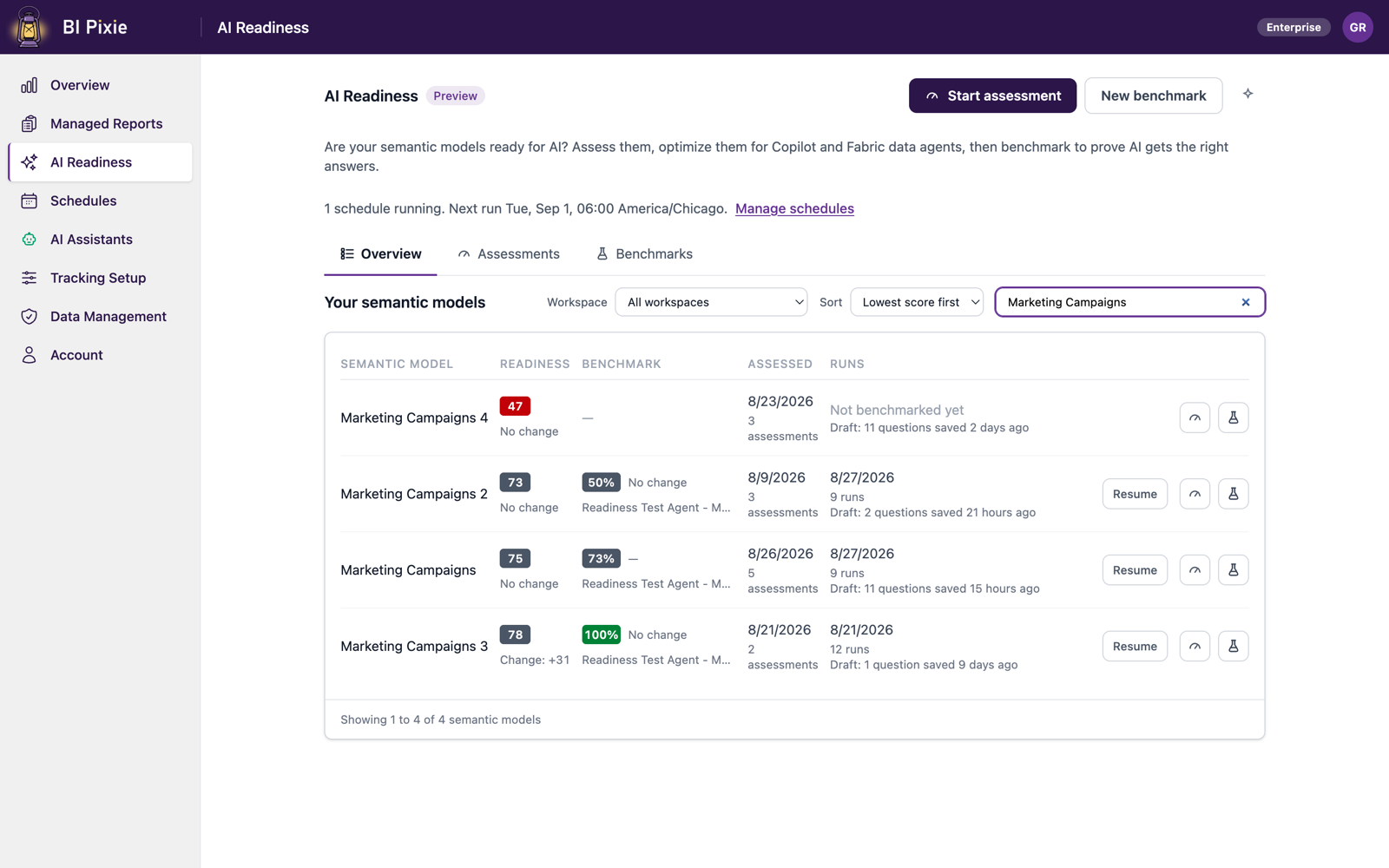
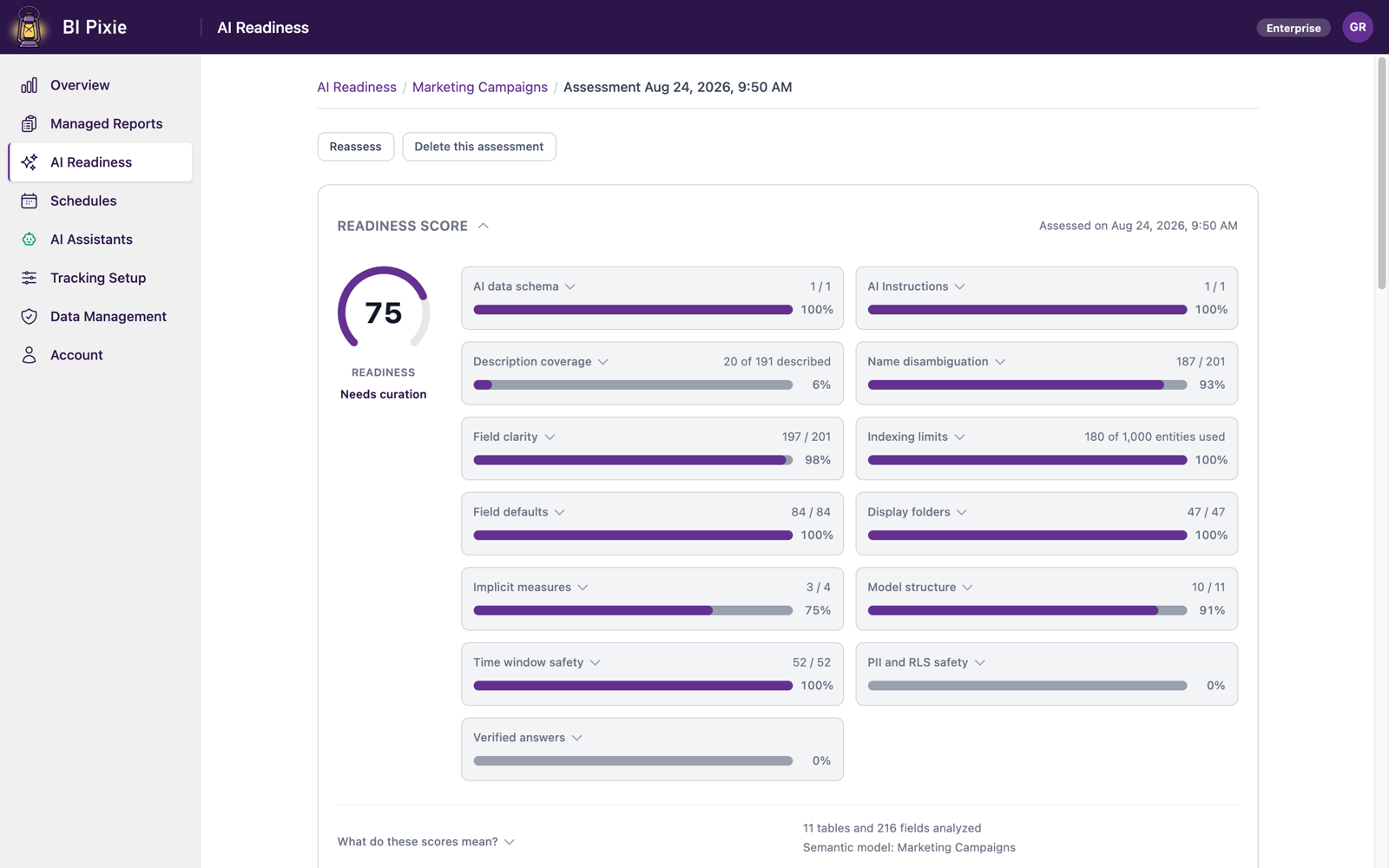
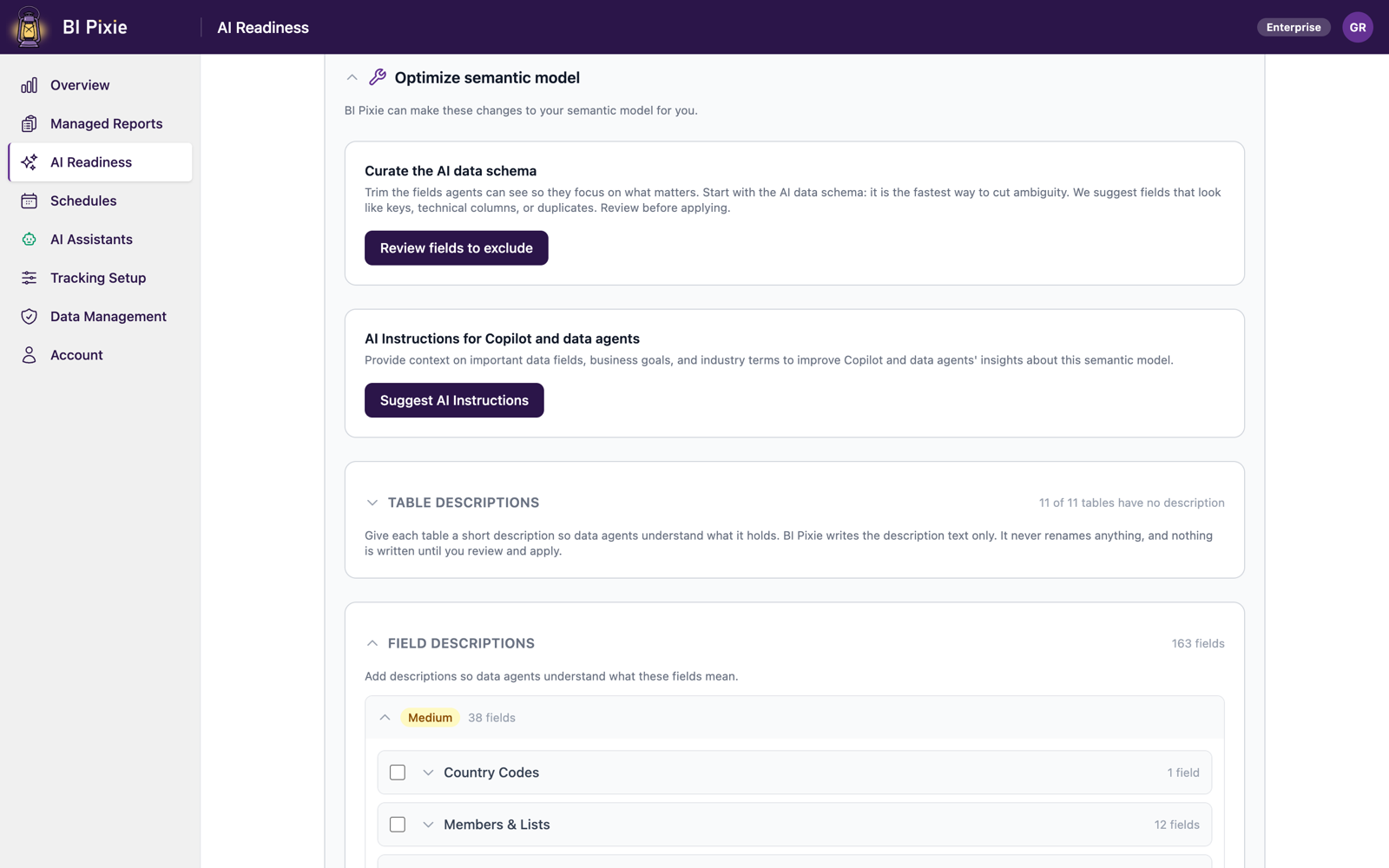
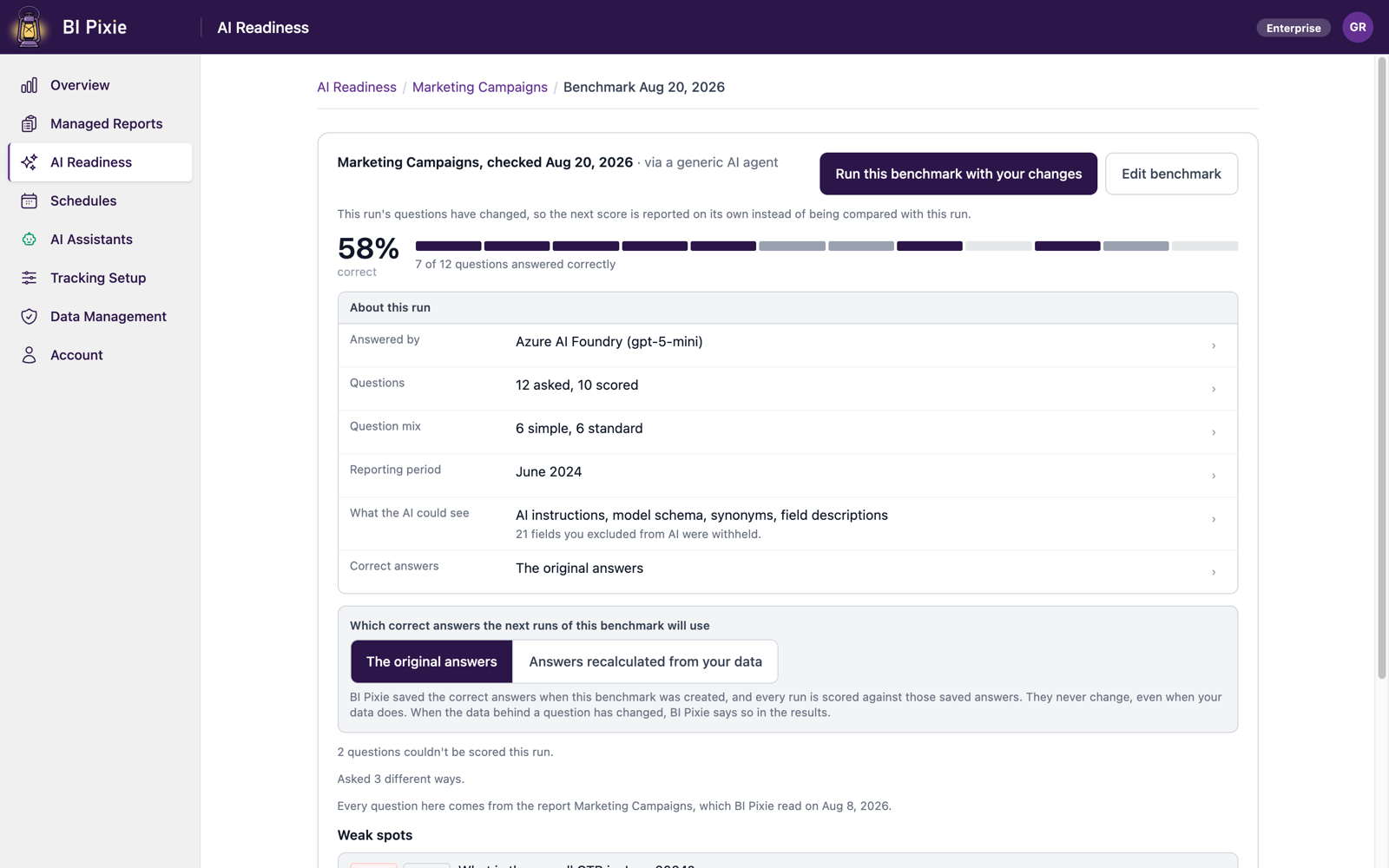
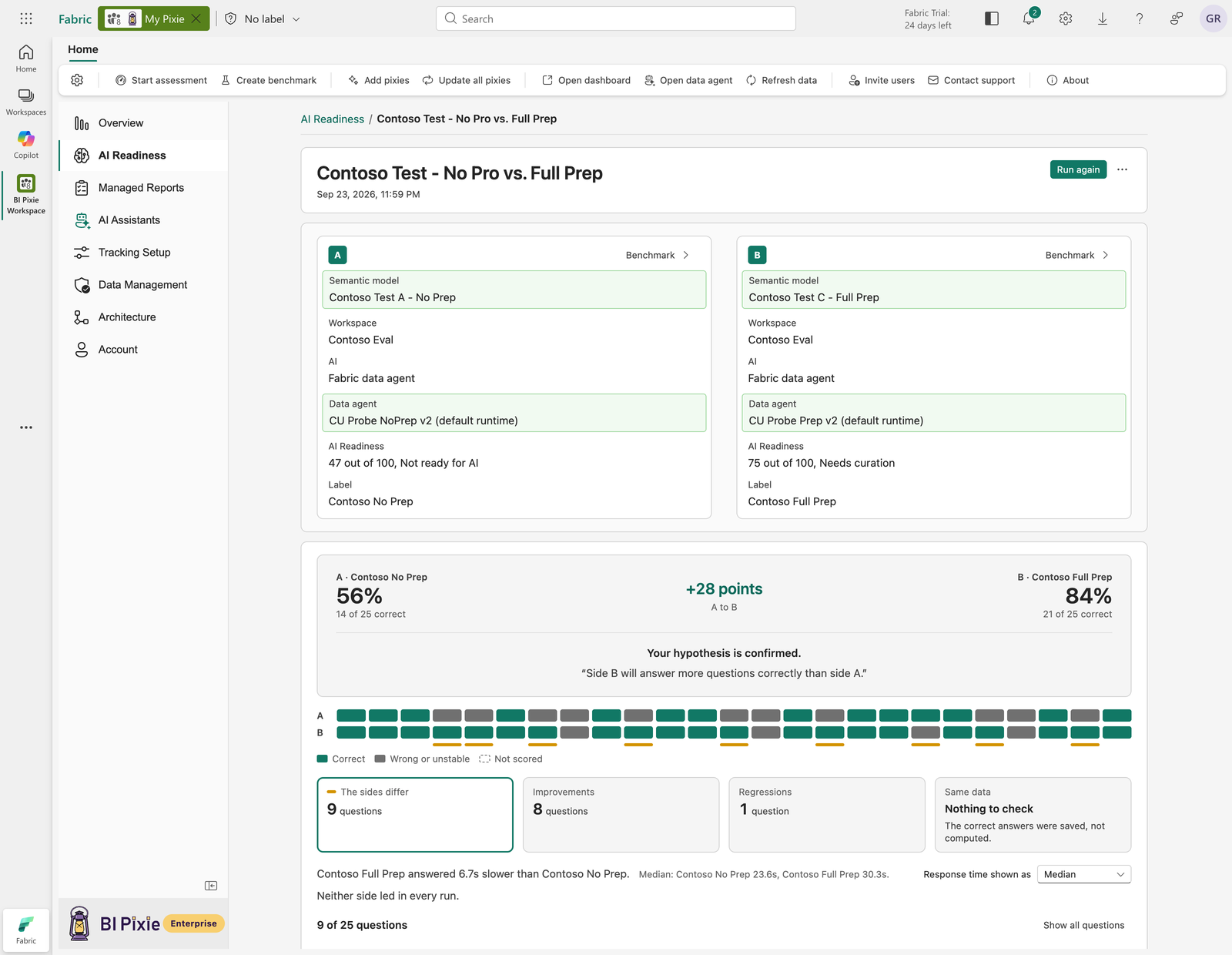
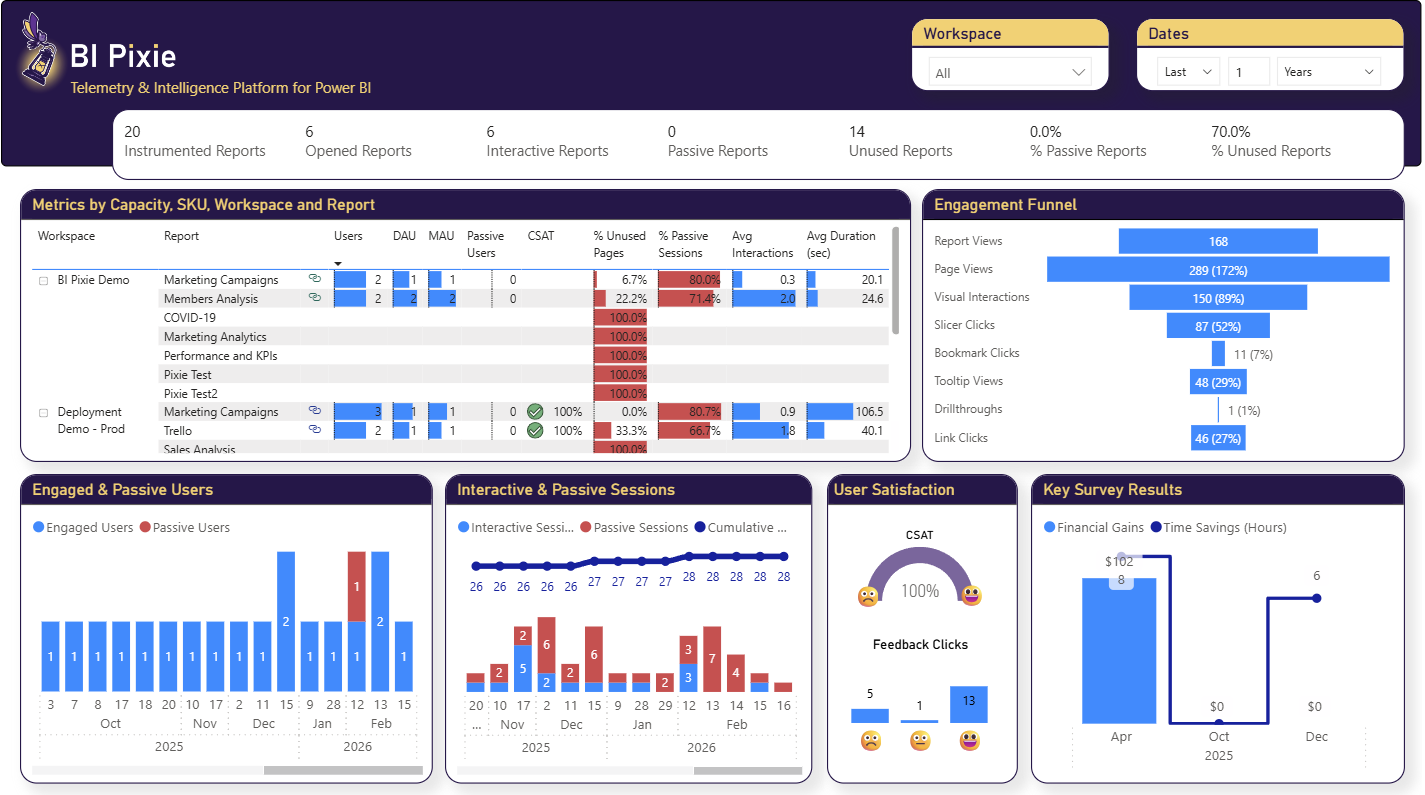
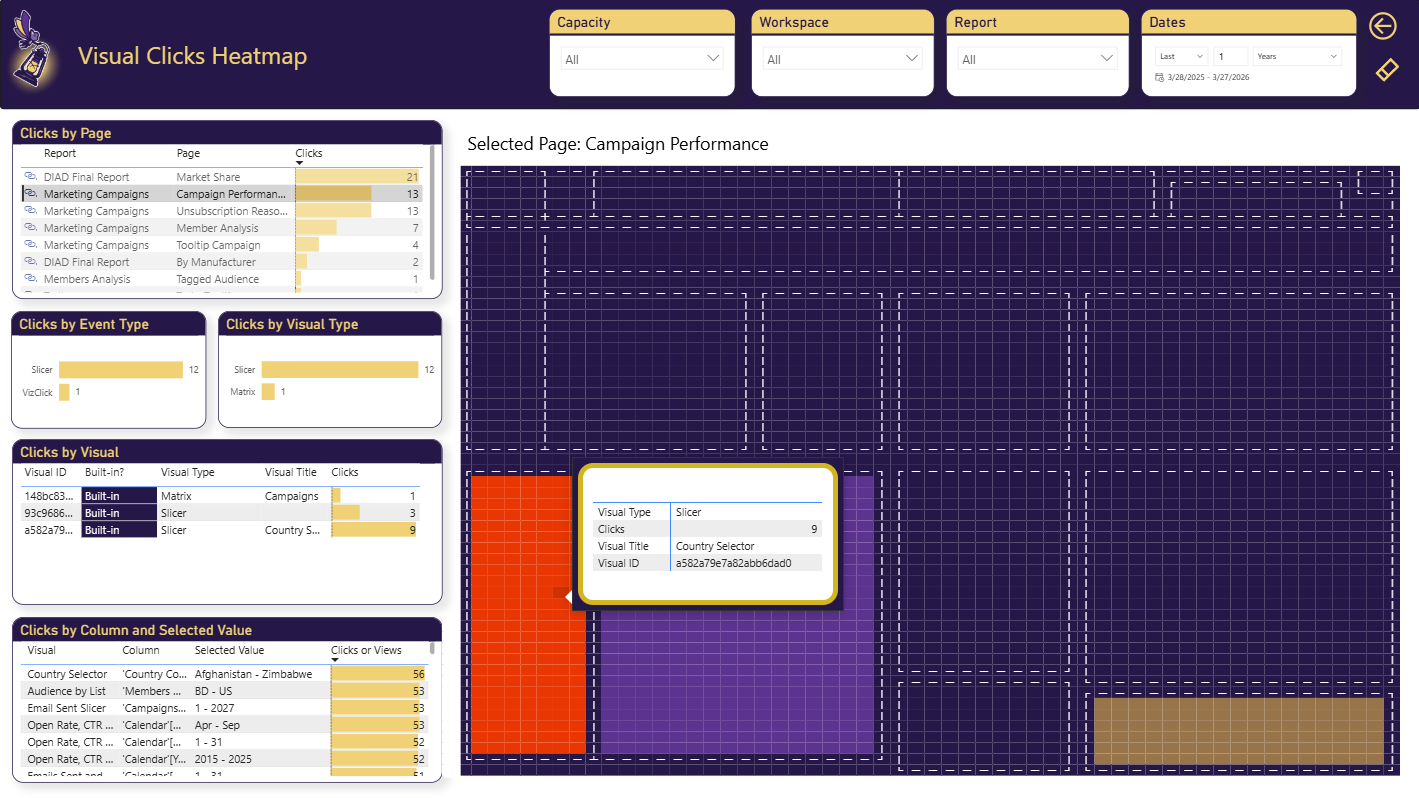
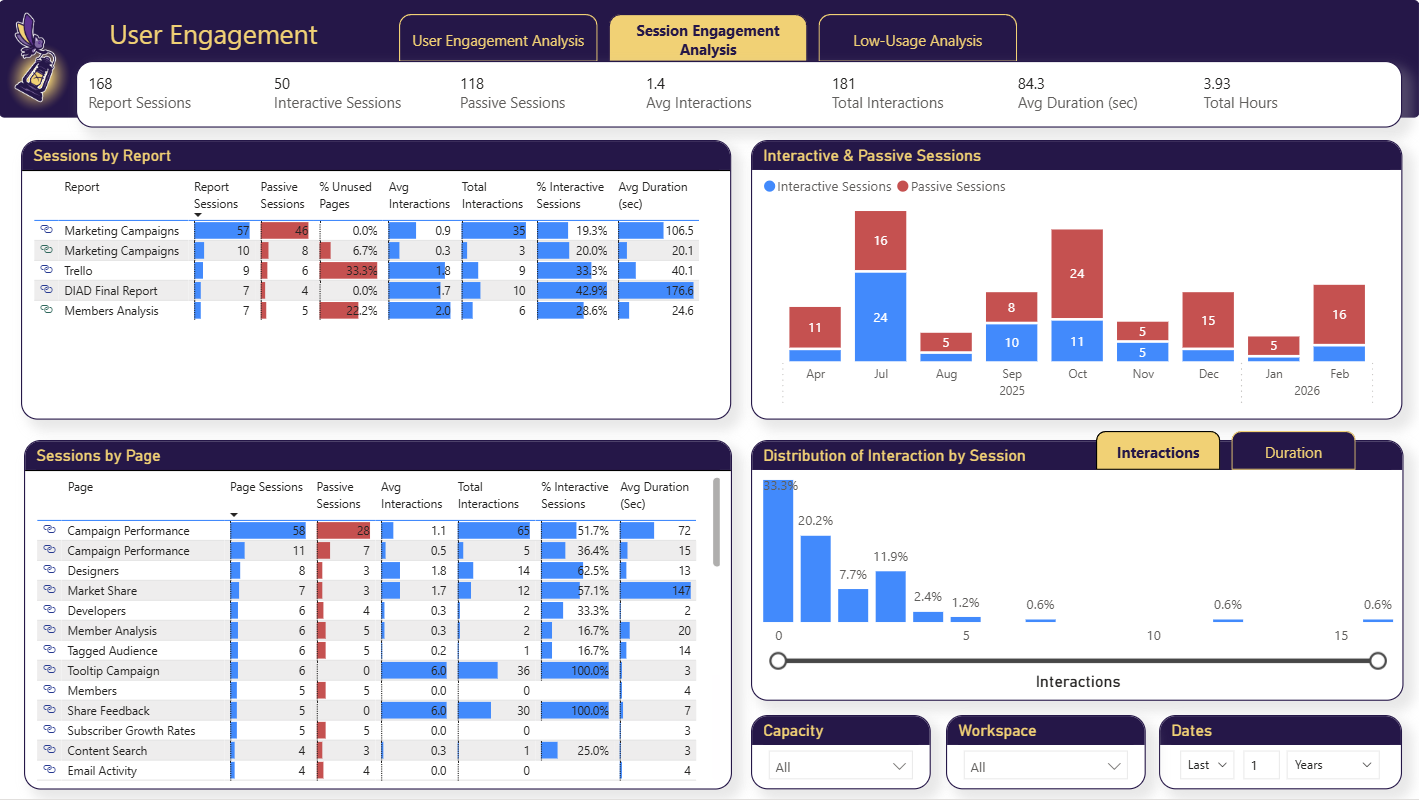
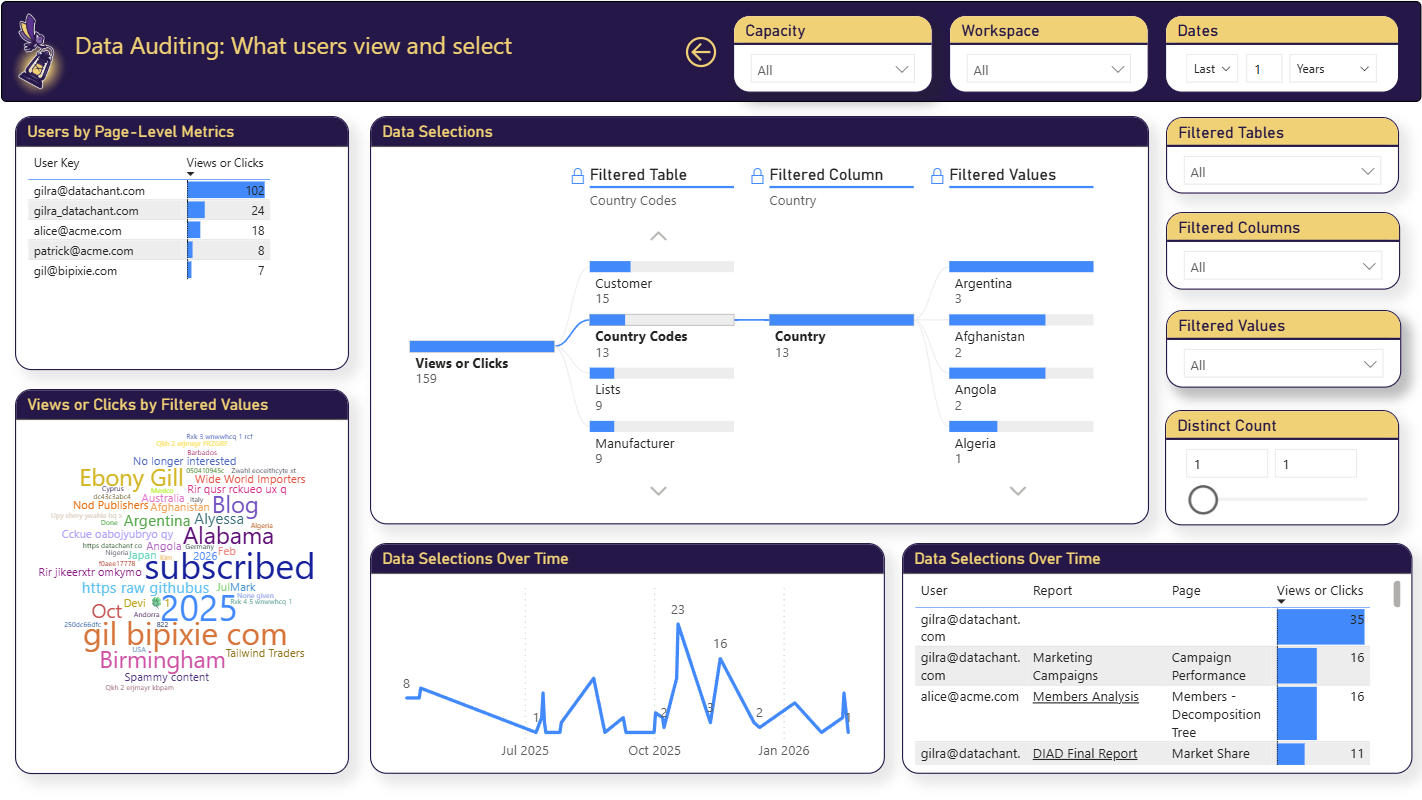
AI Readiness scores across your semantic models
BI Pixie in action
BI Pixie prepares Power BI semantic models for AI and measures how your reports are used
90-second overview
AI Readiness for Copilot and data agents
In this video, BI Pixie assesses the AI Readiness of your semantic models and data agents from inside Microsoft Fabric, recommends changes based on how people use your reports, and tests a data agent against correct answers calculated from your own data.
7-minute walkthrough
Usage analytics for Power BI reports
In this video, BI Pixie tracks your Power BI reports with Pixies, invisible tracking pixels native to Power BI, and sets up the BI Pixie Dashboard, where you analyze adoption, engagement, and user satisfaction. BI Pixie collects viewer user names only when you turn on Capture user identity, and until then it counts viewers by a masked IP address.
Key Features
See How Reports Are Used, and Make Semantic Models AI Ready
BI Pixie adds Pixies, invisible tracking pixels, to the reports you choose. What they record shows you how each report is really used, and it refines the business context AI receives, so the attention your users give your reports makes AI more accurate.
Know when your semantic models and data agents are ready for AI
BI Pixie makes your semantic models and Fabric data agents ready for AI. You know which ones are ready and what to fix first, before you go live with Copilot and data agents.
Optimize your semantic models for AI
BI Pixie optimizes the metadata AI needs, drawing on AI assistants, visual-level usage data and lineage to reduce ambiguity. AI drafts the descriptions and instructions, and you approve each one before it is written.
Benchmark Copilot and data agents for accuracy
BI Pixie generates sets of questions and answers to test Copilot or your Fabric data agents. It calculates the correct answers from your own data, and can test your AI to detect inaccuracies before your users do. You run the same benchmark after every change to your semantic models and data agents.
Know which reports are used, not just opened
You see the real audience for each report, how often they come back, who stopped coming, and which reports nobody uses, with dozens of adoption and attrition metrics that Power BI's usage metrics do not carry.
See what people do inside a report
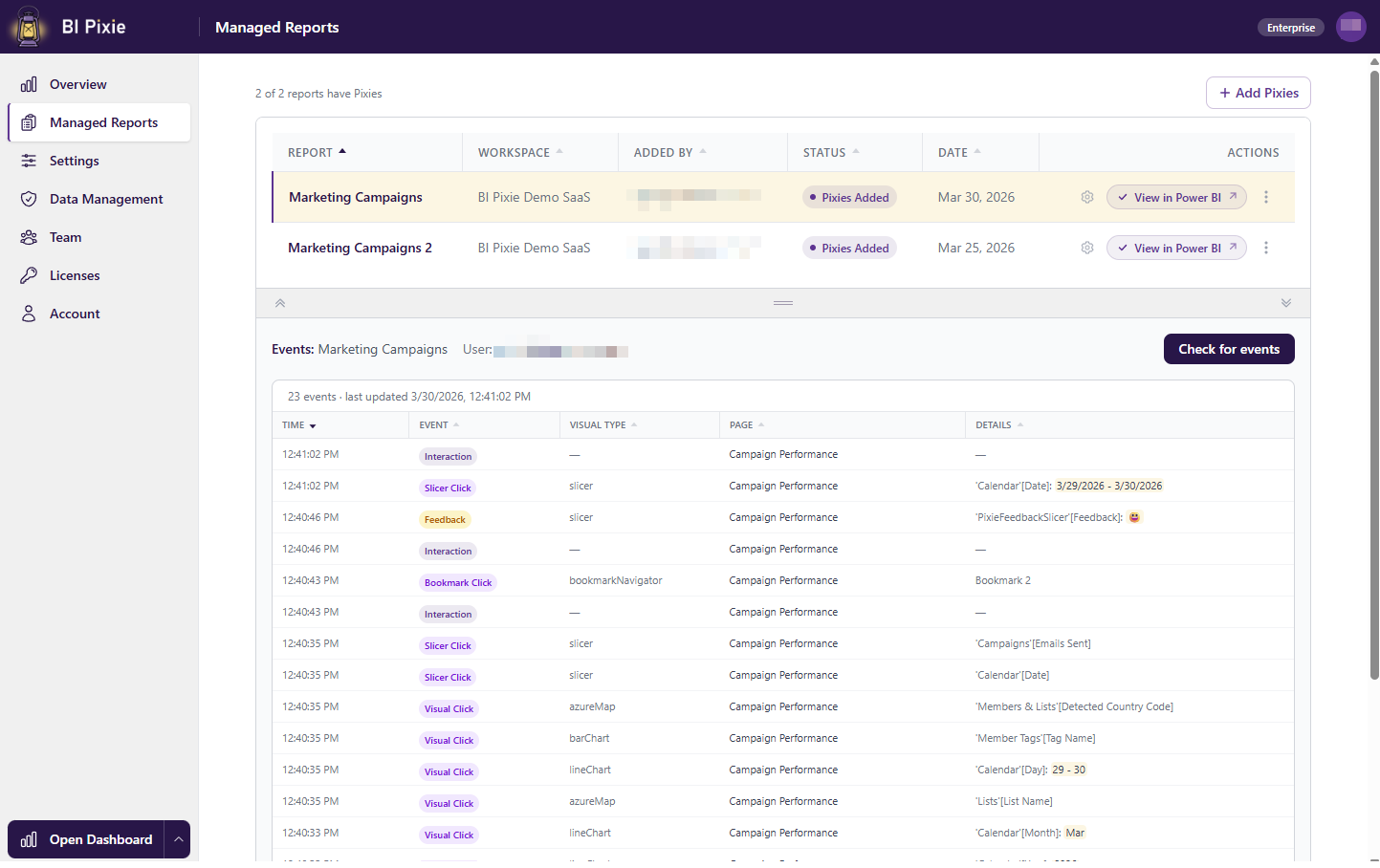
You see which visuals your people use, which they pass over, and how long they stay, down to every click, filter, slicer, bookmark and link. BI Pixie then ranks your report designs by complexity, usability and passivity, and shows their impact on engagement.
Hear from your users inside the report
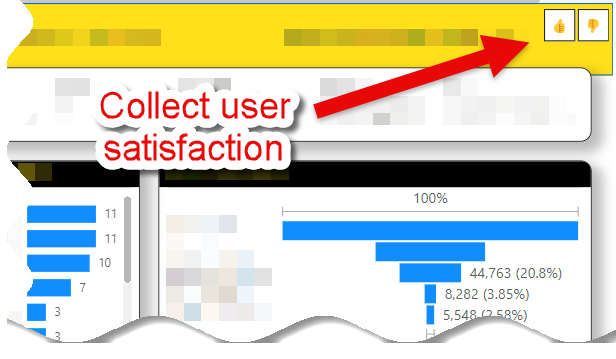
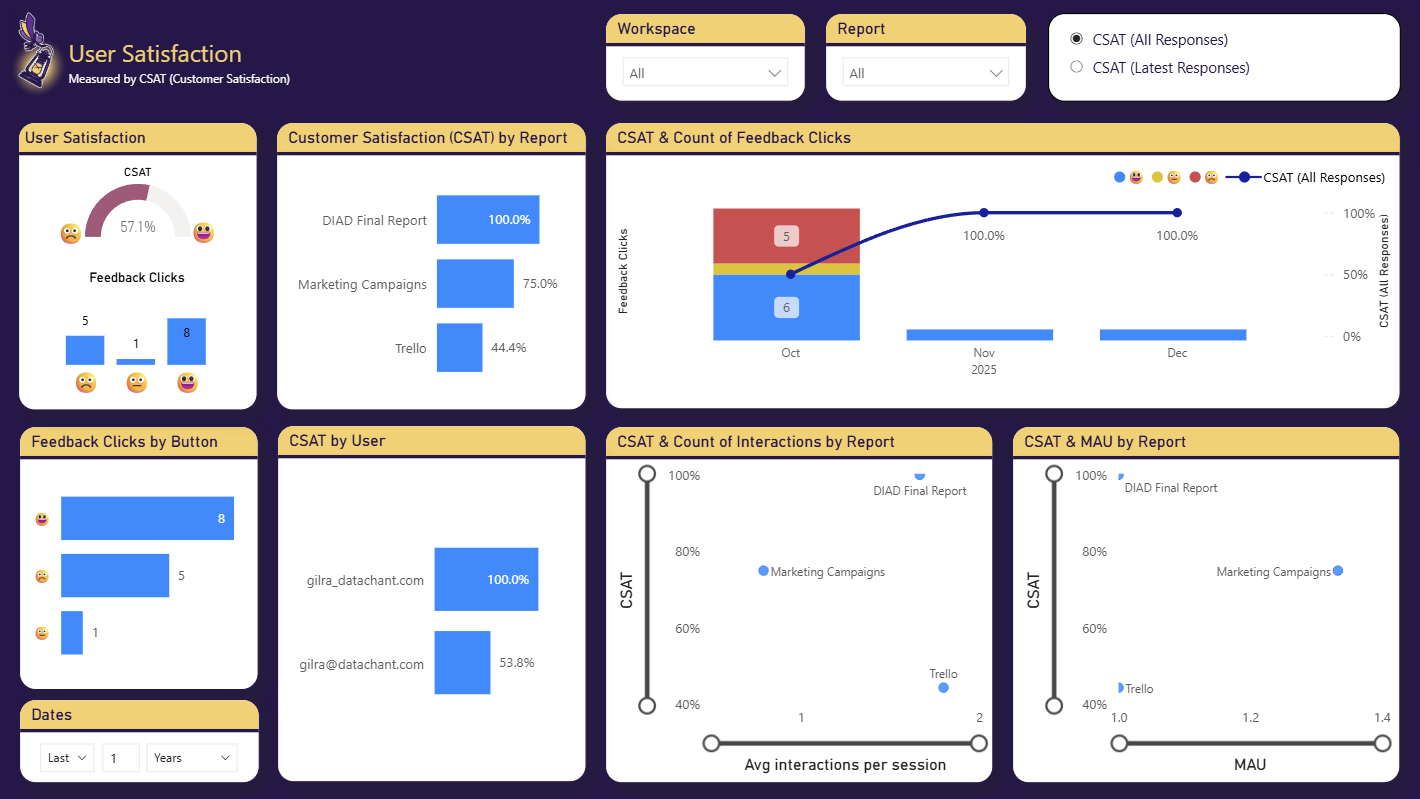
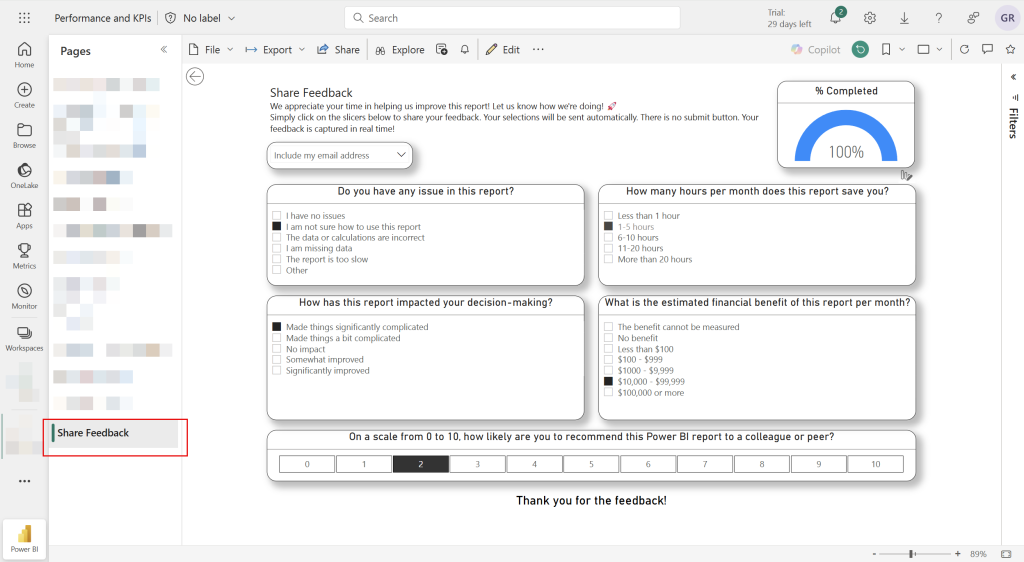
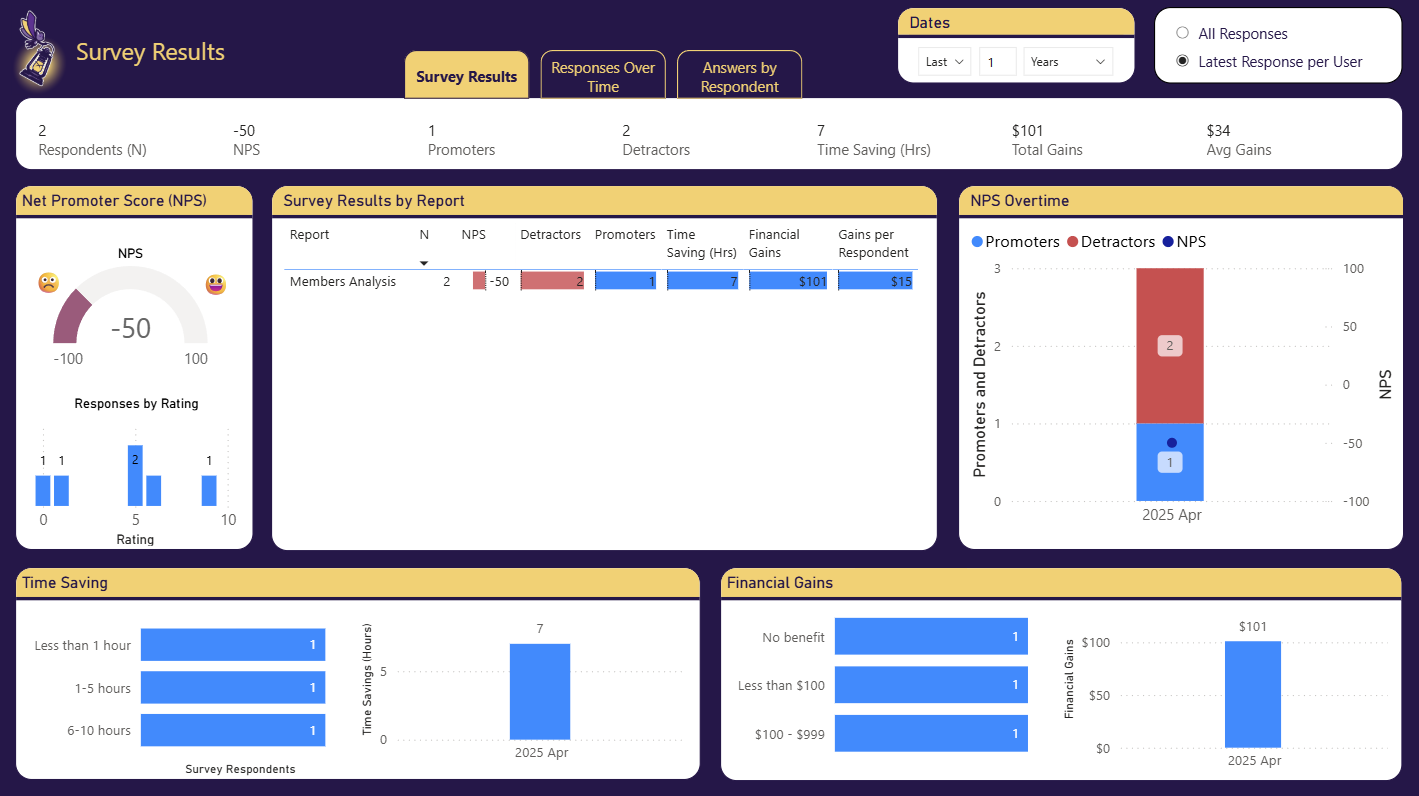
Your users rate the report and leave feedback inside it, with thumbs up and down or smile and frown, and an embedded survey measures satisfaction and NPS where they work.
How feedback and surveys work in a reportUsage is what makes AI more accurate
You cannot curate your mission-critical semantic models by hand at scale, and a generic checklist spends your effort on fields nobody queries. BI Pixie uses what the Pixies record to refine the business context AI receives, so the work goes first to the fields your people actually use.
Detect RLS flaws, and see who saw what
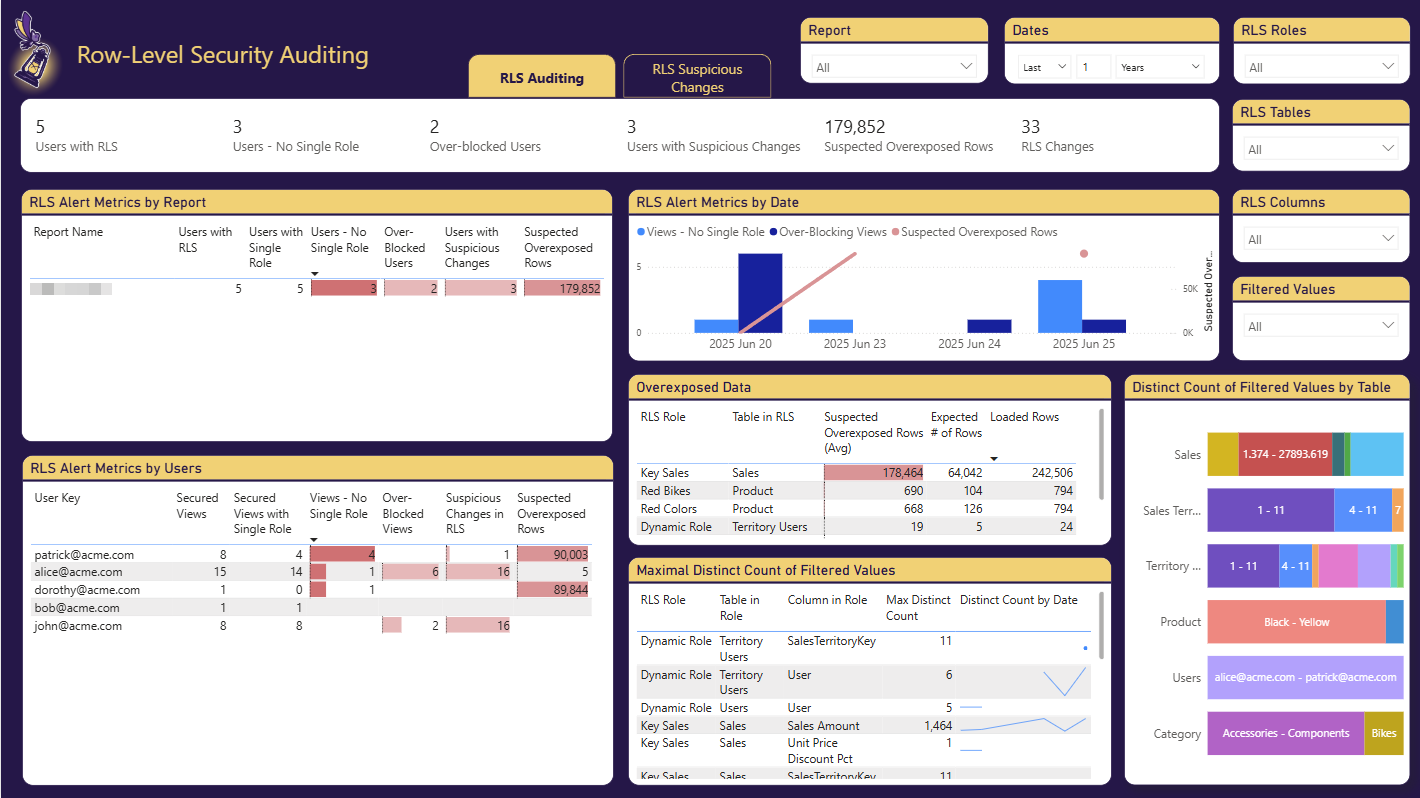
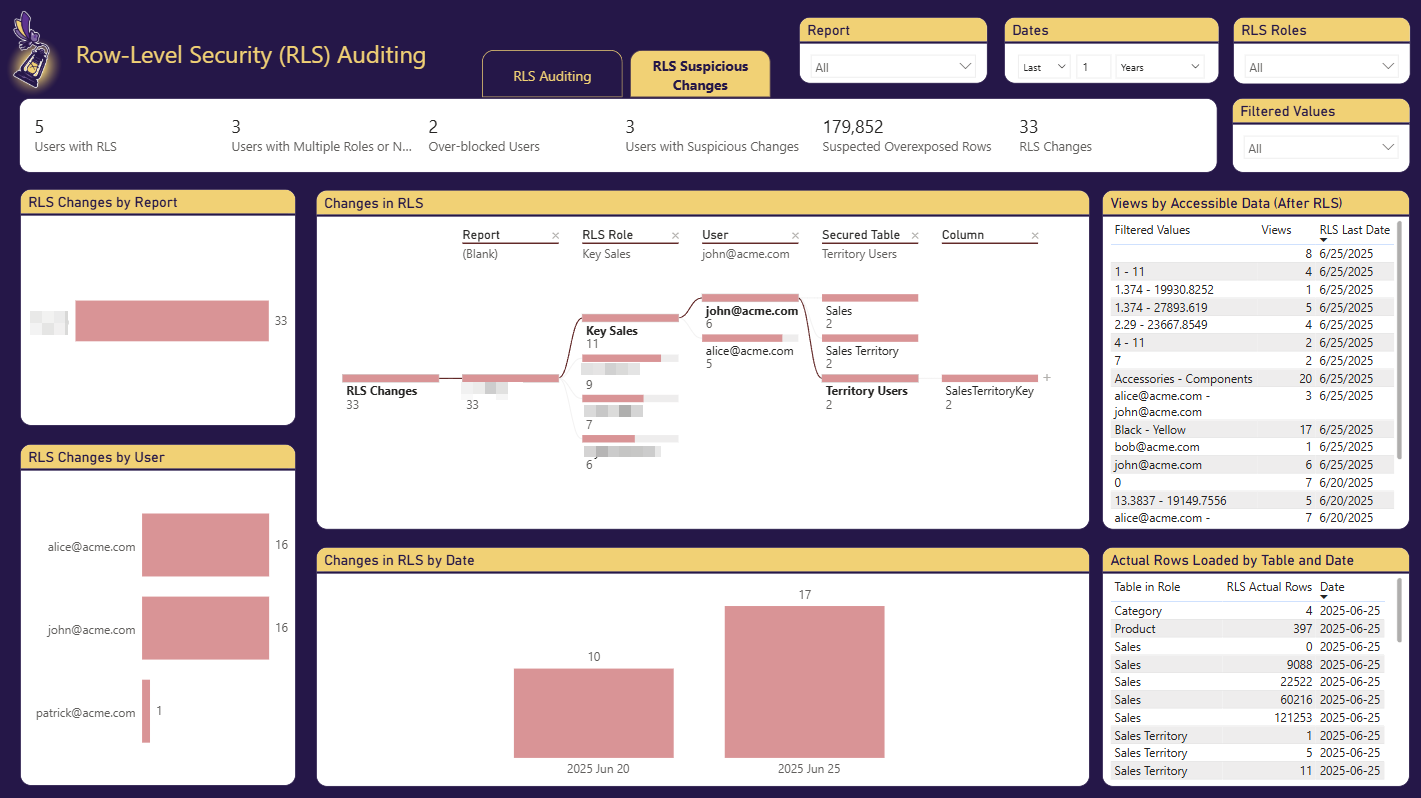
BI Pixie records the role applied to each user as they read a report, and shows you who saw data that should have been hidden and who was blocked from data they should see. Audit user activity across reports and support your data governance policies.
How BI Pixie audits row-level securityShow Finance what BI returns
BI Pixie measures the return on your Power BI investment with adoption, engagement, CSAT and NPS across thousands of reports, and shows which reports you can retire.
Zero Deployment
You sign up, connect your Power BI workspace, and add Pixies in minutes. There is nothing to deploy, because we handle the infrastructure.
Your Data, Your Control
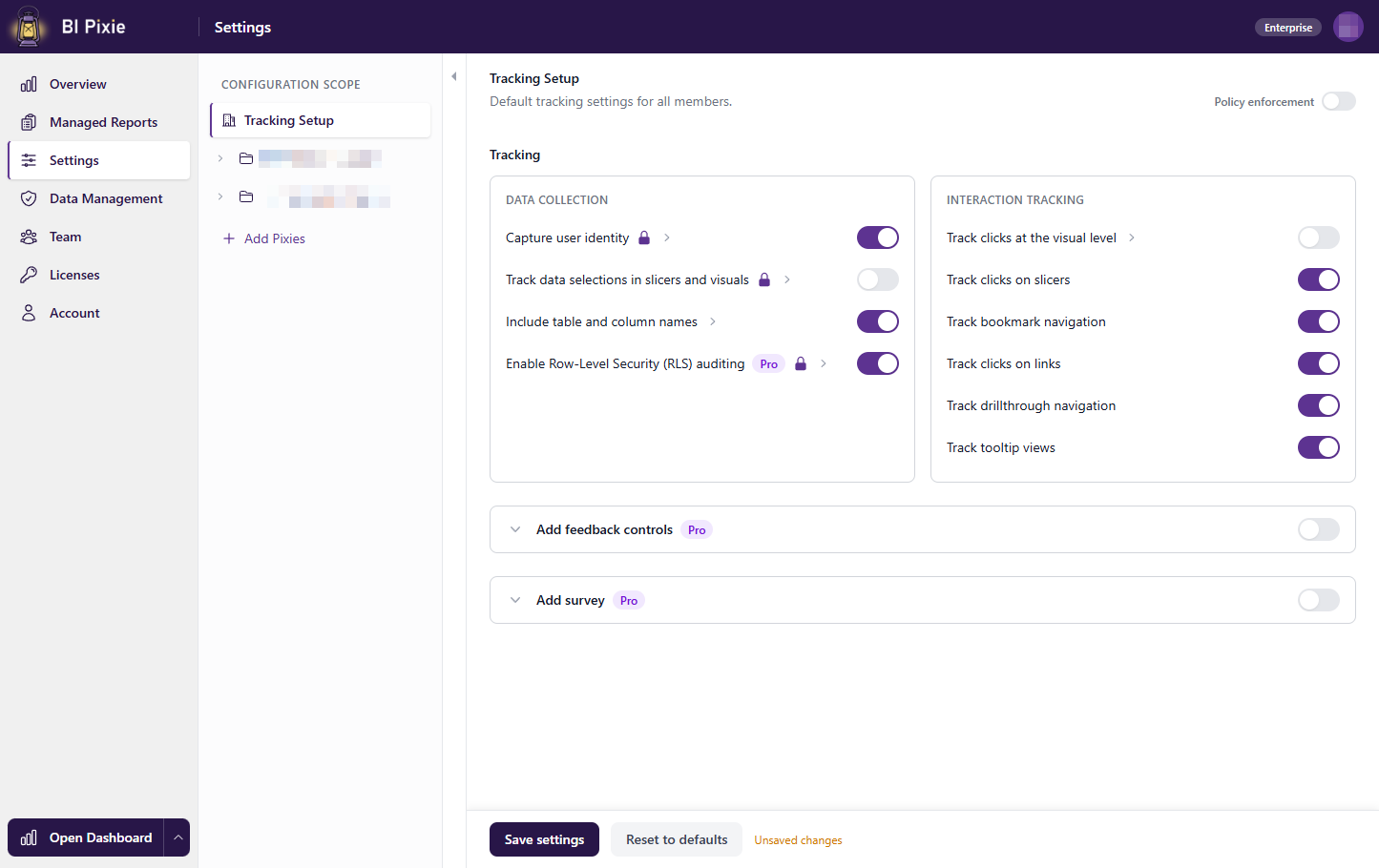
Your data is stored in dedicated storage, isolated from every other customer, and it is encrypted in transit and at rest. BI Pixie collects viewer user names only when you turn on Capture user identity, and until then it counts viewers by a masked IP address. You can delete any user's data yourself and set your own retention period.
Enterprise Scale
BI Pixie is built for large organizations. You can assign licenses to business units for chargeback to cost centers, give each team its own isolated storage, and scale as your Power BI portfolio grows.

Published on Microsoft Marketplace

Microsoft ISV Partner · Leading Publisher of Power BI Apps
Use Cases
AI Is Here, and BI Challenges Just Got Bigger
Leadership expects an AI plan for your reports
- Scenario: Your leadership expects you to have a plan for AI, whether it is Copilot, agents in Microsoft Fabric, or standalone AI tools. The question is no longer whether AI will change your BI portfolio, but which reports to augment or retire first.
- Challenge: You have many Power BI reports and no clear way to prioritize which ones are candidates for AI-driven experiences. Some reports may be heavily used but simple enough for an AI agent to replace. Others may be underused because they are hard to navigate. Without engagement data you are guessing, and a wrong guess means wasted AI investment or disrupted workflows that your users depend on.
- Solution: BI Pixie answers both questions: which reports to keep, augment, or retire, and whether the semantic models underneath them are ready for an agent. From session duration, click patterns, and adoption trends, it shows you where users struggle and which reports justify the AI investment. It then assesses the AI Readiness of the semantic models for Copilot and data agents, so the reports you keep are backed by a semantic model an agent can answer from. Before you commit, BI Pixie can benchmark Copilot or a data agent on those semantic models, grading real business questions against correct answers calculated from your own data. BI Pixie uses the same usage data to sharpen both decisions.
Copilot or a data agent gives wrong answers
- Scenario: Your organization turned on Copilot, or stood up a Fabric data agent, and told everyone to ask questions in plain language. Leadership is watching, and the licenses are already paid for.
- Challenge: The answers come back wrong, or vague, or confidently made up. People try it twice and go back to the reports. You cannot tell whether the problem is the agent, the question, or the semantic model behind it, and you have no way to prove the difference after you change something.
- Solution: BI Pixie tells you whether the problem is the semantic model or the Fabric data agent, and guides the fix. It assesses the AI Readiness of both, and changes nothing without your approval. Then it proves the result with a benchmark: real business questions graded against correct answers calculated from your own data, so you can show your leadership that the answers improved instead of asking them to trust that they did.
Copilot and data agents are in production
- Scenario: One pilot worked, and now the mandate covers the mission-critical semantic models and Fabric data agents. Testing by hand cannot keep up: every question you check yourself slows the rollout, and every one you skip is a chance for a wrong answer to reach the business.
- Challenge: AI was not trained on your data. When someone in finance asks about revenue, they may mean something different from someone in sales, and Copilot or a data agent has to guess. A guess does not come back as an error. It comes back as a confident answer that may be wrong. A data agent that answered correctly last month can also be broken by a new measure, a deleted description or a change to its instructions, and nothing flags it until a user reports it.
- Solution: BI Pixie generates benchmarks at scale: sets of real business questions with correct answers calculated from your own data, so you can test Copilot or your data agent properly before go-live and catch inaccuracies before your users do. You run the same benchmark after every change to your semantic models and data agents, and BI Pixie compares each run with the one before it, so a drop in accuracy shows the day it happens.
The migration that never ends
- Scenario: Your organization is moving to Microsoft Fabric in waves. In some waves your team moves the Power BI estate itself onto Fabric capacities, and in others it moves databases and Databricks workloads underneath reports that people keep using every day.
- Challenge: Migration tools convert schemas, code, and reports from a technical inventory. That inventory does not show which reports the business relies on, which reports Copilot or a Fabric data agent could replace, or whether people switched after the last wave. Without usage evidence, your teams migrate everything or cut reports by guesswork, and they plan each new wave on opinion rather than on how people use the reports.
- Solution: BI Pixie shows how people use every Power BI report in scope, so you can decide which reports to migrate, retire, or consolidate into Copilot and Fabric data agents, and which workspaces belong on which capacity. BI Pixie assesses the AI Readiness of the semantic models underneath those reports. After each wave goes live, BI Pixie shows whether people adopted the new reports and how satisfied they are, before the next wave begins.
A report was opened, and nobody knows what happened next
- Scenario: You track your Power BI reports with the built-in usage metrics. View counts look healthy, the viewer lists are full, and every adoption review starts from the same slide of opens per week.
- Challenge: In a view count, a five-second glance and a real working session look the same. Everything that separates the two happens after the page loads: clicks, filters, drill-through, time spent. Power BI counts the page view and stops there, so none of that behavior appears in usage metrics. Power BI also leaves out the reports you embed in your own application and the reports you publish to web.
- Solution: BI Pixie runs alongside usage metrics and captures what they leave out. You see how each report is actually worked with: what people click and filter to, how long they stay, and how satisfied they are, everywhere the report runs, including the Power BI service, the Power BI mobile apps, Power BI Embedded, and publish to web.
No one can show the return on your Power BI investment
- Scenario: Your organization invested seven figures this year to deliver Power BI reports, counting license costs as well as the headcount of contractors and internal staff.
- Challenge: The return on investment is not clear, and it is not simple to measure across many reports. Page views alone do not give you the picture. Without clear ROI measurements, next year's budget is at risk.
- Solution: BI Pixie measures the ROI of your reports with engagement metrics that include monthly active users, average interactions per session, and session duration. With those numbers you can plan next year's areas of investment and allocate the BI budget across your organization.
Usage tracking for Power BI Embedded
- Scenario: You offer a web app to your customers with Power BI embedded. The analytics inside it are part of what your customers pay for.
- Challenge: Everywhere else in your app you can see how customers behave. Inside the embedded report you cannot: there is no equivalent of a web analytics tool, so you do not know where customers spend their time or what they click. Without that visibility you cannot tell what to improve, and your business depends on the analytics inside the app.
- Solution: BI Pixie gives you usage and engagement data from inside the embedded report. You can measure clicks on bookmarks and slicers, see what your customers filter to, and see where they drill through for more detail. That tells you where to invest to make the app more valuable to them.
How usage tracking works
Three steps to knowing how your reports are really used
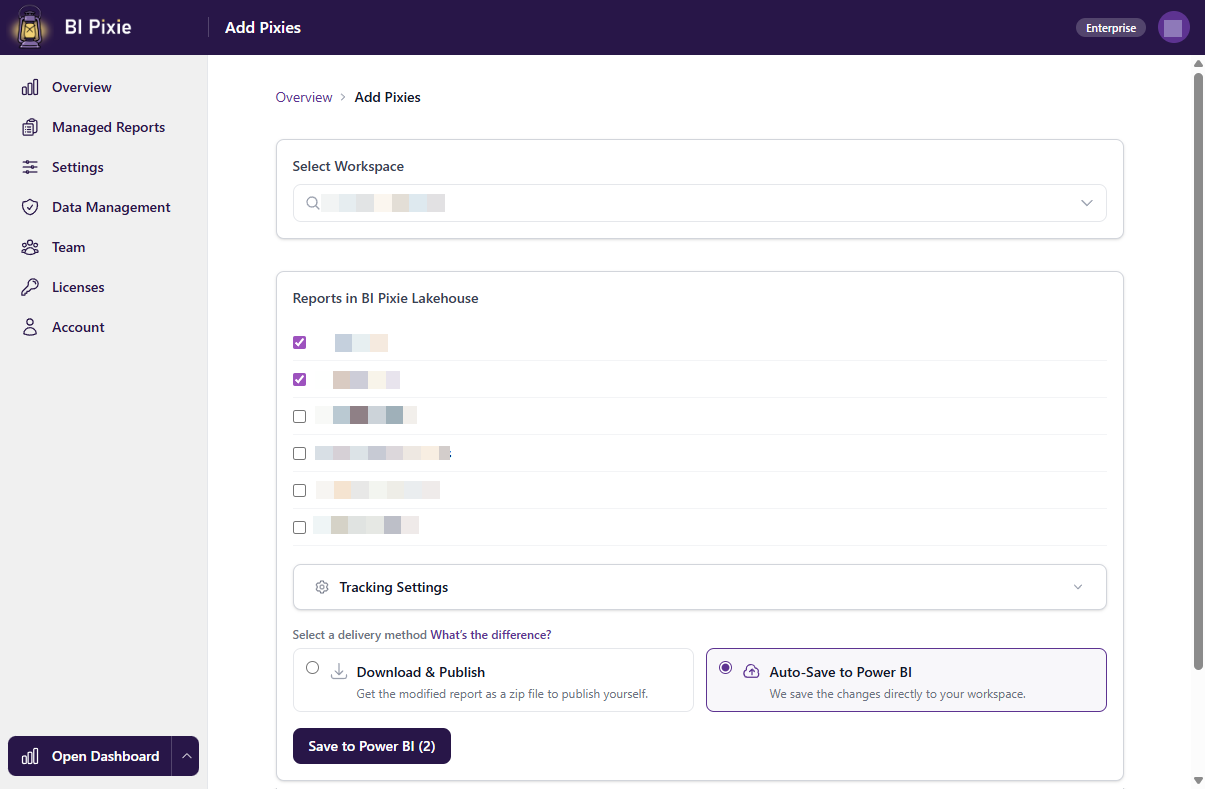
Add Pixies to your reports
BI Pixie adds Pixies, invisible tracking pixels native to Power BI, to the reports you choose. They record what people do inside each report, down to the visual.
Users interact normally
As users open, click, filter, and explore your reports, BI Pixie captures each page view, click, and filter silently in the background, wherever you publish those reports. BI Pixie collects viewer user names only when you turn on Capture user identity, and until then it counts viewers by a masked IP address.
Analyze in the Dashboard
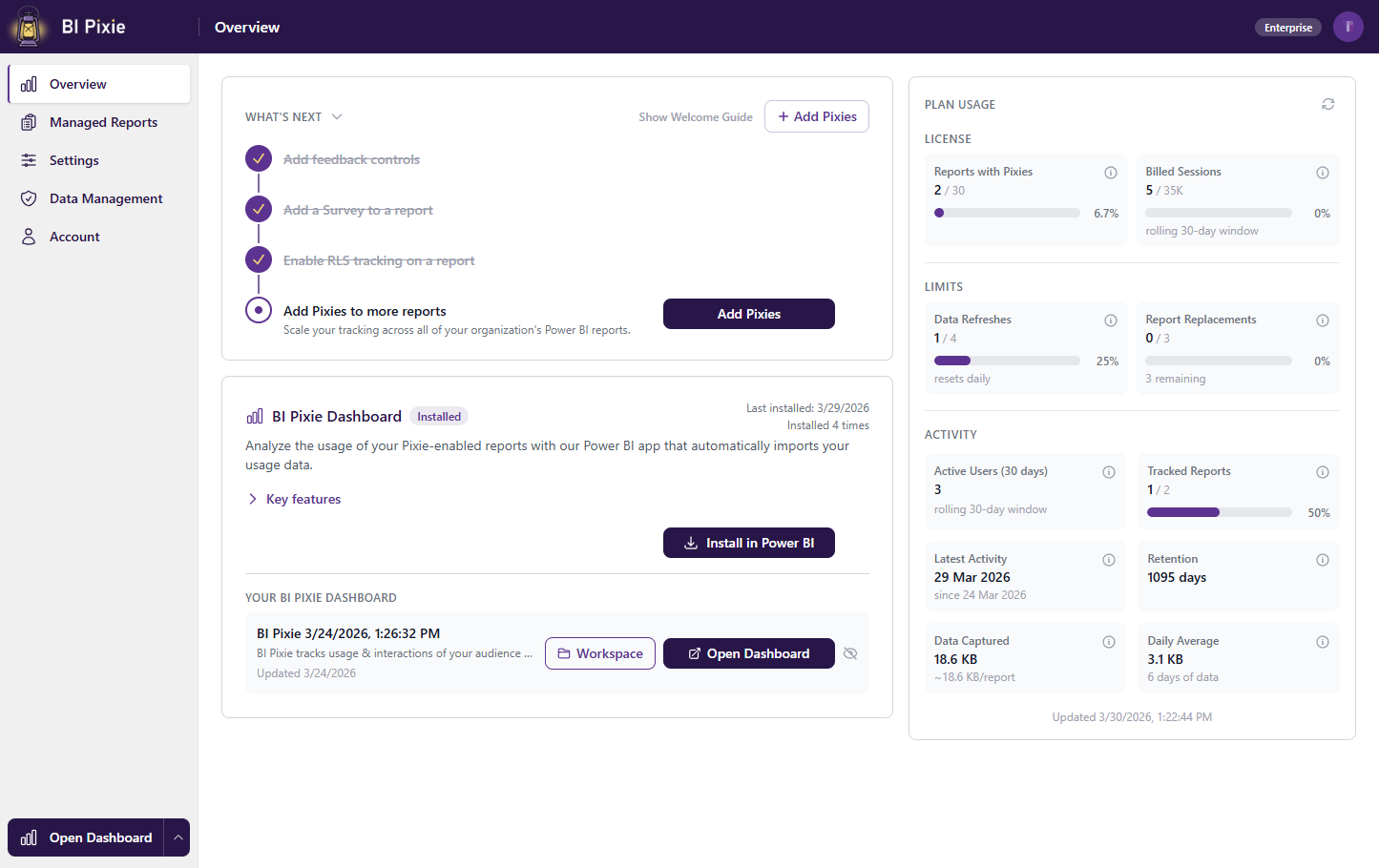
BI Pixie sets up its dashboard for you, and there you analyze adoption, engagement, and satisfaction across the reports you track.
Why BI Pixie is different
BI Pixie grounds AI Readiness in how your reports are really used
An AI agent that lacks business context does not report an error. It returns a confident answer that may be wrong, and the first warning is a number nobody recognizes in an executive review. Your Power BI semantic models already carry the business context AI needs, but it was written for people, not for AI agents. Your Fabric data agents decide how AI uses that business context. BI Pixie makes your semantic models and data agents ready for AI, and proves AI accuracy with benchmarks on Copilot and data agents. It draws on what the Pixies record, so the business context is refined first for the fields your people actually use, and every correct answer in a benchmark is calculated by BI Pixie from your own data.
Your BI developers can optimize a semantic model using a variety of tools. Only BI Pixie knows which fields your people actually use, and can scale up that optimization to get you ready for production.
Deployment
Choose how you deploy
You can start on our hosted cloud, run BI Pixie natively in Microsoft Fabric, or host it entirely yourself. BI Pixie itself needs only Power BI, and the Fabric option is there if you already run Fabric. Whichever option you choose, your data is encrypted in transit and at rest, kept isolated from other customers, and you choose where that data lives.
BI Pixie Cloud
We host everything, so there is no infrastructure to deploy. Connect your Power BI reports and start tracking in minutes.
BI Pixie Workload in Microsoft Fabric
Run BI Pixie natively inside Microsoft Fabric. You add it from the Workload Hub with no infrastructure to deploy, and BI Pixie sets up what it needs in your own workspace: a lakehouse, a Direct Lake semantic model, the BI Pixie Dashboard, and the notebooks that process your engagement data. When you want a Fabric data agent, BI Pixie creates one for you from a single button.
BI Pixie on Azure
Deploy BI Pixie in your own Azure tenant. Your telemetry and report data stay there, governed by your own security policies and compliance requirements, and BI Pixie never receives them.
BI Pixie on Power Platform
Deploy a lightweight version of BI Pixie on Dataverse and Power Automate. This option suits teams that have already invested in the Microsoft Power Platform.
Free Plan
What's included in the Free plan
Every BI Pixie account starts free, whether you use BI Pixie Cloud or the Fabric Workload, and the Free plan does not expire.
- A free AI Readiness assessment for up to 500 semantic models and data agentsThe first assessment of each semantic model and data agent is free, for up to 500 items in your account, semantic models and data agents together, and does not use up a tracked item. On the Free plan you can run up to 10 assessments a day.
- 1 tracked report, and 1 tracked semantic model or data agentThe two allowances are separate, so you can track usage of one report and prepare one semantic model or data agent for AI at the same time.
- 10 optimizations of other semantic models and data agentsOne optimization is everything you apply to a semantic model or data agent after one assessment. Optimizing your tracked semantic model or data agent is unlimited and does not use an optimization. The 10 optimizations last for the life of your account, and undoing a change does not give one back.
- 10 AI benchmark runs in total, on any semantic model or data agentMore runs are included with a paid plan. You can generate benchmarks without running them, to evaluate the value you can get.
- In-report feedback and embedded surveys on your tracked reportReport viewers can leave feedback and answer embedded surveys without leaving the report. On the paid plans, in-report feedback and embedded surveys are included from the Pro plan up.
- Community docs, and MCP access for connecting AI agents
The Free plan is a plan in its own right, not a trial with a countdown.