
Use Cases
AI that answers correctly, and reports you know are used
When Copilot or a Fabric data agent answers from your semantic model, nothing warns you that an answer is wrong. When someone opens a report, Power BI usage metrics record the open and nothing after it, and they do not cover embedded reports at all. Without that record, it is hard to plan where AI should start, show the return on a report, prove that a migration to Fabric worked, hear what users think of a report, check what row-level security let someone see, or decide which slow report to fix first.
-
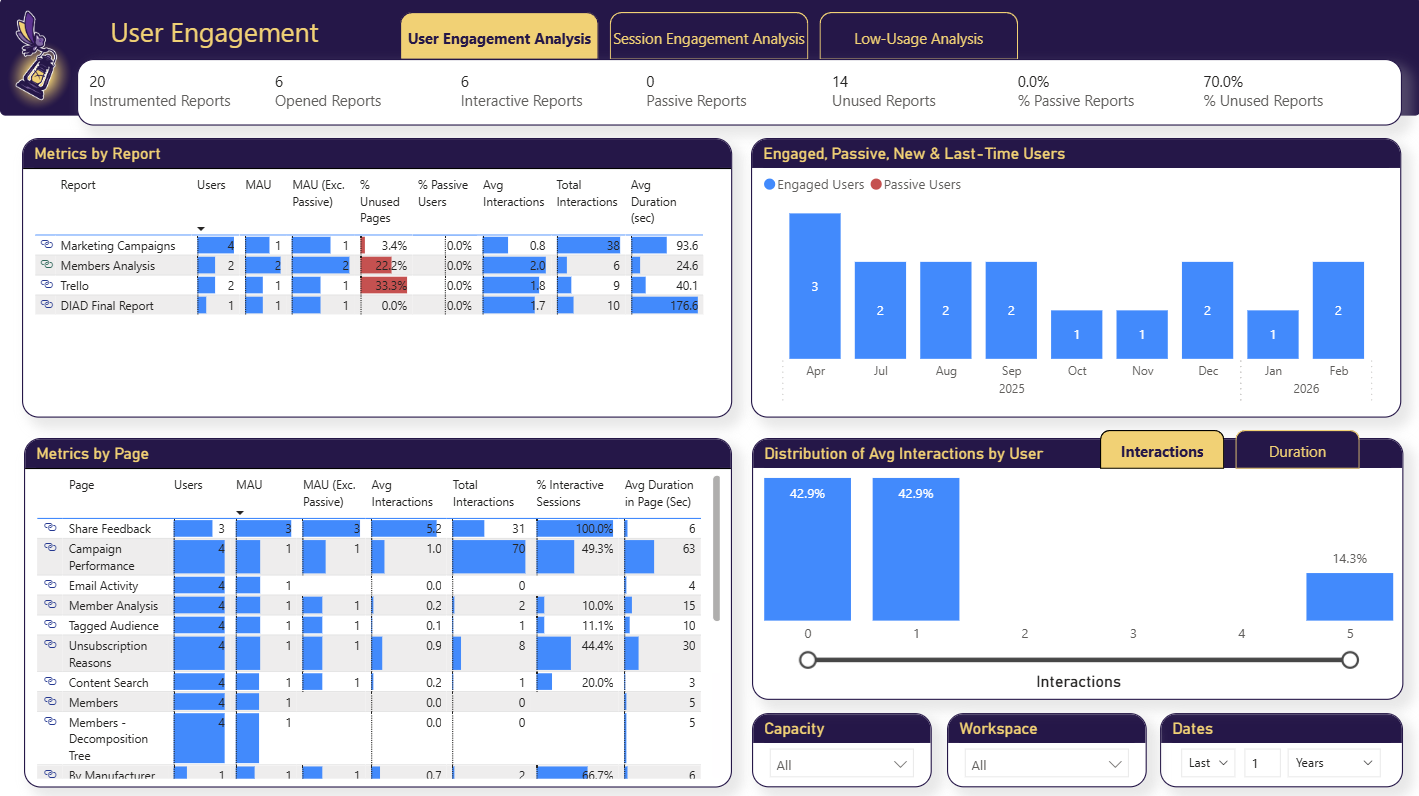
Build your AI plan for Power BI from how people use each report today.
Leadership wants an AI plan for your Power BI reports. BI Pixie shows which reports people work in, assesses the AI Readiness of the semantic models behind them, and benchmarks Copilot or a data agent before you commit.
Read more -
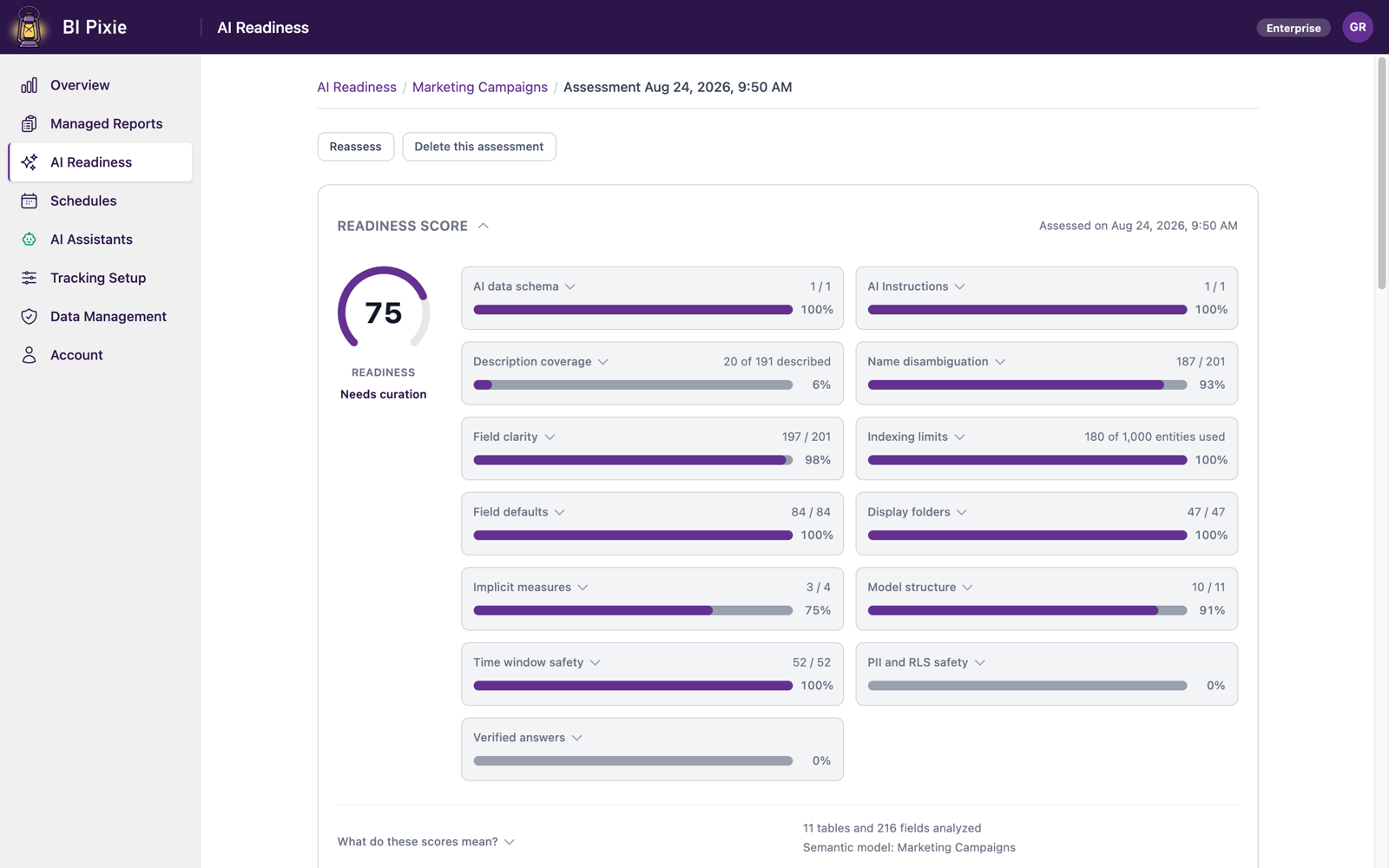
Copilot gives wrong answers when your semantic model is not ready for it.
The answers come back wrong, or vague, or confidently made up. People try it twice and go back to the reports. BI Pixie tells you whether the problem is the semantic model or the Fabric data agent, guides the fix, and proves the difference after you change something.
Read more -
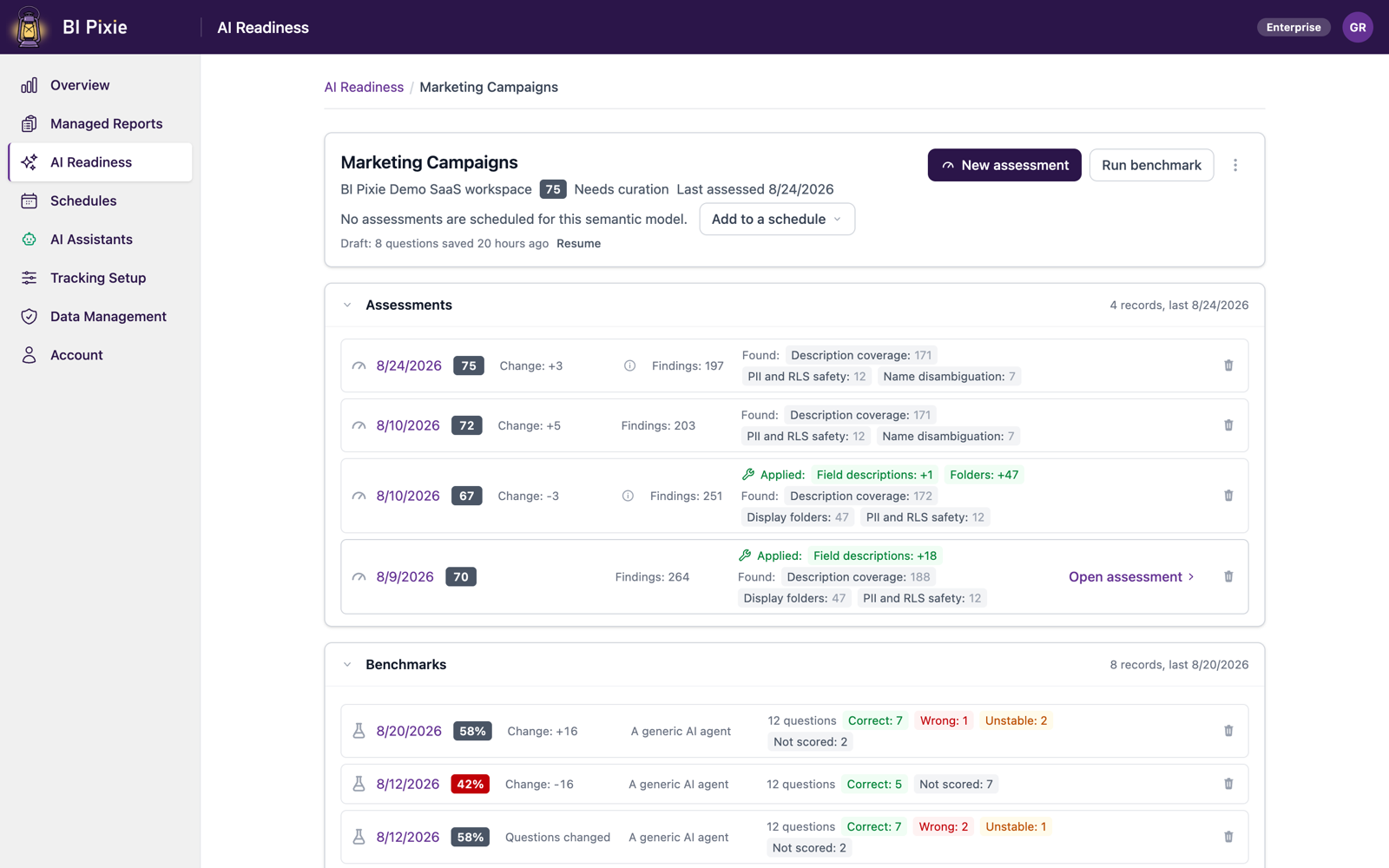
A Copilot that answered correctly last quarter can answer wrongly today.
A semantic model changes, a Fabric data agent's instructions change, and Microsoft updates the AI behind them. You run the same benchmark after each change, and BI Pixie compares it with the run before, question by question, so you see a regression before your users do.
Read more -
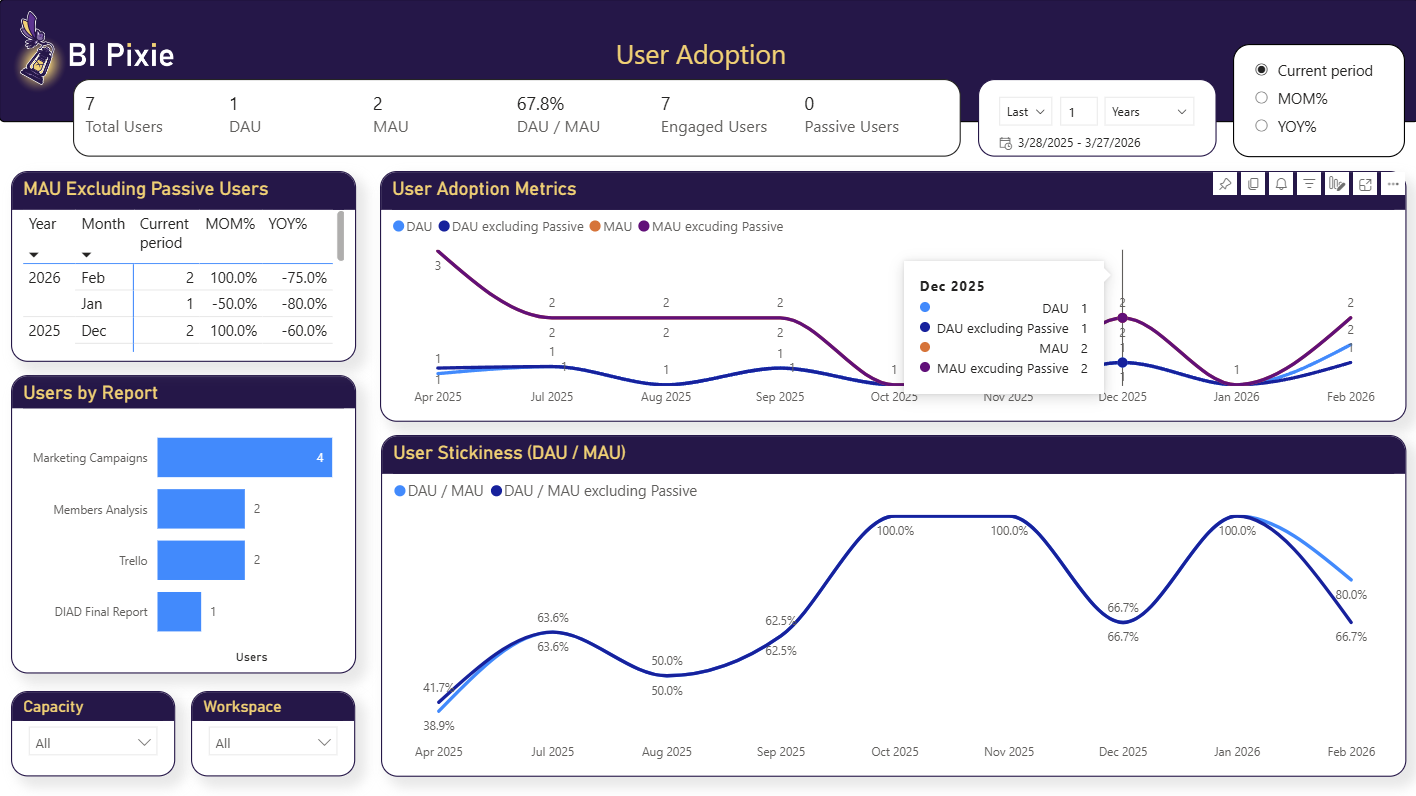
Plan a migration to Microsoft Fabric, and prove that it worked.
BI Pixie shows which Power BI reports are worth migrating or consolidating into AI, and whether people adopted the reports after each migration wave.
Read more -
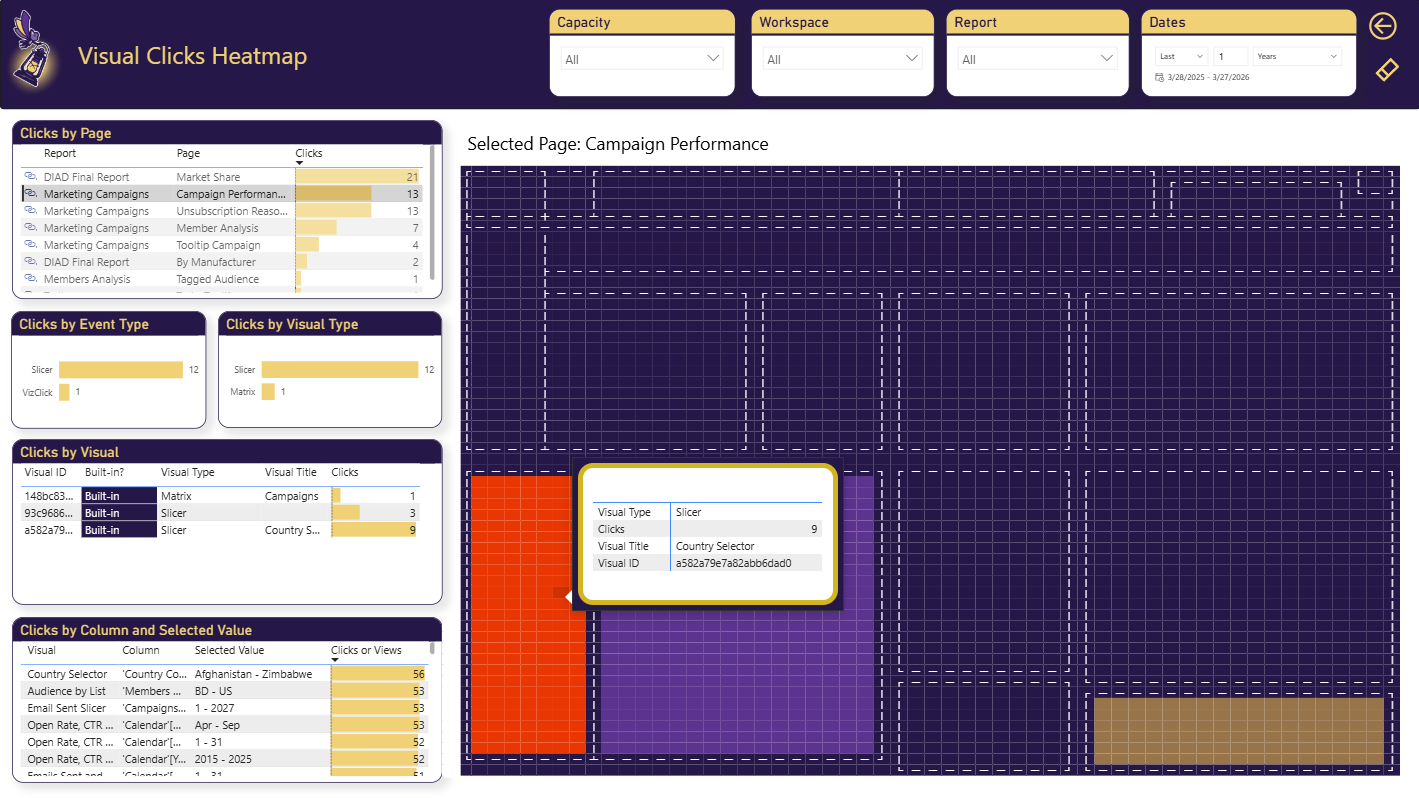
Power BI usage metrics record that a report was opened, not what happened next.
Power BI usage metrics stop at the page view. BI Pixie captures the clicks, filters, and drill-through that show whether a report is really used. That evidence helps you start AI where it matters most, improve the reports people struggle with, and retire the reports nobody uses.
Read more -
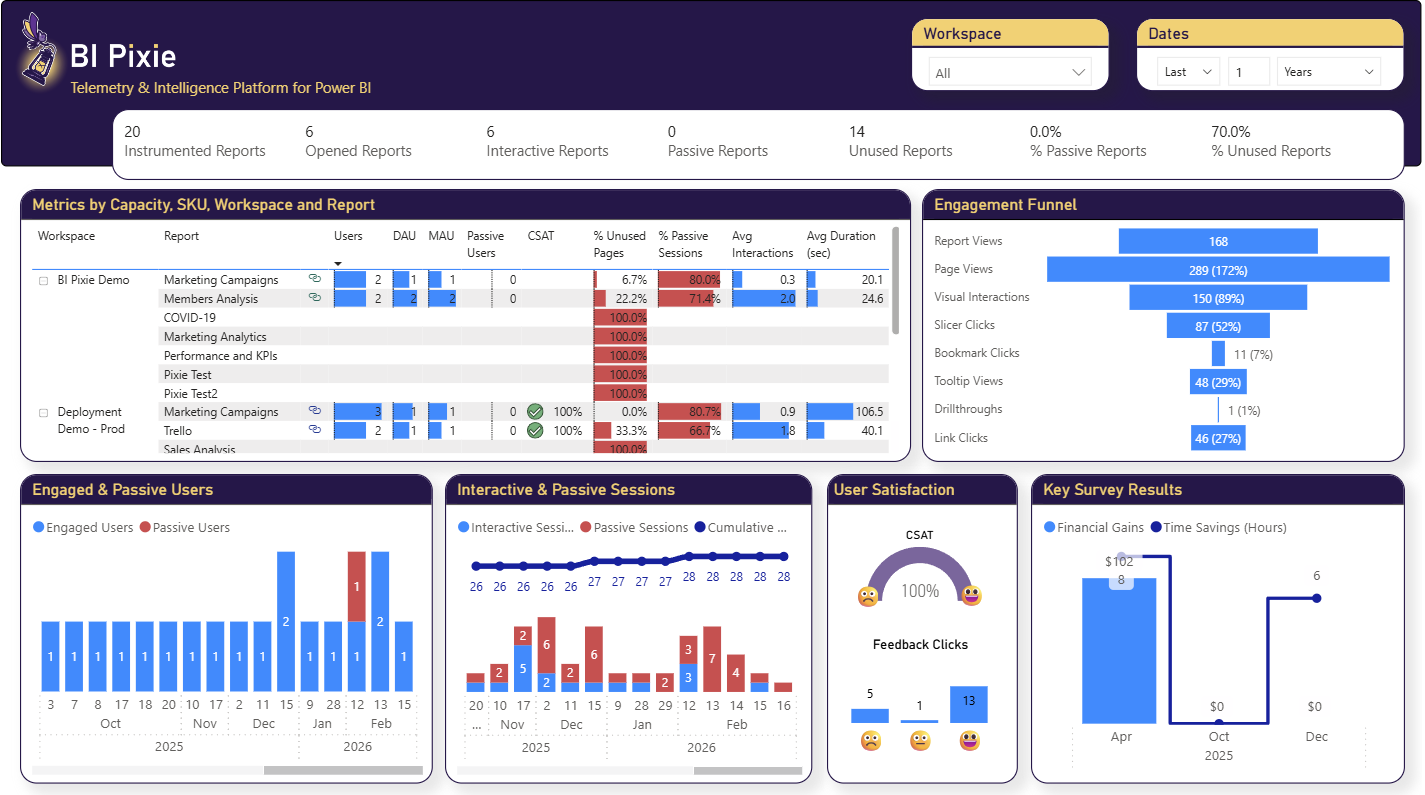
Show the return on your Power BI investment with how people use and value each report.
At budget time, you need to show what your Power BI reports return, and page views alone do not answer that. BI Pixie measures how people work in every report, and collects the hours and value your report viewers estimate each report gives them.
Read more -
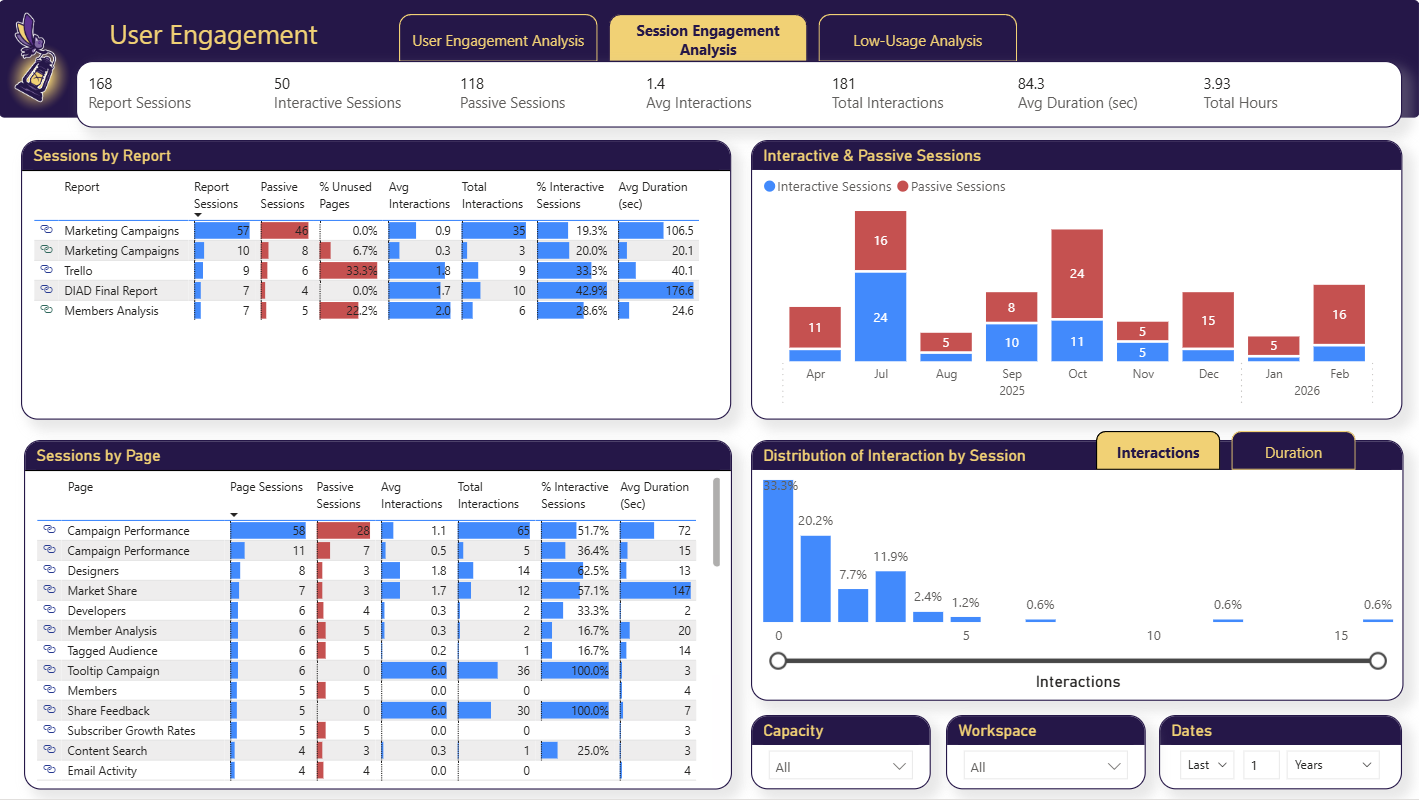
Power BI usage metrics do not cover your embedded reports.
BI Pixie tracks clicks, filters, and drill-through inside the reports you embed and publish to web, where Power BI usage metrics do not reach.
Read more -
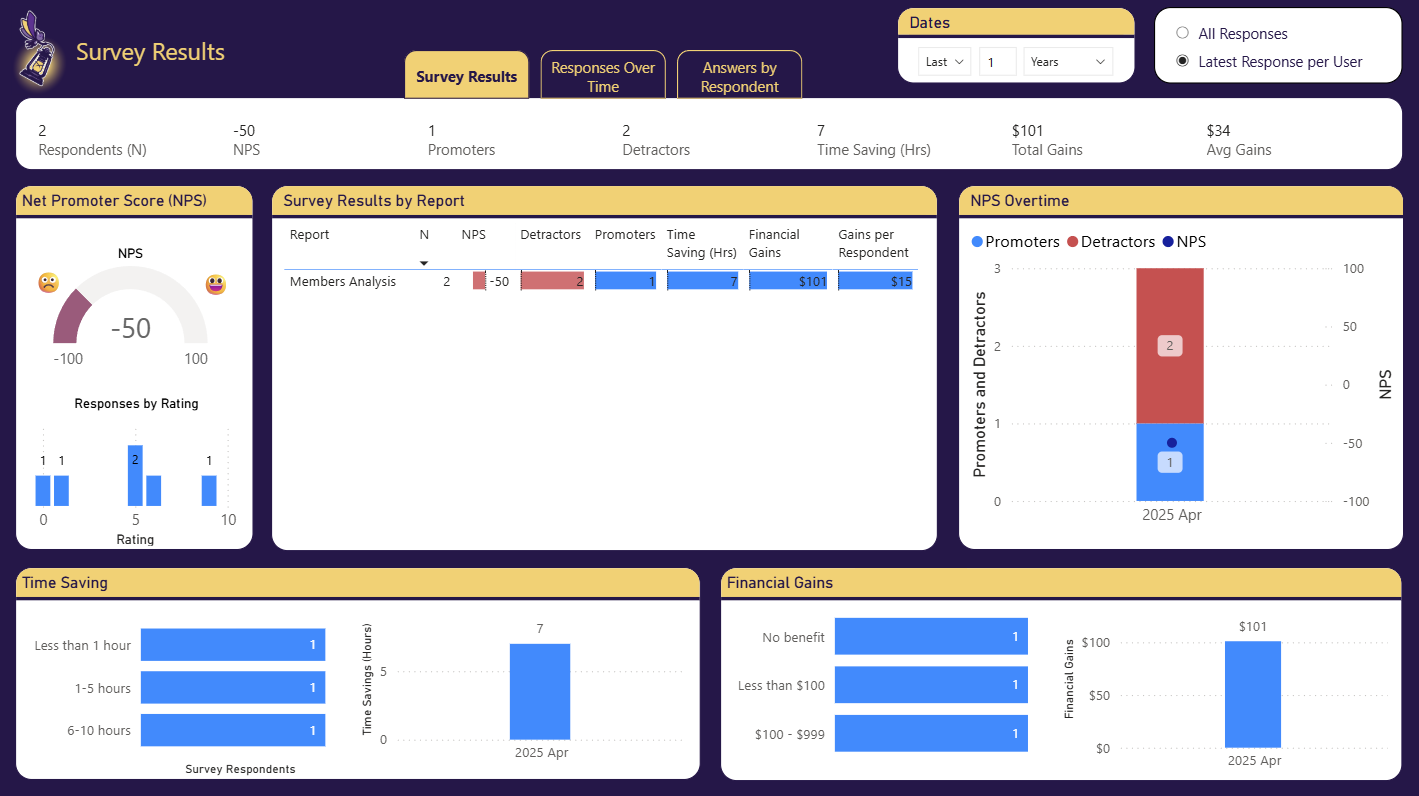
Collect satisfaction scores from Power BI users inside the report, not in a separate survey tool.
BI Pixie adds one-click feedback controls and an embedded survey page to your Power BI reports, so people rate a report where they read it, and you see satisfaction and NPS beside how they use it.
Read more -
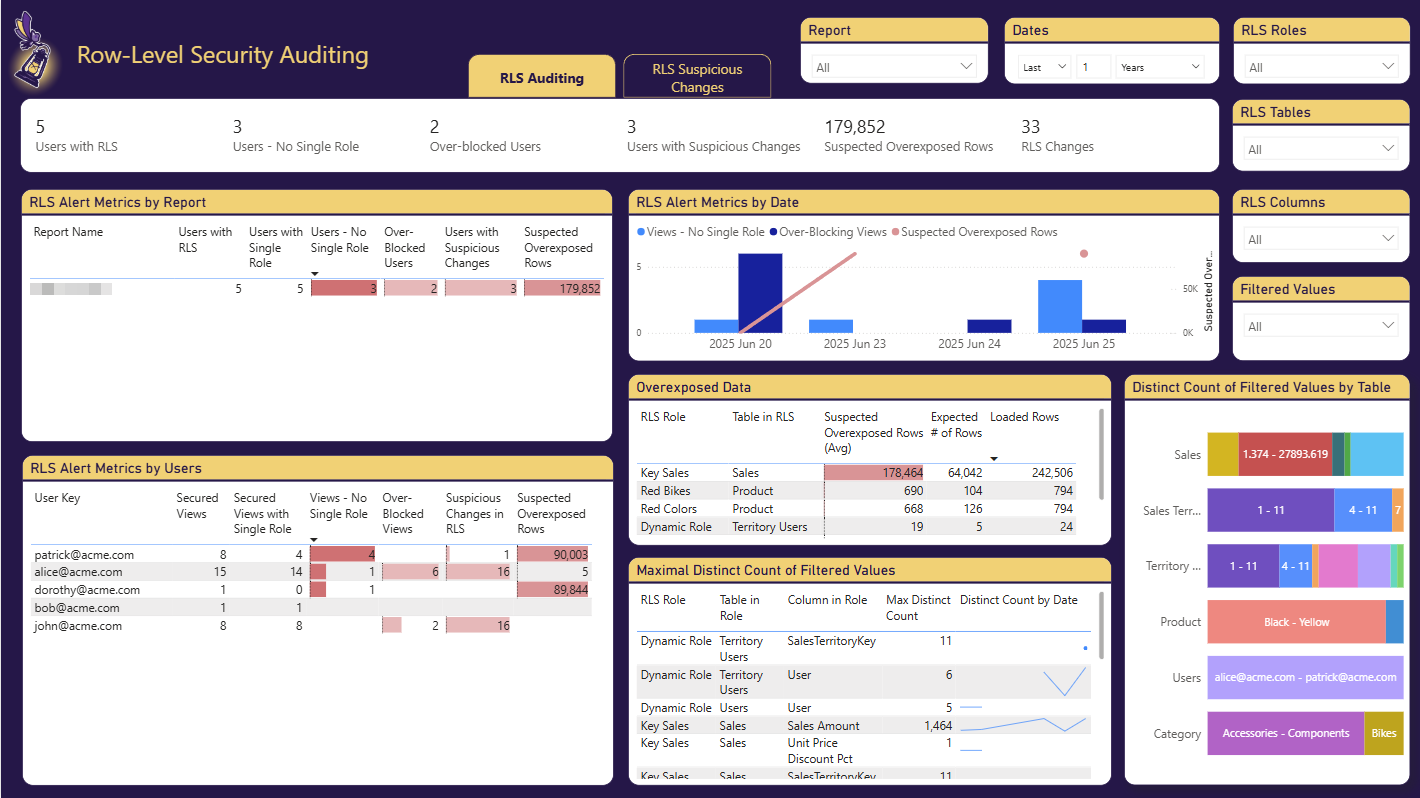
Check whether row-level security in Power BI let anyone see data it should have hidden.
BI Pixie records the row-level security role and the secured values behind each view of a report, and shows you who may have seen rows their role should have hidden, and who was blocked from data they should see.
Read more -
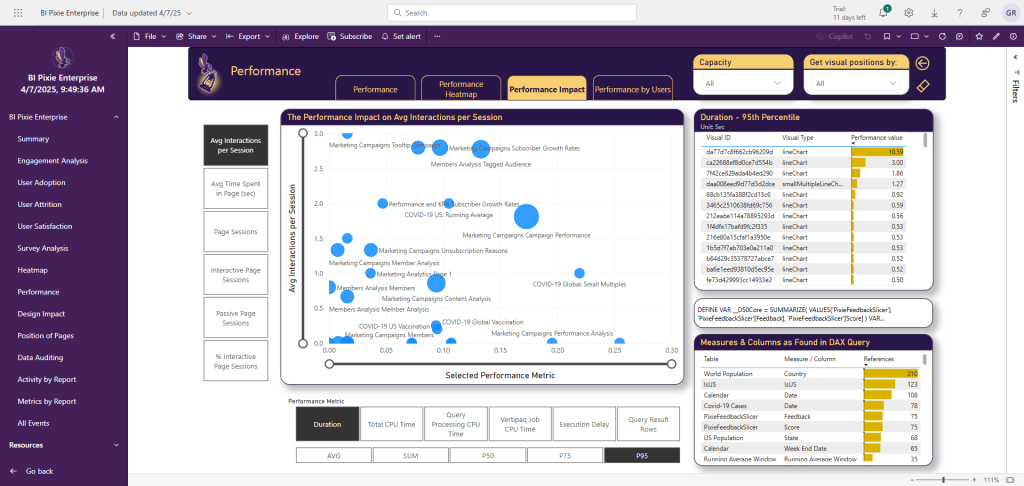
Find the slow Power BI reports that people depend on, and fix those first.
In BI Pixie on Azure, the self-hosted edition, BI Pixie reads the query times of your reports from Azure Log Analytics and puts them beside how people use each page, so you can tell a slow report people depend on from a slow report nobody opens.
Read more
If you are looking for the full capability list instead, see what BI Pixie tracks .
See How Your Reports Are Really Used
Replace guesswork with real adoption and engagement data.