
BI Pixie Workload for Microsoft Fabric: Now in Private Preview
BI Pixie now runs natively inside Microsoft Fabric as a workload. A BI Pixie item lives right in your Fabric workspace, so you can track how your Power BI reports are used without leaving Fabric. Now in private preview, with a public preview coming soon.
Update (June 2026): BI Pixie Workload is now in public preview. The access request described below is no longer needed — any Fabric tenant can add BI Pixie directly from the Workload Hub.
Microsoft Fabric is where more and more teams build, govern, and share their Power BI content. So we brought BI Pixie there natively.
BI Pixie Workload for Microsoft Fabric is now in private preview. It runs as a first-class Fabric workload: a BI Pixie item lives right inside your Fabric workspace, next to your lakehouses, semantic models, and reports. There is no separate portal and no infrastructure to deploy. You add invisible tracking Pixies to the reports in your workspace, and BI Pixie captures how your audience actually uses them, including page views, visual clicks, filter selections, surveys, and feedback.
A native Fabric experience
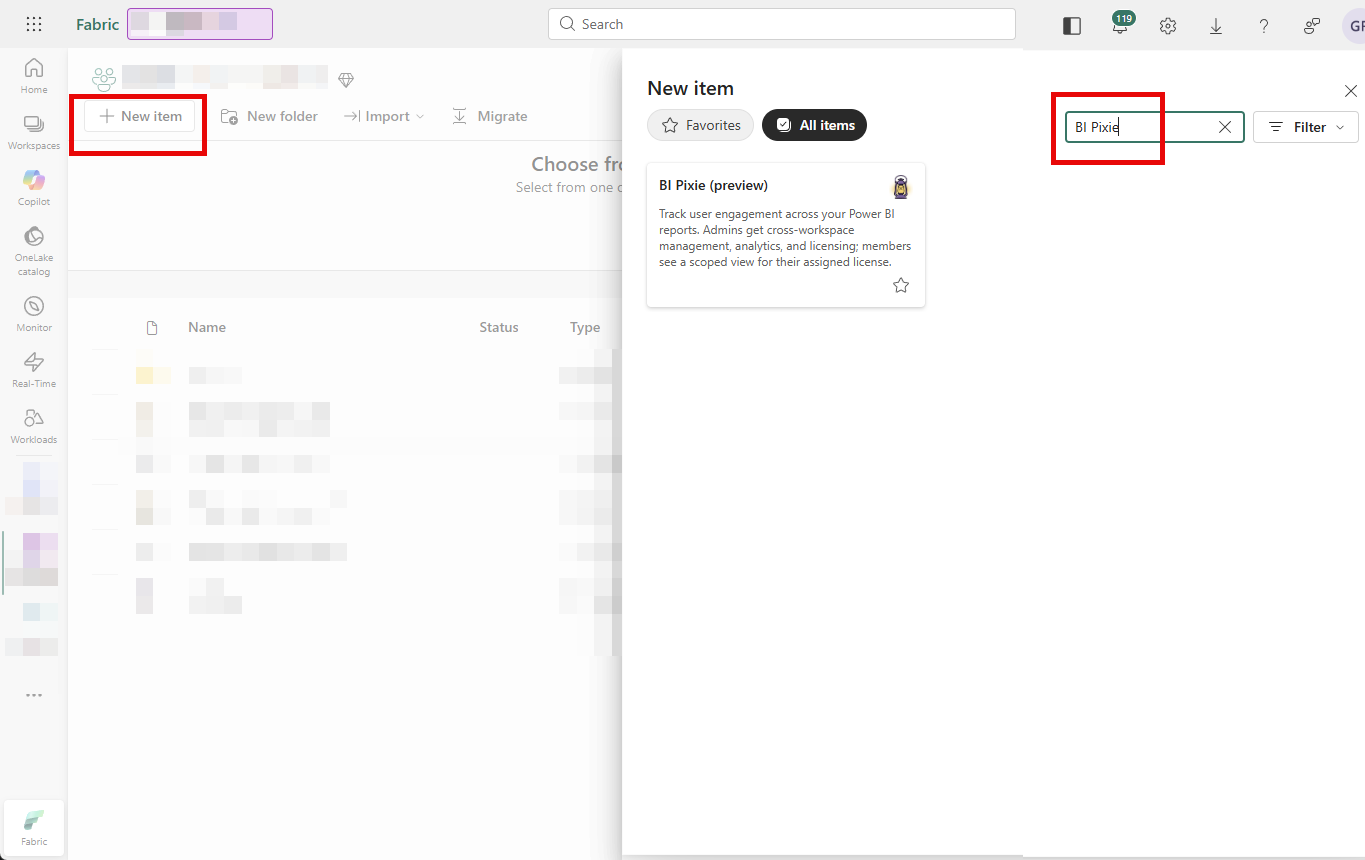
Once a Fabric tenant admin adds BI Pixie from the Workload Hub, anyone can create a BI Pixie item straight from the workspace + New menu.
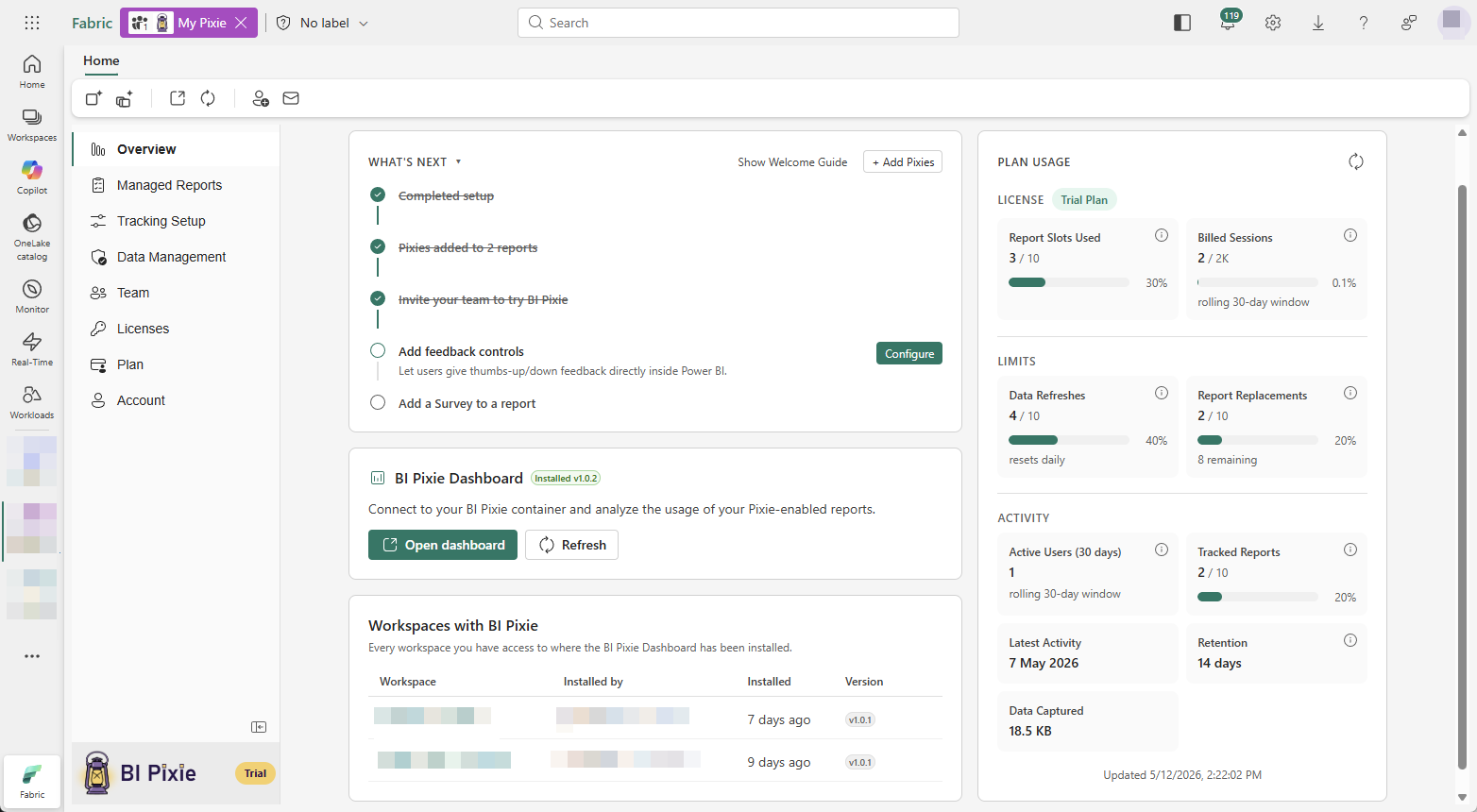
Open the item and you get the full BI Pixie experience inside Fabric: an Overview with a getting-started checklist and plan usage, Managed Reports to add and maintain Pixies, Tracking Setup, Test Events, Data Management, Team, and Licenses. The left sidebar keeps every view one click away.
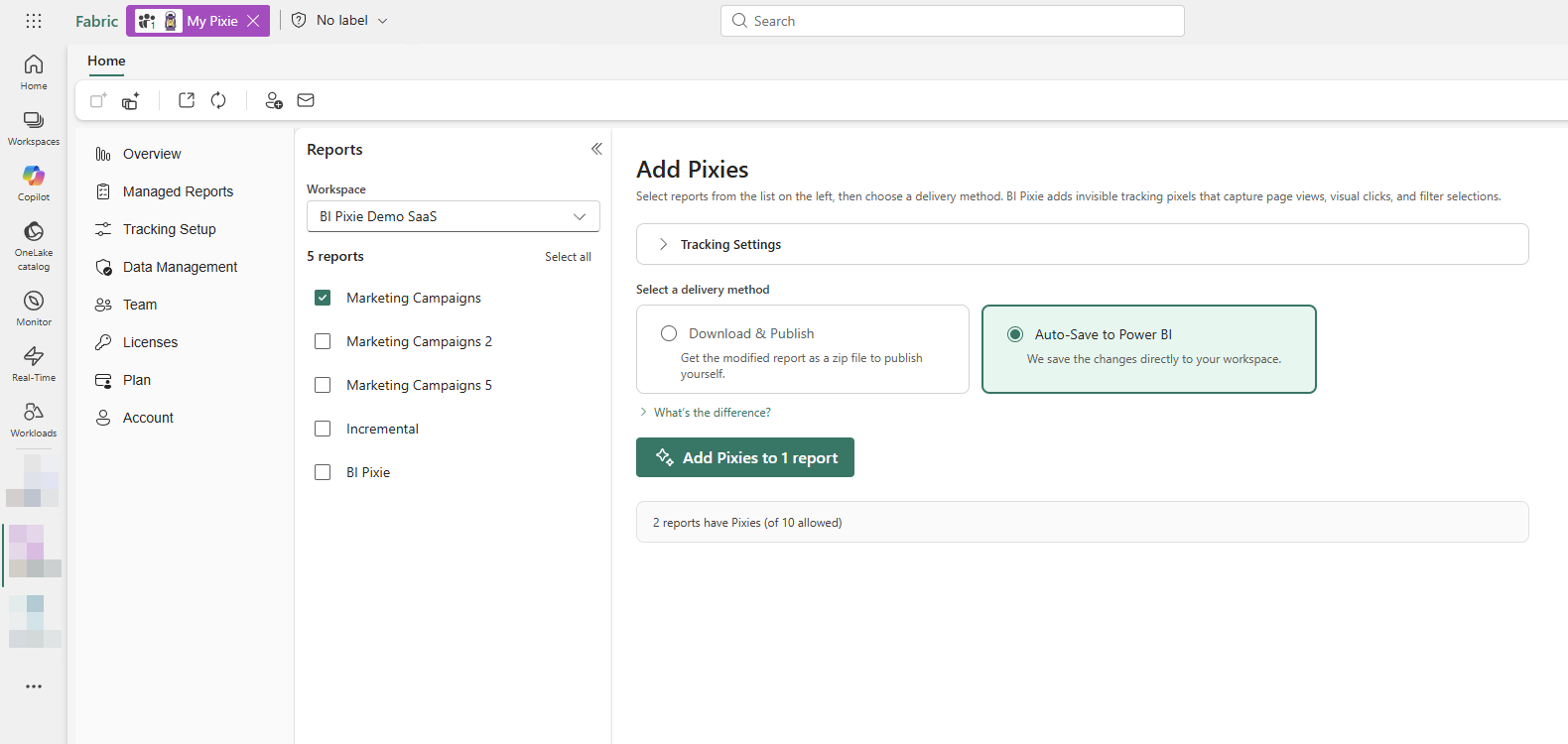
Adding Pixies takes just a couple of clicks. Pick the reports in your workspace and BI Pixie writes the tracking elements directly into the report definitions.
Everything you already know from BI Pixie Cloud is here: the same dashboard, the same engagement and adoption metrics, the same surveys and RLS auditing. The difference is that it all lives inside Fabric and is governed by your Fabric workspace roles, so anyone with Contributor, Member, or Admin access can open the item and configure tracking. There is no separate user management to set up.
Read the guide
We have published a complete user guide for the workload. It walks through adding BI Pixie to your tenant, creating your first item, adding Pixies to a report, and verifying that events are flowing, all in about five minutes.
Read the BI Pixie Workload user guide
What is next: public preview
The workload launched in private preview with a limited group of customers. As of June 2026, it is in public preview — any Fabric tenant can add it directly, no access request needed.
Open BI Pixie in the Fabric Workload Hub
Prefer Cloud or self-hosted? BI Pixie meets you wherever your Power BI runs. See the deployment options for every way to run it.