The Preview Runtime Cut My Fabric Data Agent Cost by 98%
Every Fabric data agent runs on a runtime, and Microsoft offers two of them. The standard runtime is generally available and is what the Fabric portal gives a new data agent. The preview runtime carries the improvements that have not graduated yet, and on 1 September 2026 Microsoft announced advanced DAX generation for Power BI semantic models on it.
Standard DAX generation writes its query in one pass. The advanced tool works in stages instead, reading what the semantic model exposes about itself, working out what the question is asking for, settling whatever is ambiguous, and writing the DAX only at the end.
Microsoft names these advantages:
- Harder questions get better answers, because the tool goes round several times and checks its own results before it settles on one.
- Filters come out more reliable, because the tool reads the values actually held in your columns rather than inferring them. Microsoft calls this instance value indexing.
- The same question gets a steadier answer wherever it is asked, because Fabric data agents, Power BI and Microsoft Copilot draw on one shared capability.
- Some questions come back faster, because narrowing in on the right objects and values saves more time than the extra reasoning steps cost.
And there is one more thing that makes the data agents preview runtime unique, and this isn’t stated in the announcement. It is the cost.
I found out about it while measuring data agents and how much the preparation of a semantic model changes the accuracy of the answers. What follows is a summary of what I found, which is worth sharing.
Conditions that impact the runtime’s cost
In the table below, I asked matched pairs of data agents the same questions and read what each one cost from Microsoft’s Capacity Metrics app, following the method I set out in How to Measure What a Fabric Data Agent Costs Per Question. Every figure is Capacity Units in seconds (CU) per question, from asking each runtime the same question five times, on data agents that differed in the runtime and in nothing else. The standard runtime column gives the range across those five answers, because it often charged two very different prices for one question.
The questions I asked were unambiguous, so accuracy came out much the same in every test. What the table compares is cost.
| # | Condition | Standard runtime (CU) | Preview runtime (CU) |
|---|---|---|---|
| 1 | ”How many orders were placed in June 2024?”, on a semantic model with no preparation | 261 to 1,014 | 255 |
| 2 | The same question, on that semantic model prepared with descriptions and AI instructions | 261 to 2,181 | 255 |
| 3 | A harder question on the same semantic model (row 2), asking which product category grew fastest in units sold between two years | 284 to 4,889 | 286 |
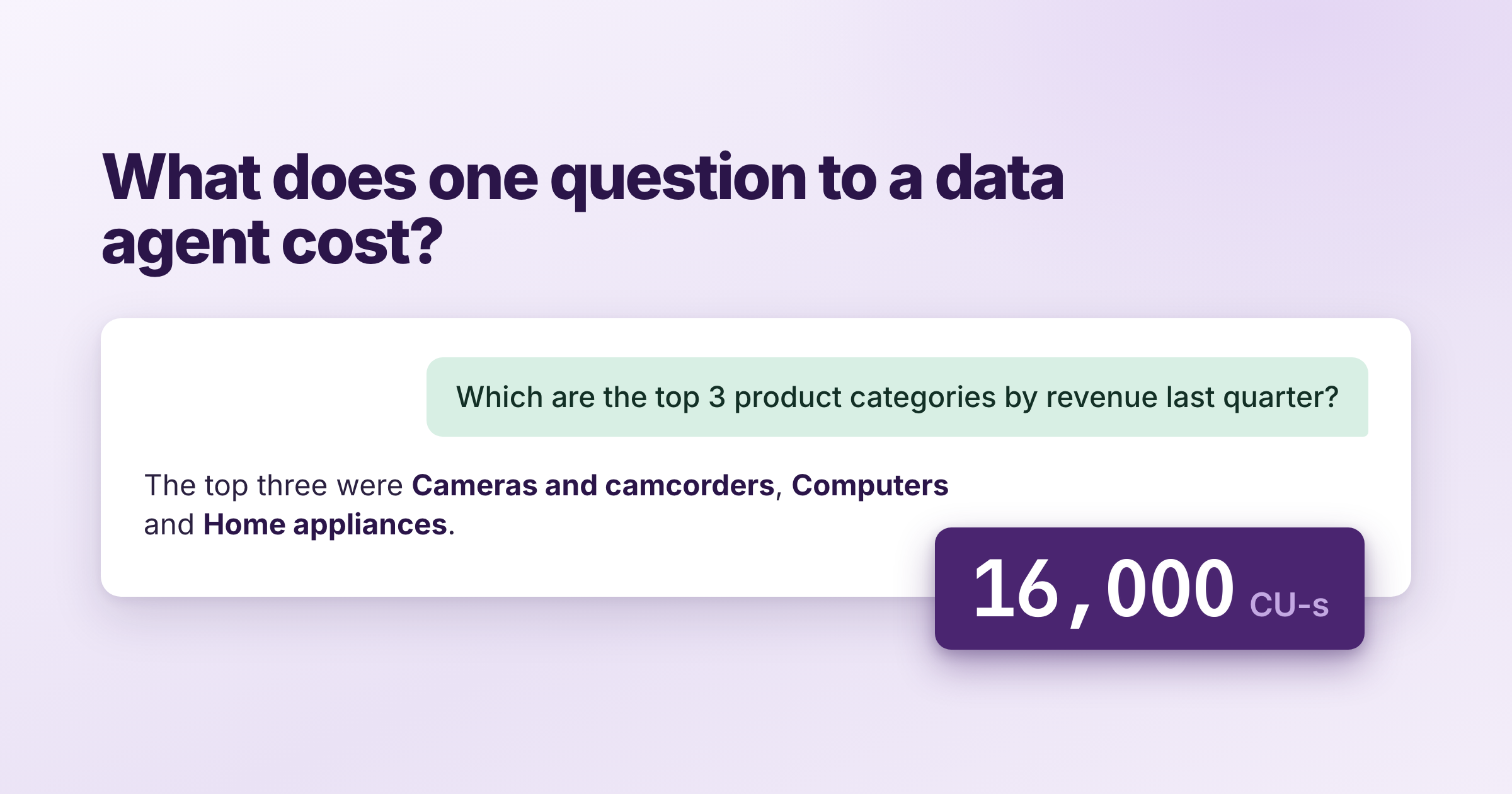
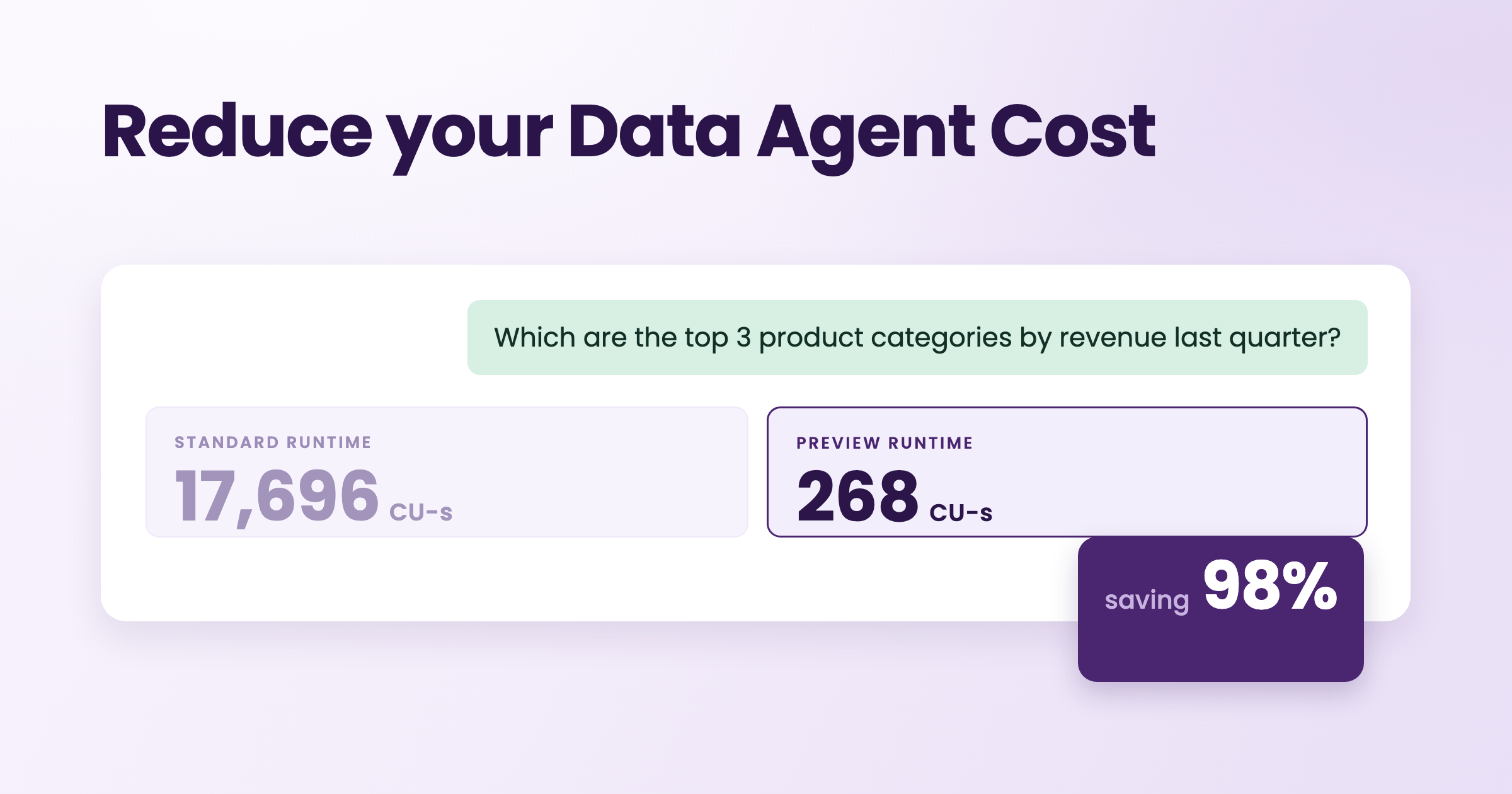
| 4 | Top three rankings over a dimension, on a semantic model carrying a 729 KB Q&A linguistic schema | 17,514 to 17,786 | 268 |
| 5 | The same rankings, with that file cut to 7 KB and the data agent republished | about 276 | 268 |
Where these figures come from. Everything above was measured on a capacity I keep for testing, against my own semantic models, and should not be considered as thorough research. Microsoft has announced that from 1 October 2026 the Fabric operations that use large language models move to a dynamic consumption model, so what a question costs may change on that date.
The rows answer different questions, so each one is worth taking separately. Preparing a semantic model changes what it costs on each runtime (rows 1 and 2), a harder question widens the gap between them (row 3), and taking the Q&A linguistic schema out of the semantic model changes both (rows 4 and 5).
On the standard runtime the same question does not cost the same twice (row 1). I asked how many orders were placed in June 2024, against a semantic model with no preparation on it at all, five times over. The five answers cost 957, 1,014, 262, 261 and 261 CU. The preview runtime answered the same question for about 255 CU every time, with a spread of under one percent. That split between a runtime that swings and one that does not is worth holding on to, and I come back to it below.
Preparing that semantic model made the standard runtime more expensive (rows 1 and 2). The two semantic models were identical apart from the descriptions, AI instructions and AI data schema written onto one of them, and both answered the same question. On the standard runtime the answers at the top of each range in the table averaged 2,072 CU on the prepared semantic model against 985 CU on the unprepared one. The preview runtime charged about 255 CU either way.
A harder question cost 111% more on the standard runtime, and 12% more on the preview runtime (row 3). Then I moved to a harder question: which product category grew fastest in units sold between two years. I asked it against the prepared semantic model (row 2), so the question is the only thing that changed. On the standard runtime the average went from 1,367 CU to 2,891 CU, with individual answers anywhere between 284 CU and 4,889 CU. On the preview runtime it went from 255 CU to 286 CU. The preview runtime was also the quicker of the two here, at 23 seconds against 36 seconds.
A large Q&A linguistic schema is where the standard runtime becomes indefensible (row 4).
Everything in this post started with a semantic model I use for demos. I ran one benchmark against
it on an F4 capacity I keep for testing, fourteen questions asked three times each, and the run
cost 673,844 CU. That was 195% of everything the capacity had for the day. The capacity was in
overload within three minutes and stayed there for about 26 hours. It took me days to find what
was different about that semantic model, and the answer was a single file:
definition/cultures/en-US.tmdl runs to 729 KB there, 84% of the entire semantic model
definition. When I asked for a top three ranking question five times on the standard runtime, the
answers cost between 17,514 CU and 17,786 CU. The same question on the preview runtime cost 268
CU. It turned out that the size of the file accounted for the bill. But to further prove it, I
moved to the next test.
Removing the synonyms and the Q&A phrasings brought the standard runtime down to about 276 (row
5). I cut that en-US.tmdl file from 729 KB to 7 KB, taking out the synonym entries and the
phrasings and keeping my own AI instructions, which sit in the same file. Then I asked the same
five questions. The results were amazing. The standard runtime moved back to reasonable capacity
utilization. The cost moved to 276 CU and was consistent across the runs. One important side note
is worth mentioning. After I removed the unnecessary synonyms and phrasings from the file, the
data agent was not initially impacted. I realized that I needed to publish the data agent in order
to propagate the change, even though the change was not done at the data agent level.
That last part is the practical lesson on optimization. A data agent appears to capture the semantic model’s metadata when it is published, so an optimization you make afterwards at the data source does not show up until you publish the data agent again. If you change a semantic model and the cost does not move, republish the data agent before you conclude the change did nothing. I am sure that under the hood a data agent is built to pick up changes to a semantic model’s metadata without a republish, but a republish guarantees it.
What is inside the Q&A linguistic schema
On the semantic model with the large schema (rows 4 and 5), roughly half of the Q&A linguistic schema was a thesaurus: 1,612 automatically suggested terms telling a language model that a calendar may also be called an almanac or a datebook. Power BI wrote them on my behalf and no person had ever approved them. Another quarter was Q&A phrasings, which are relationship wordings built for Q&A’s grammar engine. The real object names came to 5%, and my own AI instructions to 2%.
Microsoft is retiring the feature all of that was built for. The Q&A documentation states that “Q&A experiences are going away in February 2027” and recommends “using Copilot for Power BI, which offers a more advanced and integrated way to query your data using natural language”. Microsoft had first planned the retirement for December 2026, and in September 2026 it moved the date to February 2027 to give you more time to find what still depends on Q&A. The announcement says that from February 2027 “Q&A will no longer work in Power BI”, and that “existing reports that contain Q&A visuals will display an error in place of the visual”.
Microsoft’s retirement announcement names Prep data for AI as the replacement for Q&A Setup, the tool where Q&A’s synonyms and phrasings are managed. Prep data for AI has no synonym list of its own. In Prep data for AI you describe your semantic model to an AI in a different form, as AI data schemas, verified answers and AI instructions.
The Q&A setting on a semantic model matters beyond Q&A itself, because two other Microsoft features depend on it today. Prep data for AI lists among its own requirements that “You must enable Power BI Q&A on your semantic model”. The semantic model best practices page for data agents says that “Instance value indexing currently requires the semantic model’s Q&A setting to be enabled”, and that “a replacement setting will support instance value indexing after retirement”.
While some use cases may still rely on the legacy Q&A, you may not be able to follow my solution. If you must use the standard runtime in a production environment, consider trimming that file.
Conclusions and Recommendations
In this post, I shared how different factors in the semantic model or data agent led to different utilization of a Fabric capacity. In that analysis, I found out that the preview runtime of the data agent is the factor that mattered most: it charges the same price for the same question every time, it barely moves as the questions get harder, and it does not surprise you with high utilization due to a legacy Q&A linguistic schema as the standard runtime does. It gives up nothing in accuracy to do any of that.
Use the preview runtime. Microsoft’s reasons stand on their own: better answers on complex questions, more reliable filters, and consistency with Copilot. My measurements add two more. The first is how the two scale with difficulty. A harder question cost 12% more on the preview runtime and 111% more on the standard one, so the more demanding the questions your people ask, the more the choice of runtime is worth. The second is predictability, which is what makes capacity planning possible. The preview runtime charged nearly the same price every time I asked, where the standard runtime priced one identical question two very different ways. A bill you cannot predict is hard to budget for even when it is small.
Cannot use the preview runtime? Consider shortening your Q&A content, at least until Microsoft ships a new way to give a semantic model its synonyms. Treat this as a trade rather than a cleanup: Copilot’s own “Ask data questions” still reads this schema, so removing it is a decision to make deliberately and not a tidy-up.
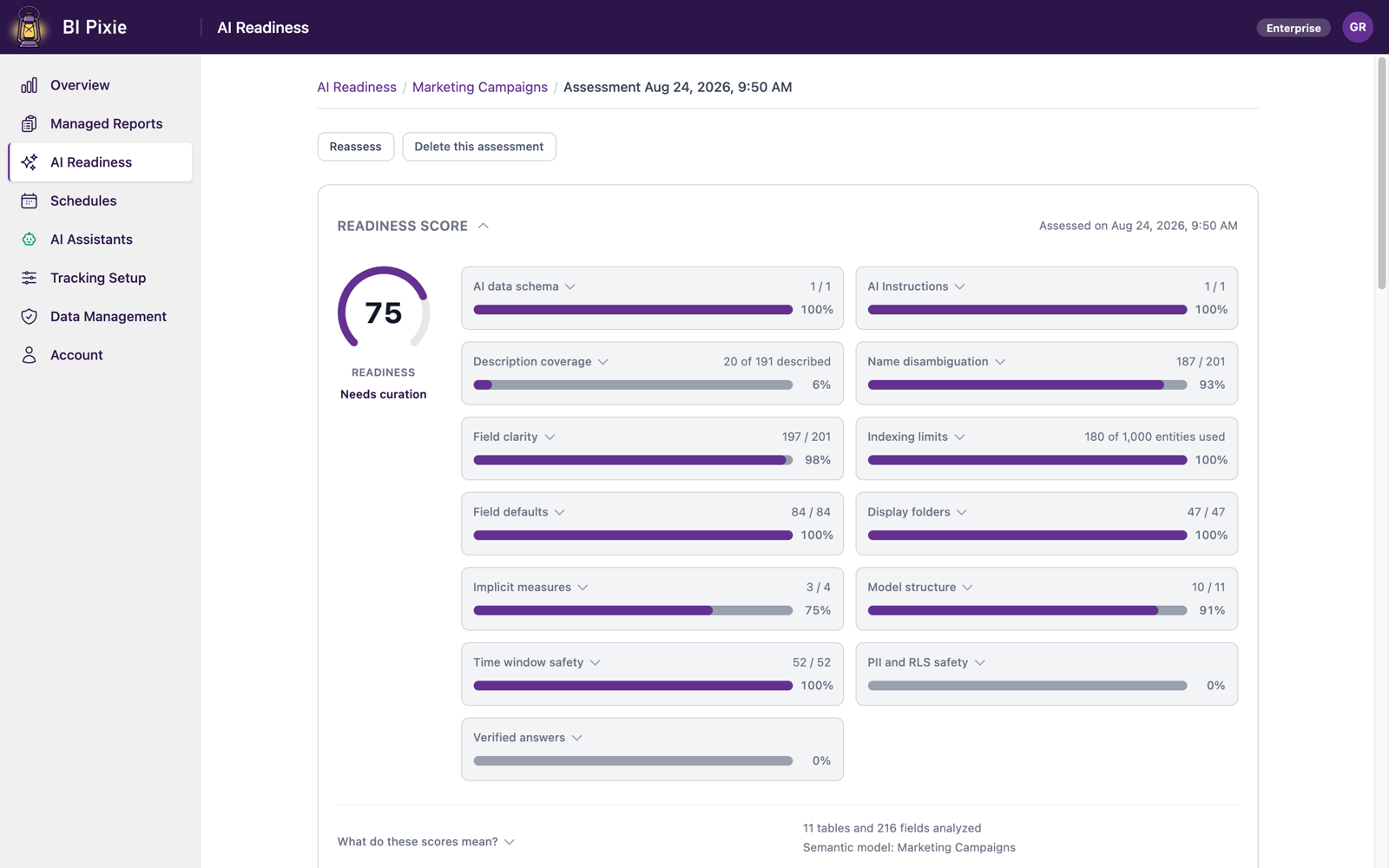
Use Prep data for AI instead of relying on synonyms. A thesaurus is a workaround for names that do not say what they mean. Power BI’s own Prep data for AI is where you fix that, by writing the descriptions and the AI instructions that tell an AI how to read your semantic model. Preparation is worth doing, and it is worth doing on the preview runtime, because on the standard one you pay for it again on every question you ask. To help you scale that effort beyond a handful of semantic models, we recently launched AI Readiness in BI Pixie. It assesses the AI Readiness of your semantic models, optimizes them, and benchmarks Copilot and data agents to prove they stay correct.