AI Readiness for Fabric Data Agents, and A/B Tests
BI Pixie now assesses your Fabric data agents based on Microsoft's published guidance, applies the fixes it can make to the data agent, and lets you test each change with an A/B test. The first assessment is free, for up to 500 semantic models and data agents in your account.
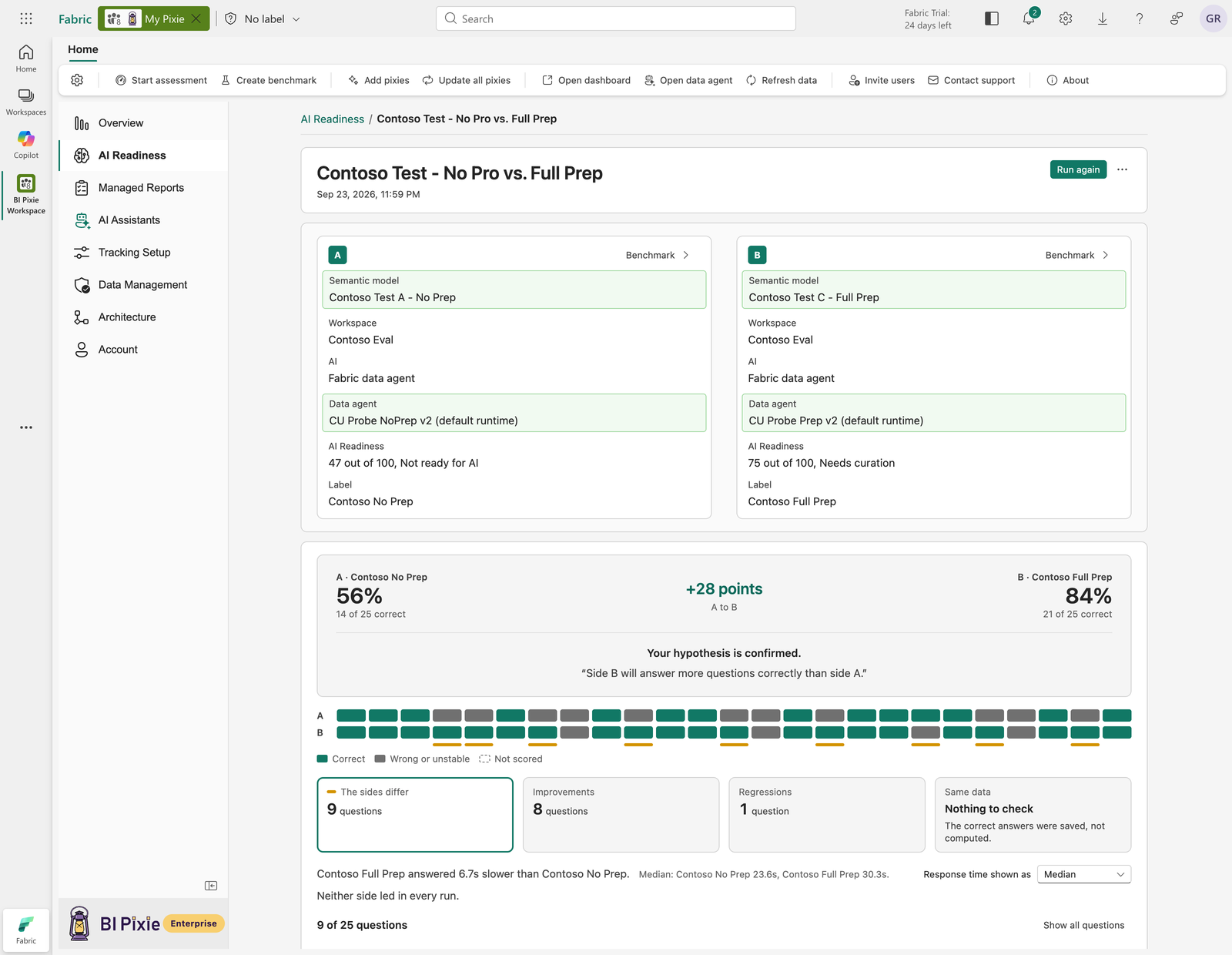
Your organization wants Power BI Copilot and Fabric data agents in production, answering real business questions for the people who run the business.
How do you get AI Readiness at scale? An organization rarely stops at one data agent. Each team builds its own, on a different mix of semantic models, lakehouses, warehouses, KQL, SQL and mirrored databases, and you need one standard that tells you where each of them stands. You also need a process that keeps the answers correct as data agents change, and tells you whether each change your team makes, and each update Microsoft makes to the AI behind them, really improves the answers. BI Pixie gives you that process in three steps: assess, apply and test.
Last month we introduced AI Readiness for semantic models, which lets you assess your semantic models, fix and optimize them, and then generate effective benchmarks that test your AI, and run those benchmarks over time to catch regressions. Today BI Pixie extends AI Readiness. You can now assess data agents and apply optimizations to them. Then you can run A/B tests that compare two versions of your semantic model, or of the AI that queries it. With A/B tests, you stop guessing whether a change made your AI more accurate.
The new capabilities are available in BI Pixie Cloud and in the BI Pixie Workload for Microsoft Fabric. The screens in this post are from the Workload.
Assess a Fabric data agent
The data agents your teams build each get one AI Readiness score, based on Microsoft’s published guidance for data agents. You see which data agents are ready to answer, which findings lower each data agent’s score, and when a data agent’s score rises or falls, so data agents built by different teams are held to the same standard. Where the semantic models underneath are what limit a data agent, BI Pixie says so, and the work goes to the semantic model rather than to the data agent.
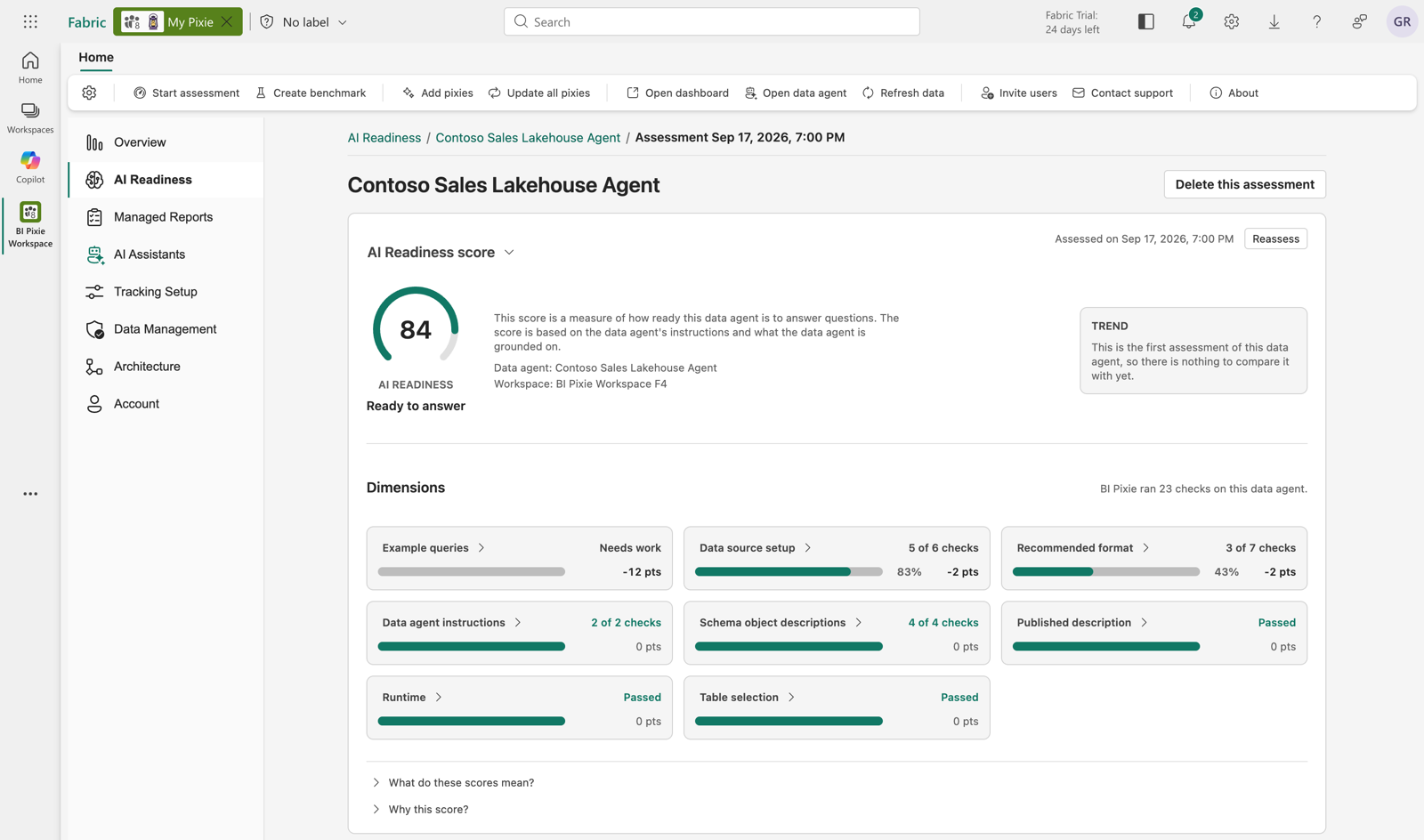
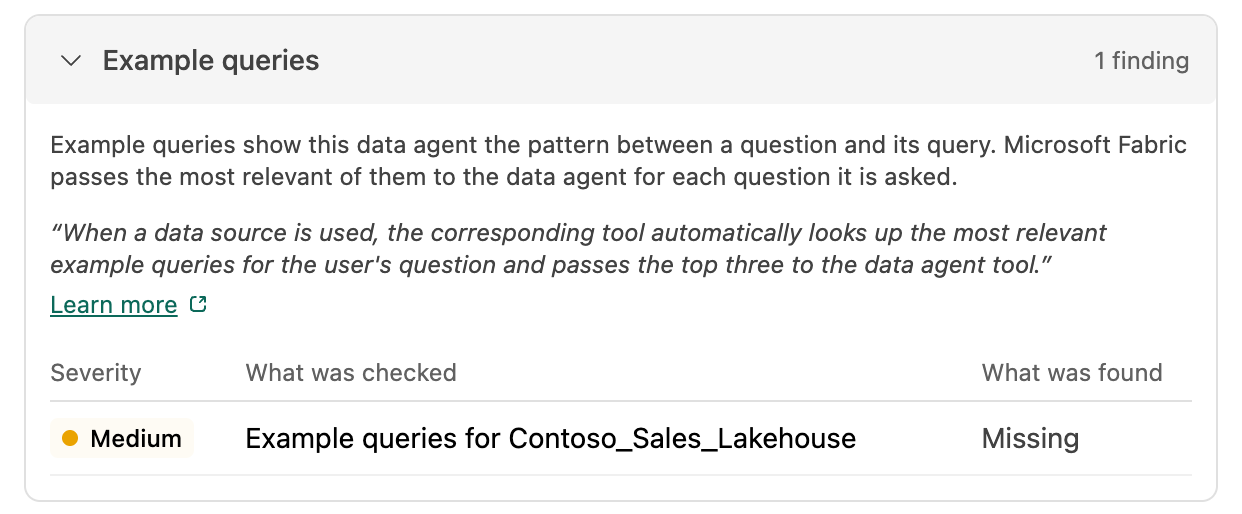
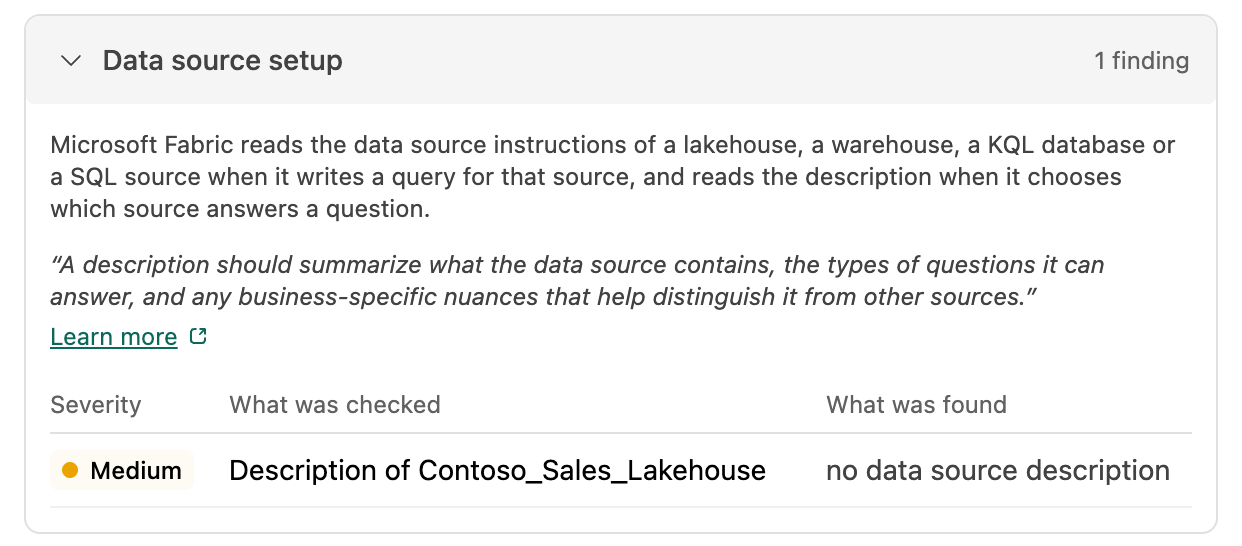
You are not limited to data agents built on semantic models. BI Pixie assesses every source a data agent is grounded on, from lakehouses and warehouses to KQL, SQL and mirrored databases, and compares each one with Microsoft’s published guidance for that kind of source, so what you see covers the whole data agent.
Apply what the assessment finds
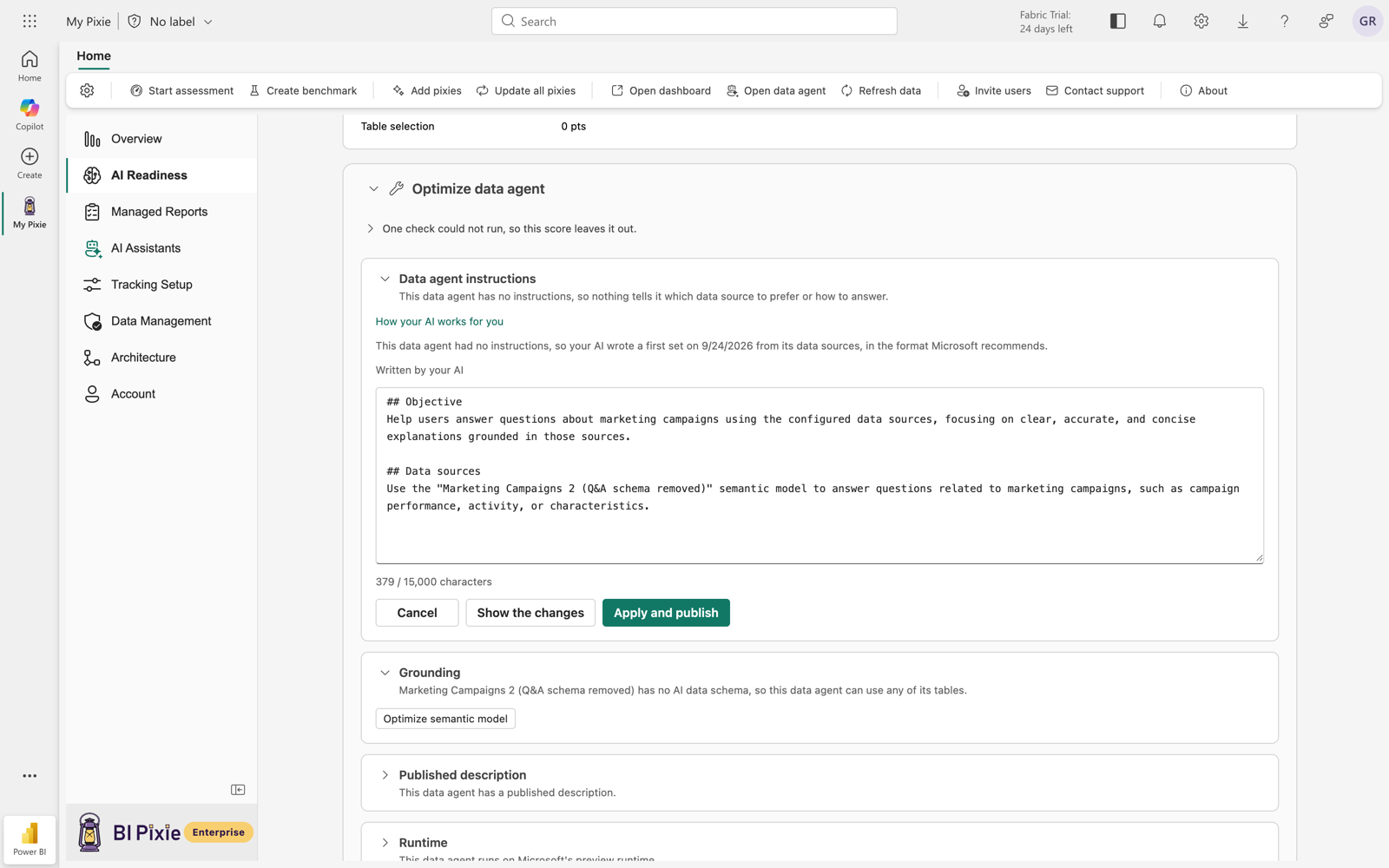
You turn the assessment’s findings into changes that your own AI writes, then review and publish the ones you want. Nothing reaches the data agent until you approve it, and you can assess the data agent again afterwards, so you can see what each fix changed. Need this reassessment on a schedule? On the Enterprise plan, you can add data agent assessments to a schedule side by side with your semantic model assessments.
Test each change with an A/B test
You can apply two sensible optimizations and find that only one of them improved your AI’s answers. With an A/B test you put each optimization to the test: you run the same benchmark before the change and after it, and BI Pixie checks each answer against the correct answer computed from your own data. You state a hypothesis, for example that the semantic model you prepared answers more questions correctly, and you see whether it holds, question by question.
With A/B tests, every optimization your team keeps is one that measurably made your AI more accurate.
Start with a free first look
The first assessment is free, for up to 500 semantic models and data agents together, so you know where your mission-critical semantic models and data agents stand for AI. The Free plan also includes one A/B test run, so you can put your first optimization to the test.
Learn more
- Data Agent Assessments, in the Workload and in BI Pixie Cloud
- Optimize a Data Agent, in the Workload and in BI Pixie Cloud
- Data Agent Data Sources and Access, in the Workload and in BI Pixie Cloud
- A/B Tests, in the Workload and in BI Pixie Cloud
- AI Readiness for Copilot and Fabric data agents, the whole capability
Start BI Pixie FREE plan today, or if you prefer to run it on Fabric, ask your Power BI admin to approve the BI Pixie workload in the Fabric Workload Hub.