
AI Provider
Scoring never uses AI. The text BI Pixie authors for you does: proposed descriptions, AI Instructions, folder names, the phrasing of benchmark questions, and the generic AI agent a benchmark can test. That text is written by an AI provider you connect. In the portal this is usually bring-your-own: you connect your own account, BI Pixie stores the credentials encrypted, and every call runs server-side against your account with BI Pixie's prompts.
Connect a Provider
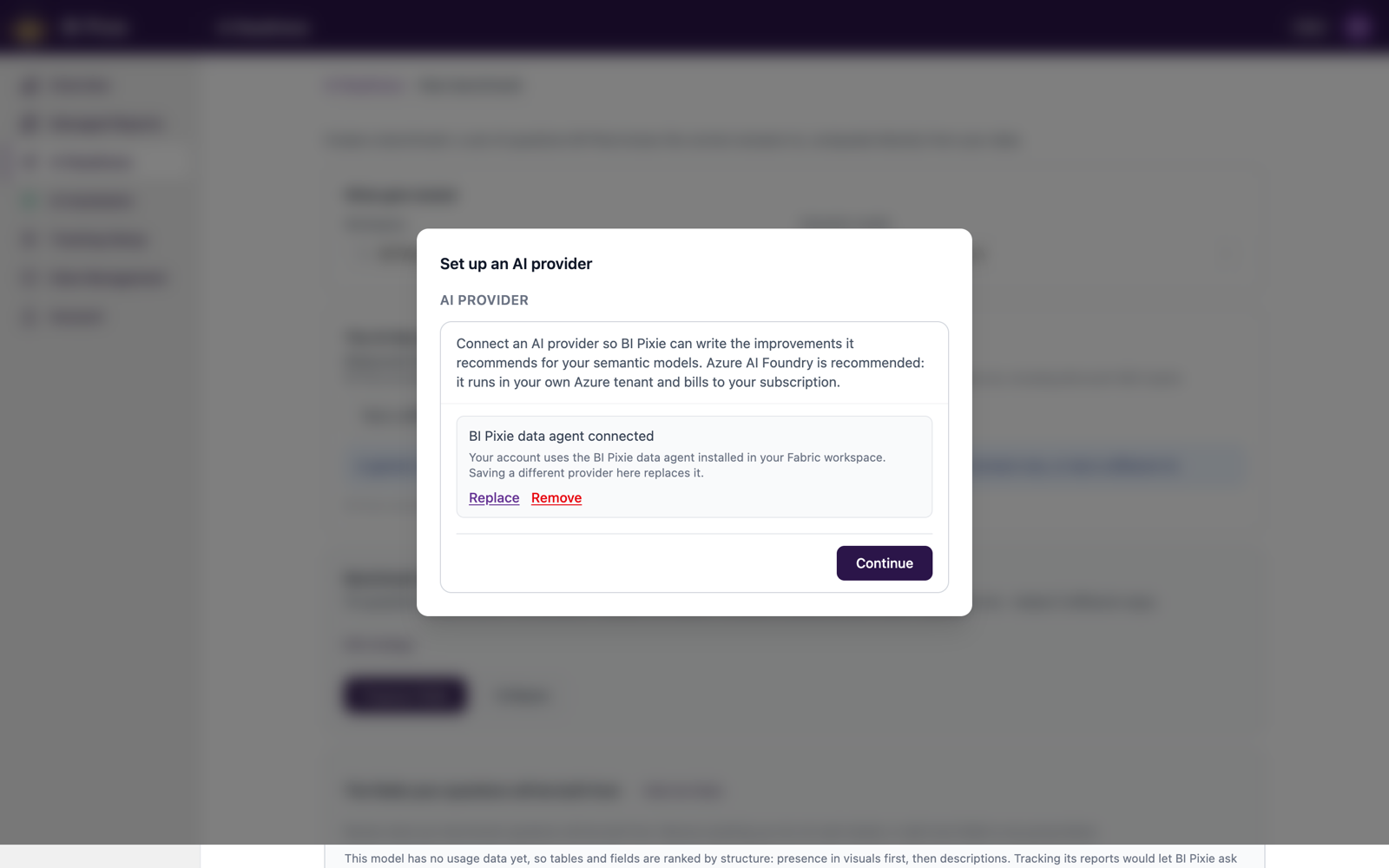
- On the AI Readiness page, the AI provider status row reads Not connected until one is set up. Open the Set up an AI provider dialog from the prompt beside it. The same dialog opens from Use as AI provider on the AI Assistants page once you have created a data agent, and you can manage the provider at any time from the Account page, on the AI tab.
- Choose a provider. Azure AI Foundry (recommended) runs in your own Azure tenant and bills to your subscription: supply your endpoint and deployment name, and authenticate with Microsoft Entra ID (recommended) or an API key. OpenAI and Anthropic each take an API key.
- Save. The status row then names your provider as connected, and the AI Assistants icon in the left sidebar carries a status light that is spoken as "AI provider connected".
What Works Without a Provider
Everything that does not use AI works with no provider connected, and keeps working when a provider call fails: scoring, the full dimension breakdown, findings, usage grounding, assessment history, AI data schema curation, field defaults, and the first pass of folder proposals. The AI-authored items wait instead. Those cards show a note that an AI provider is required, with a Connect shortcut beside it.
A benchmark can still be built and run without a provider, using fixed question templates instead of natural phrasing; business-domain detection and question variations are unavailable, and each says so where it appears. The one benchmark option that requires a provider is the generic AI agent, because the provider plays the emulated agent and is therefore what answers the questions. The BI Pixie data agent cannot play that role, so even when it is connected as your provider, testing through a generic AI agent needs a bring-your-own provider. See AI to Test.
What the Provider Sees
When BI Pixie writes text for you, it sends your provider the relevant part of the semantic model's metadata: names, existing descriptions, AI Instructions, and usage signals where your reports are tracked. It never sends your data. When BI Pixie phrases benchmark questions, the provider receives field names and the shape of each question, never the correct answer, so the answer key cannot leak into the test.
What's Next
- Optimizations, the fixes your provider writes for you.
- AI Assistants, to create the BI Pixie data agent.
- Account Settings, to manage your provider on the AI tab.