
Set the Benchmark Strategy
You can use a benchmark strategy to decide which questions you ask: how many, about which period and business areas, how demanding, and how later runs are graded. Every setting has a default that suits most semantic models, so you can skip the strategy and go straight to Propose fields.
Prerequisites
- A benchmark open on a semantic model, with the AI to test chosen. See Choose the AI to test.
- Your AI, set up in AI setup, if you want business domains detected or each question asked in different words. See AI setup.
Change the strategy
- On the Benchmark strategy card, select Define strategy, or Edit strategy if the semantic model has a saved benchmark.
- Change the settings you need. See Strategy settings.
- Select Collapse to fold the settings away, and then select Propose fields.
The strategy is saved with the benchmark, one per semantic model. When the card is closed, you see a one-line summary of the settings, such as 15 questions · Last month · All domains · Usage-first tables · Includes undocumented fields · Balanced mix · Asked 3 different ways.
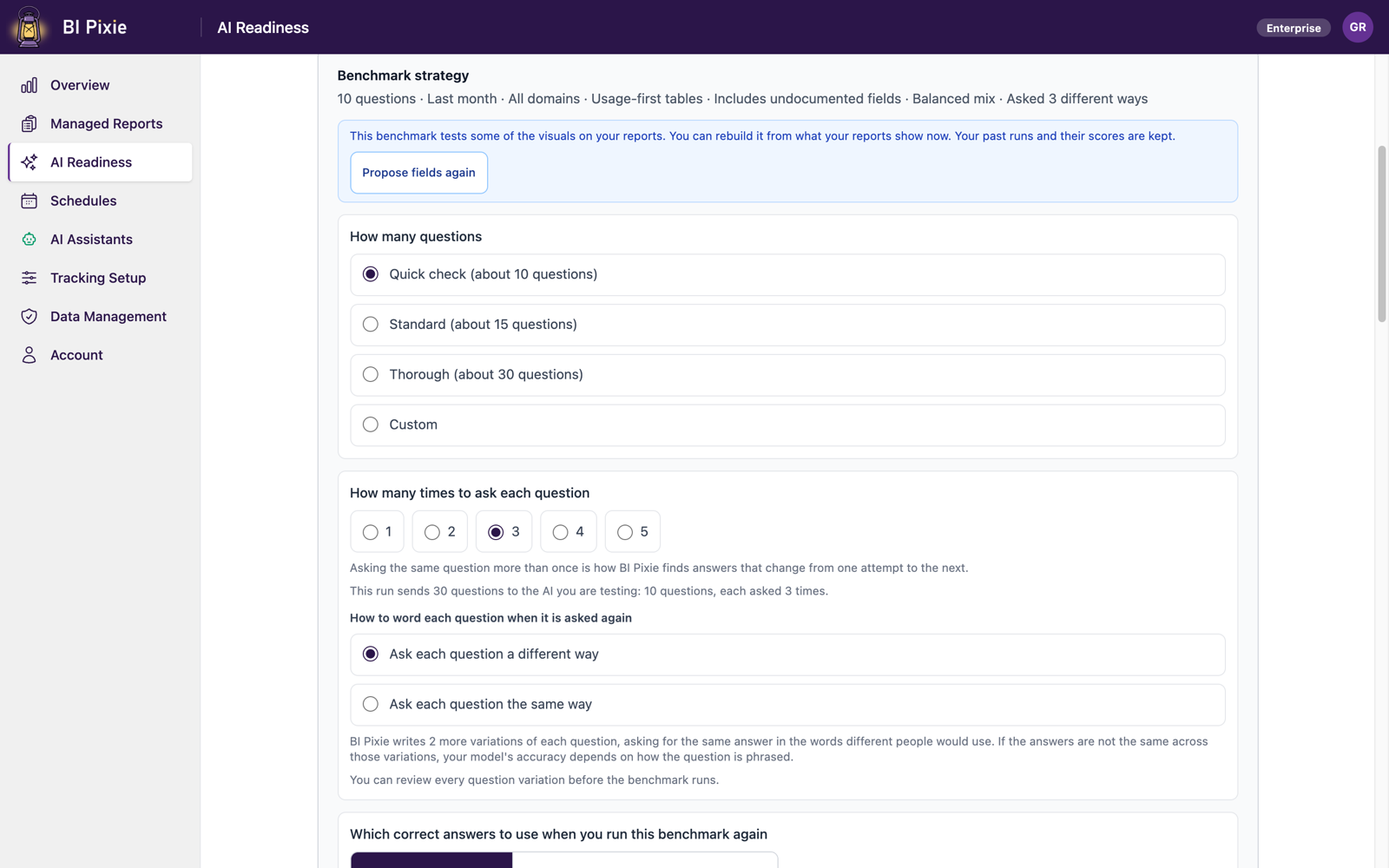
Strategy settings
| To | Set | Options |
|---|---|---|
| Decide how many questions to ask | How many questions | Quick check (about 10), Standard (about 15, the default), Thorough (about 30), or Custom (3 to 100). More questions give a more reliable score and a longer run. Thorough and Custom need the Pro plan or higher. |
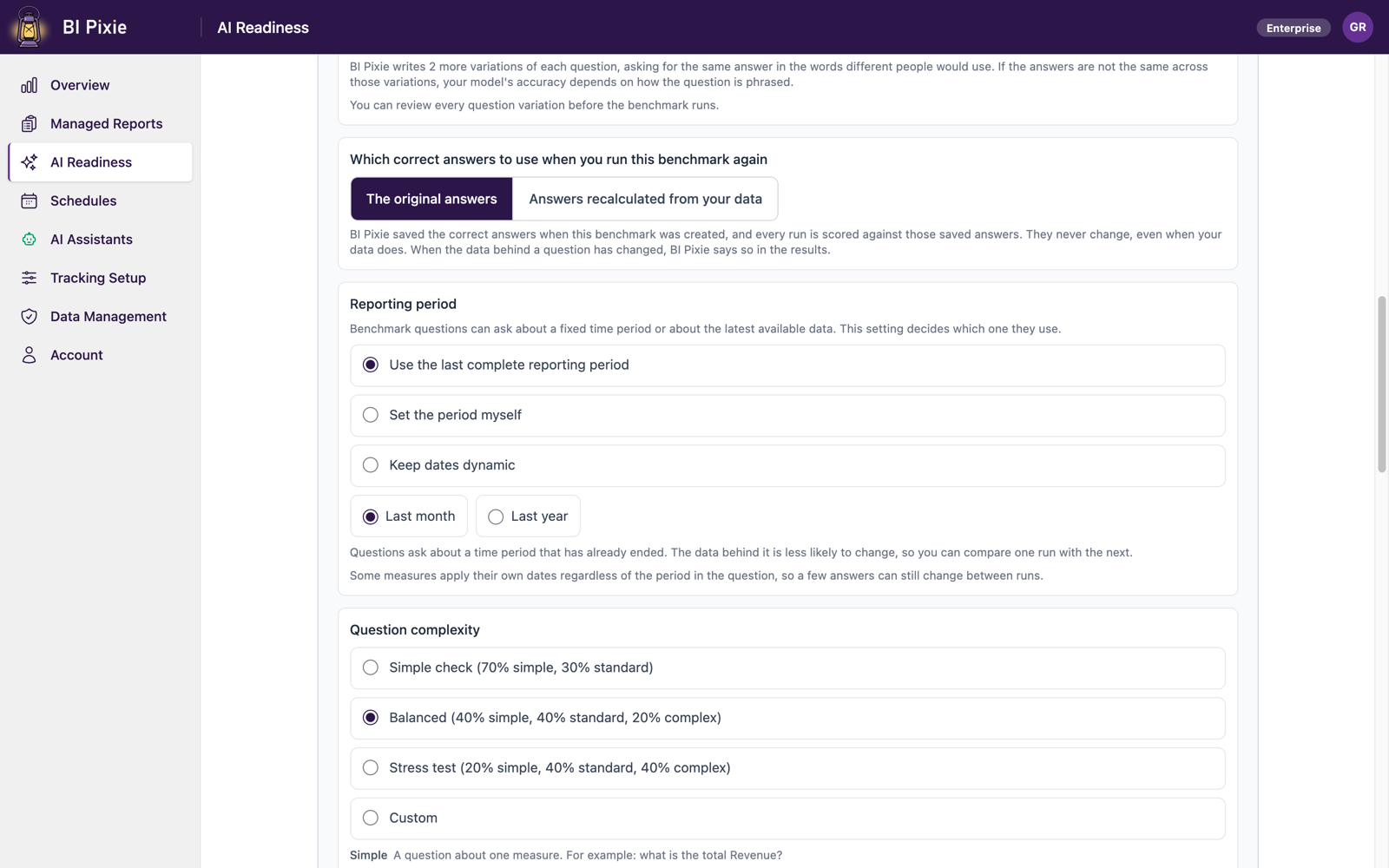
| Fix the dates the questions cover | Reporting period | Use the last complete reporting period (the default), with a Period size of Last month or Last year; Set the period myself; or Keep dates dynamic. With a fixed period, new data doesn't move your score between runs. With dynamic dates, BI Pixie always asks about the latest data, so runs aren't directly comparable. |
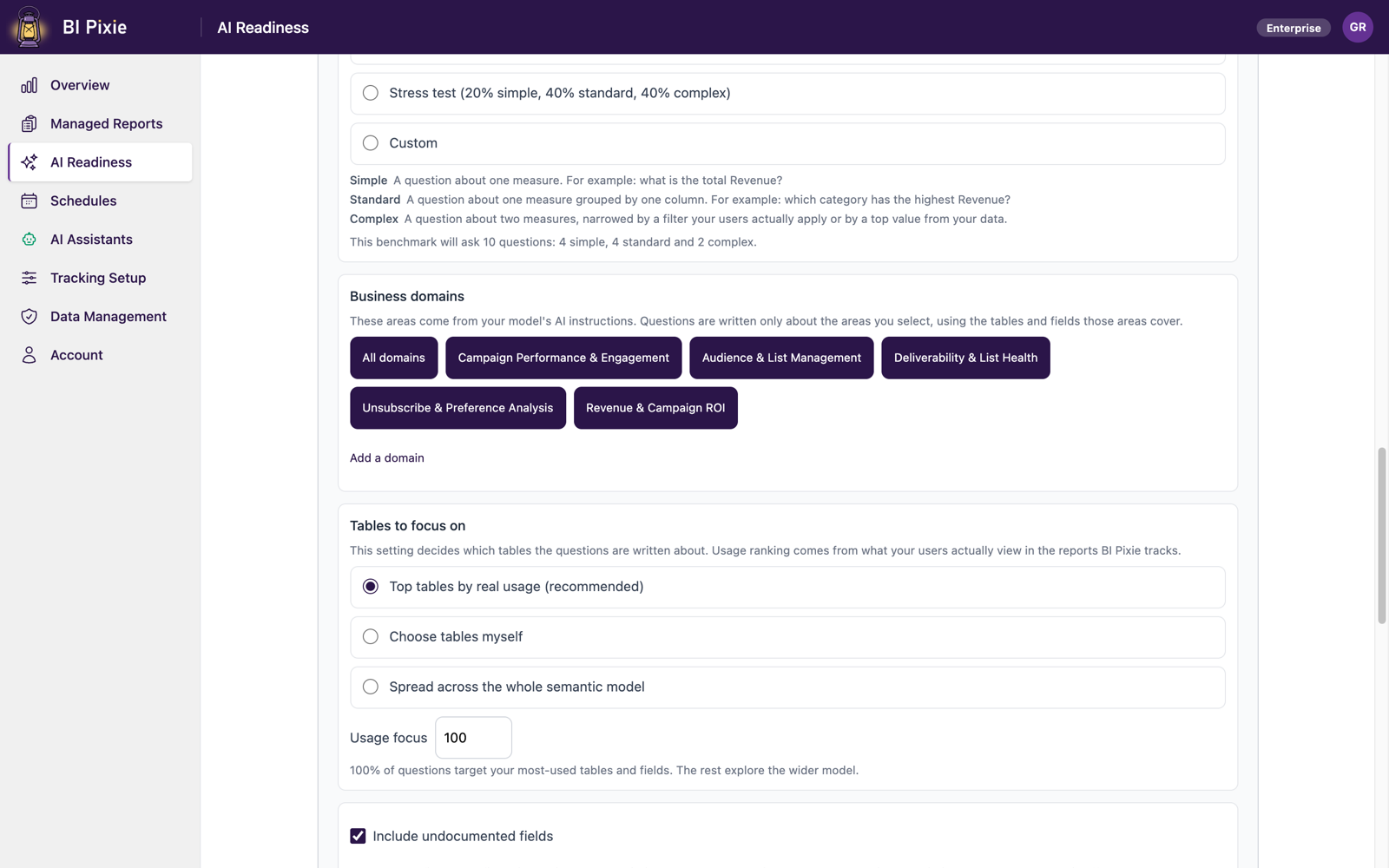
| Ask about particular areas of the business | Business domains | All domains, the detected domains you select, or a domain you add with its tables. BI Pixie reads the domains from the semantic model's AI Instructions, so it detects none in a semantic model that has no AI Instructions. |
| Focus on the tables your users use most | Tables to focus on | Top tables by real usage (recommended), with a Usage focus percentage; Choose tables myself; or Spread across the whole semantic model. Until your reports have Pixies, BI Pixie ranks the tables by structure instead. |
| Make the questions harder or easier | Question complexity | Simple check (70% simple, 30% standard), Balanced (40% simple, 40% standard, 20% complex, the default), Stress test (20% simple, 40% standard, 40% complex), or Custom. A simple question uses one measure, a standard one groups a measure by a column, and a complex one combines two measures with a filter, or asks for a top value. |
| Test only documented fields | Include undocumented fields | On (the default) or off. Documented fields rank first either way. With undocumented fields included, you see where descriptions would help. |
| Catch answers that change from one ask to the next | How many times to ask each question | 1 to 5 (3 is the default). An answer that changes between asks is marked Unstable. You see the total number of asks on the card. |
| Test whether wording changes the answer | How to word each question when it is asked again | Ask each question a different way (the default) or Ask each question the same way. This setting is available when each question is asked at least twice and your AI is set up. With different wording, you learn whether accuracy depends on phrasing. With the same wording, you learn whether the AI answers consistently. You can review every variation before the run. |
| Keep later runs comparable | Which correct answers to use when you run this benchmark again | The original answers (the default) or Answers recalculated from your data. With the original answers, your runs stay comparable, and BI Pixie flags any question whose data has changed. Recalculated answers always match your data on the day of the run. Past runs are never rescored. |
When the fields can't fill the strategy
After you select Propose fields, you see a note for any part of the strategy that the selected fields couldn't fill, with the reason:
- Fewer complex questions. A complex question narrows two measures with the same filter value. If the filter values don't apply to two measures, you get simpler questions instead, and the note gives the numbers.
- No room for complex questions. Questions from your report visuals are chosen first, so a small question count can leave no room. To make room, raise the number of questions.
- Fewer questions than you asked for. The note states both numbers.
To hide a note, dismiss it. To see the notes again, select Propose fields again.
Considerations and limitations
- Every setting is available on every plan, except the Thorough and Custom question counts, which are marked Pro until your plan includes them.
- Without your AI, you can still build and run the benchmark, with questions from fixed templates. Business domain detection and question variations need your AI.
- A generic AI agent to test is saved separately from your AI, in the same AI setup.
- Before you generate, you're warned if the reporting period falls outside your data, or if some tables hold no data in it.